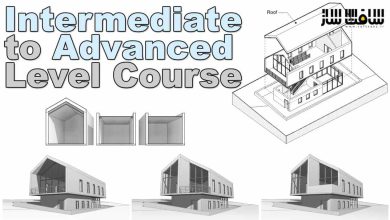
آموزش ایجاد نقاشی آبرنگ در فتوشاپ و رویت برای معماران
Professional Watercolor Renderings Using Photoshop and Revit

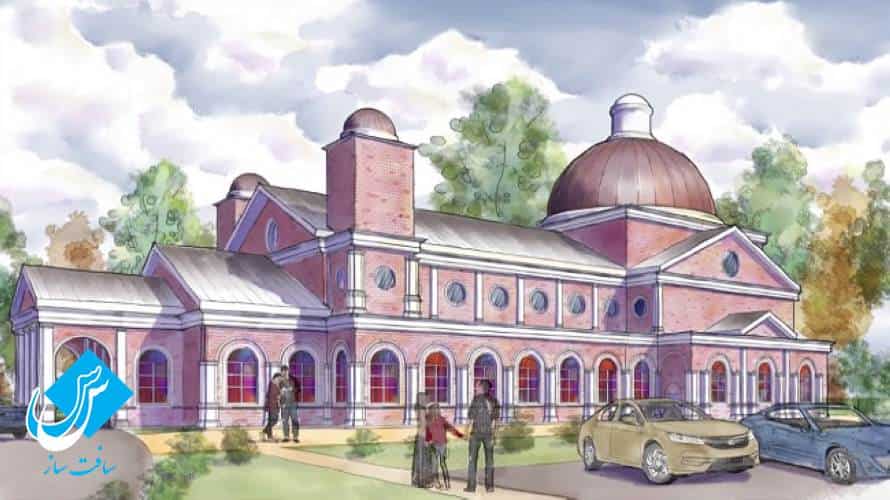
نقاشی آبرنگ در فتوشاپ
به عنوان یک معمار حرفه ای ، گاهی اوقات شما نیاز دارید پروژه خود رو با تفاسیر غیر واقعی ارائه بدید.در اين آموزش ” نقاشی آبرنگ در فتوشاپ ” از شرکت Pluralsight مربي دوره Steve Baker ، با تفاسیر حرفه ای تکنیکهای یکپارچه سازی نقاشی غیر واقعی آبرنگ با استفاده از فتوشاپ و رویت می پردازد. یاد می گیرید که چگونه مدلها رو از Revit با استفاده از action scripts ایجاد شده توسط Robert Ardill برای انتقال به فتوشاپ آماده سازی بکنید.با سافت ساز همراه باشيد .
عناوين دوره نقاشی آبرنگ در فتوشاپ :
- بررسی اجمالی پروژه
- رندر کردن صحنه در رویت و نحوه انتقال به فتوشاپ
- بررسی اجمالی از براش های آبرنگ و نحوه استفاده از آنها
- آبرنگ مصالح ساختمانی و سایه
- آبرنگ درختان , و اضافه کردن افکت
- آبرنگ عناصر صحنه، مردم، و وسایل نقلیه
پيشنمايش دوره نقاشی آبرنگ در فتوشاپ :
عنوان دوره : Digital Tutors – Professional Watercolor Renderings Using Photoshop and Revit
سطح : متوسط
زمان کل دوره : 4.22 ساعت
تعداد فايل هاي تصويري : 32
سال آموزش : 2016
فايل تمريني : دارد
مربي دوره : steve baker
نرم افزار : Photoshop , Revit
زيرنويس : ندارد
Digital Tutors – Professional Watercolor Renderings Using Photoshop and Revit
As a BIM professional, sometimes you need to work with non-photorealistic renderings into your work. In this course, Professional Watercolor Renderings Using Photoshop and Revit, you’ll learn the process of integrating non-photorealistic watercolor painting techniques using Photoshop and Revit. First, you’ll learn how to export Revit views and how to use the action scripts created by Robert Ardill to prepare Photoshop for creating realistic watercolor effects. Then, you will learn how to use various painting methods to create sky effects, landscape elements, and how to create hand drawn lines. Finally you’ll learn how to convert photos of people and vehicles to hand drawn illustrations, and how to create a professional quality watercolor renderings of Revit models. By the end of this course, you’ll know all of the steps that are necessary to create hand crafted and professional looking watercolor renderings of your Revit projects. Software required: Photoshop, Robert Ardill Plugin and Action Scripts.
Course Overview 1m 49s
Professional Watercolor Renderings Using Photoshop and Revit 20m 50s
Overview of the Watercolor Brushes and How to Use Them 43m 55s
Watercolor Painting the Revit Rendering 55m 44s;
Watercolor Painting the Building Materials and Shadows 46m 10s
Watercolor Painting Trees and Edge Effects 47m 26s
Watercolor Painting the Site Elements, People, and Vehicles 46m 13s
دانلود با لينک مستقيم و سرعت بالا :
برای نمایش این مطلب و دسترسی به هزاران مطلب آموزشی، نسبت به تهیهی اکانت ویژه از لینک زیر اقدام کنید.
وضعیت فعلی شما
- لینکهای دانلود این مطلب قفل است
- بقیهی مطالب ویژه هم بسته است
- بدون دسترسی به آموزش نصب
با اشتراک ویژه
- دسترسی به همهی مطالب سافتساز
- آپدیت روزانه مطالب سایت از بهترین سایتهای سیجی
- ورود نامحدود کاربران از هر دیوایسی
- دسترسی به آموزش نصب کامل پلاگینها و نرمافزارها
For international users: online support — email info@softsaz.ir or Telegram @SoftSaaz.
امتیاز دهی به این مطلب :
لطفا به این مطلب امتیاز دهید