آموزش ساخت درخت با نودهای هندسی Blender
Udemy- 3D Trees with Blender Geometry Nodes

آموزش ساخت درخت با نودهای هندسی Blender
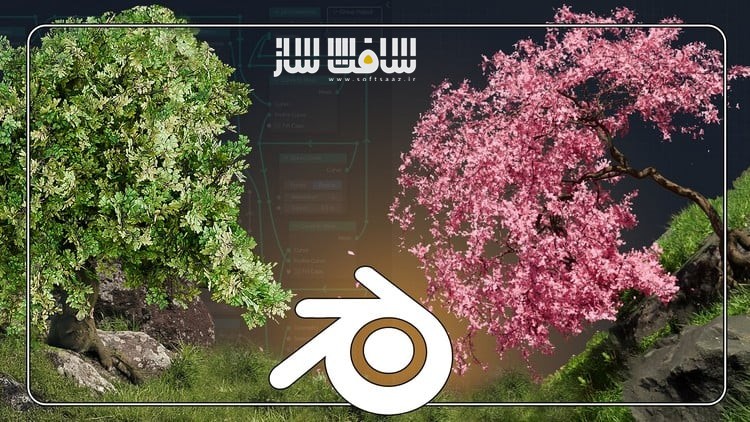
آموزش ساخت درخت با نودهای هندسی Blender : در این دوره از هنرمندان معروف 3D Tudor و Vladan Trhlík ، با نحوه تولید درختهای رویهای با Geometry Nodes در بلندر آشنا خواهید شد. این دوره نحوه ساخت ریشه تا بلندترین شاخهها درختی ، ایجاد بلوط باشکوه، درختان شکوفهی گیلاس یا جنگلی فانتزی با استفاده از ابزارهای قدرتمند سفارشی و رویه ایی در بلندر یاد می دهد.این آموزش برای توسعهدهندگان بازی، طراحان محیط و هنرمندان سهبعدی که به دنبال ساخت درختهایی با کیفیت بالا برای بازیها، انیمیشنها و دنیای سهبعدی هستند ، ایدهآل می باشد.این دوره آموزشی توسط تیم ســافــت ســاز برای شما عزیزان تهیه شده است.
عناوین آموزش ساخت درخت با نودهای هندسی Blender :
- ساخت درختهای رویهای از صفر – یادگیری کامل گردش کار مبتنی بر نودها برای شکلدهی، تصادفیسازی و تکثیر ساختار درختی متنوع
- طراحی اجزای پیچیده درخت – اضافه کردن ریشهها، شاخهها و برگها همراه با کنترل ضخامت، شکل، موقعیت برگها و الگوی رشد کلی
- تکنیکهای پیشرفته شاخهبندی و شاخوبرگ – استفاده از Repeat Zones، گرههای SplitEnd و سیستمهای مبتنی بر منحنی برای ساخت درختهای چندلایه و واقعگرایانه
- تبدیل منحنیها به مش و تنظیم UV مپها – ساخت مشهای تمیز و آمادهسازی تکسچرهای پوسته درخت و شاخوبرگها
- مدولار کردن و استفاده مجدد از نودها – ایجاد تنظیمات نودی انعطافپذیر و قابل تنظیم که بتوانید بهراحتی تغییر داده یا دوباره استفاده کنید
- انیمیشن برگهای در حال سقوط – اضافه کردن برگهای متحرک و شبیهسازی شده برای ایجاد صحنههای پویا و جذاب
با این دوره، مهارتهای خود را در زمینه مدلسازی رویهای ارتقا دهید و درختهایی کاملاً سفارشی و حرفهای بسازید!
عنوان دوره : Udemy- 3D Trees with Blender Geometry Nodes
سطح : تمامی سطوح
زمان کل دوره : 2.41 ساعت
تعداد فايل ها : 15
سال آموزش : 2025
فایل تمرینی : دارد
مربی دوره : 3D Tudor – Vladan Trhlík
نرم افزار : Blender
زیرنویس انگلیسی : ندارد
فشردگی اختصاصی سافت ساز : ندارد
Udemy- 3D Trees with Blender Geometry Nodes
- • Master Procedural Tree Creation: Gain a solid understanding of node-based workflows by learning to shape, randomize, and replicate tree structures of various
- • Design Complex Features: Add functional elements such as roots, branches, and leaves. Control thickness, shape, leaf placement, and the overall growth pattern
- • Advanced Branching & Foliage Techniques: Use repeat zones, SplitEnd Nodes, and curve-based systems to create multi-level branching. Integrate procedural noise
- • Efficient Mesh Conversion & UV Mapping: Convert curves to meshes and set up clean UV maps for bark and foliage materials.
- • Reuse & Customize Node Groups: Build modular, flexible node setups you can quickly adjust, tweak, or repurpose.
- • Animate Falling Leaves for Dynamic Scenes: Take your renders to the next level by adding simulated leaf fall.
Get ready to take your procedural modeling skills to the next level as we explore the fascinating world of procedural tree generation with Blender’s Geometry Nodes. I’m Vlad from 3D Tudor, and in this course, we’re growing something spectacular—from the roots to the highest branches!
Whether you’re creating majestic oaks, delicate sakura trees, or a fantasy woodland, this course will give you the powerful procedural tools you need to craft stunning, fully customizable trees in Blender.
Ready to branch out your skills?
Start now and unlock the full potential of Blender Geometry Nodes—no previous tree-growing experience required!
Why Choose 3D Trees with Blender Geometry Nodes?
- Professional 3D Trees – Ideal for game developers, environment artists, and hobbyists looking to create high-quality trees for games, animations, and 3D worlds.
- Hands-On Procedural Mastery – Master key techniques like the SplitEnd Node, Branch Randomization, and Root Systems to develop organic, natural-looking trees from scratch.
- Advanced Node Techniques – Discover how to distribute leaves dynamically, add procedural noise displacement, and generate complex branching structures using repeat zones.
- Simulated Falling Leaves – Implement a particle system (Blender’s Simulation Zone) to create leaves that detach, fall, and bring movement to your scenes.
- Realistic UV Mapping & Mesh Generation – Convert procedural curves into fully functional 3D meshes with proper UV maps and seamless material application.
Grow Your 3D Skill Set – Apply these techniques to a wide range of projects, from realistic environments to stylized fantasy landscapes.
حجم کل : 3.1 گیگابایت

برای دسترسی به کل محتویات سایت عضو ویژه سایت شوید
برای نمایش این مطلب و دسترسی به هزاران مطالب آموزشی نسبت به تهیه اکانت ویژه از لینک زیر اقدام کنید .
دریافت اشتراک ویژه
مزیت های عضویت ویژه :
- دسترسی به همه مطالب سافت ساز
- آپدیت روزانه مطالب سایت از بهترین سایت های سی جی
- ورود نامحدود کاربران از هر دیوایسی
- دسترسی به آموزش نصب کامل پلاگین ها و نرم افزار ها
اگر در تهیه اشتراک ویژه مشکل دارید میتونید از این لینک راهنمایی تهیه اشتراک ویژه رو مطالعه کنید . لینک راهنما
For International user, You can also stay connected with online support. email : info@softsaaz.ir telegram : @SoftSaaz