دوره جامع After Effects Kickstart Reboot 2024 از School of Motion
School of Motion - After Effects Kickstart Reboot v2024

دوره جامع After Effects Kickstart Reboot 2024
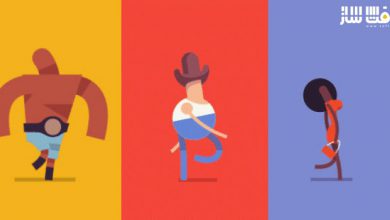
دوره جامع After Effects Kickstart Reboot 2024 : در این دورهی بهروزشده و پرطرفدار از School of Motion، با مفاهیم بنیادین موشن دیزاین در نرمافزار After Effects آشنا میشوید و از همان روز اول شروع به خلق انیمیشنهای پویا و حرفهای خواهید کرد. این دوره راهی است برای تسلط بر محبوبترین نرمافزار انیمیشن جهان و ورود جدی به دنیای طراحی حرکت. در پایان دوره، میتوانید با اطمینان پروژههای خود را بسازید، ارائه دهید و در مسیر حرفهای موشن دیزاین قدم بردارید.
این دوره نهتنها یک آموزش نرمافزاری است، بلکه ورود شما به جهان واقعی Motion Design محسوب میشود. با تمرکز بر اصول انیمیشن، ریتم، طراحی تایپ، گرافیک برداری و گردش کار حرفهای، به هنرمندی تبدیل خواهید شد که میتواند از صفر تا خروجی نهایی، پروژههای کامل و سینمایی بسازد. این دوره آموزشی توسط تیم ســافــت ســاز برای شما عزیزان تهیه شده است.
عناوین دوره جامع After Effects Kickstart Reboot 2024 :
هفته آشنایی (Orientation Week):
در این بخش با همکلاسیهای خود آشنا میشوید و با قالب آموزشی دوره خو میگیرید. سپس با راهنمایی Nol Honig اولین انیمیشن خود را در After Effects میسازید و مفاهیم پایه را یاد میگیرید.- اولین کیفریم (The First Keyframe):
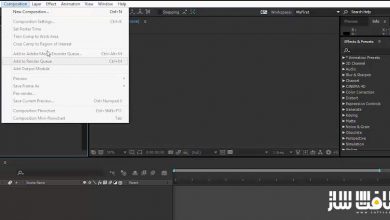
شناخت کامل محیط نرمافزار، اصول Keyframing، زمانبندی (Timing) و انیمیت ویژگیهای اصلی. پس از این بخش، تایملاین AE دیگر برایتان رازآلود نخواهد بود. - تایپوگرافی و صدا (Typography and Audio):
یادگیری طراحی و انیمیت متن و هماهنگسازی حرکتها با موسیقی یا صدا. در این بخش میتوانید ساخت ویدیوهای لیریک (Lyric Videos) را تجربه کنید. - کار با آثار گرافیکی (Working with Artwork):
وارد تعامل میان Photoshop، Illustrator و After Effects میشوید. یاد میگیرید چگونه طرحهای خود را به انیمیشن تبدیل کنید، از ماسکها و اصلاح رنگ استفاده کنید و افکتها را بهدرستی بهکار ببرید. - حرکتهای نرم و حرفهای (Make Sweet Movement):
با مفاهیم پیشرفتهتر انیمیشن و ابزارهای حرفهای مانند Graph Editor آشنا میشوید تا حرکتهایتان طبیعی و چشمنواز شوند. - دنیای موشن دیزاین (The Motion Design World):
نگاهی به فرصتها و ساختار کاری صنعت موشن دیزاین خواهید داشت. نکاتی برای سازماندهی پروژهها، بهینهسازی جریان کار و افزایش بهرهوری در AE را میآموزید. - Shape Layers، Mattes و ابزارهای پیشرفته:
با Shape Layerها، Strokes، ابزار Pen و تکنیکهای Track Matte و Alpha Matte کار میکنید. همچنین با انواع کیفریمها و مسیرهای حرکتی (Motion Paths) آشنا میشوید. - سیستم Parenting در AE (Good Parenting Tips):
با سیستم Parenting آشنا میشوید تا بتوانید ریگها و حرکات پیچیدهتر ایجاد کنید. همچنین با Expressions Engine قدرتمند نرمافزار آغازی خواهید داشت. - از نقطه A تا B (From A to B):
یاد میگیرید چگونه ترنزیشنهای جذاب و چشمگیر طراحی کنید و ضمن پیچیدهتر شدن پروژهها، نظم و ساختار مناسب را حفظ نمایید. ترکیب نهایی پروژه (Putting it all Together):
در پایان، Nol شما را گامبهگام در فرآیند ساخت یک انیمیشن حرفهای همراهی میکند تا بتوانید خودتان نیز آثار زیبا و کامل خلق کنید.
عنوان دوره : School of Motion After Effects Kickstart Reboot v2024
سطح : متوسط
زمان کل دوره : +16 ساعت
تعداد فايل ها : 6 هفته
سال آموزش : 2025
فایل تمرینی : دارد
مربی دوره : Nol Honig
نرم افزار : After Effects
زیرنویس انگلیسی : ندارد
فشردگی اختصاصی سافت ساز : ندارد
School of Motion After Effects Kickstart Reboot v2024
Dive into the fundamentals of motion design with our most popular (and recently updated) After Effects course. After Effects Kickstart is your secret weapon to dominate the world of animation. You’ll plunge head first into the world’s most popular animation software, crafting dynamic visuals from day one. By the conclusion, you’ll be comfortable creating—and showcasing—your own AE creations.
Orientation Week
Meet your classmates, get comfy with the course format, and then we’re getting to work. Nol will guide you step-by-step through your first animation in After Effects, helping you learn and master the basics.
The First Keyframe
Get totally familiar with the After Effects interface, and learn the fundamentals of keyframing, timing, and animating basic properties. The AE timeline will no longer be a mystery to you.
Typography and Audio
As this After Effects course continues, you’ll learn how to create and animate type, as well as animate and sync up your movements to audio. Ever wanted to create a lyric video? Now’s your chance.
Working with Artwork
This week we’re bringing in Photoshop and Illustrator. You’ll learn to plan more complex animation, bring your PS and AI artwork to life, understand and use masks, perform color correction, and gain a basic understanding of effects.
Make Sweet Movement
Now that you know the basics of animating, you’ll learn more advanced animation and After Effects concepts that will take your work from beginner to pro. The graph editor makes an appearance here.
The Motion Design World
Explore the world and opportunities of motion design. You’ll get tips on project organization, streamlining your workflow, and improving your productivity in After Effects.
Shape Layers, Mattes, and More
Dive into the world of Shape Layers. Create artwork in AE using Shape Layers, Strokes, the Pen Tool and more. Use Track and Alpha Mattes, and explore different types of keyframes and motion paths.
Good Parenting Tips
You’ll master the After Effects parenting system, allowing you to create more complex rigs and movement. In addition, you’ll begin learning about the powerful expressions engine.
From A to B
Learn how to approach and execute eye-popping transitions in your work. As your animations get more complex, you’ll need to follow best practices to stay organized.
Putting it all Together
Watch and learn as Nol shows you exactly what it takes to animate a professional piece. Then, you’ll have your own opportunity to animate beautiful artwork.
حجم کل : 10.6 گیگابایت
برای نمایش این مطلب و دسترسی به هزاران مطلب آموزشی، نسبت به تهیهی اکانت ویژه از لینک زیر اقدام کنید.
وضعیت فعلی شما
- لینکهای دانلود این مطلب قفل است
- بقیهی مطالب ویژه هم بسته است
- بدون دسترسی به آموزش نصب
با اشتراک ویژه
- دسترسی به همهی مطالب سافتساز
- آپدیت روزانه مطالب سایت از بهترین سایتهای سیجی
- ورود نامحدود کاربران از هر دیوایسی
- دسترسی به آموزش نصب کامل پلاگینها و نرمافزارها
For international users: online support — email info@softsaz.ir or Telegram @SoftSaaz.
امتیاز دهی به این مطلب :
لطفا به این مطلب امتیاز دهید