آموزش طراحی حیوانات برای فیلم : ببر
Udemy - Animal Creation for Film: Tiger

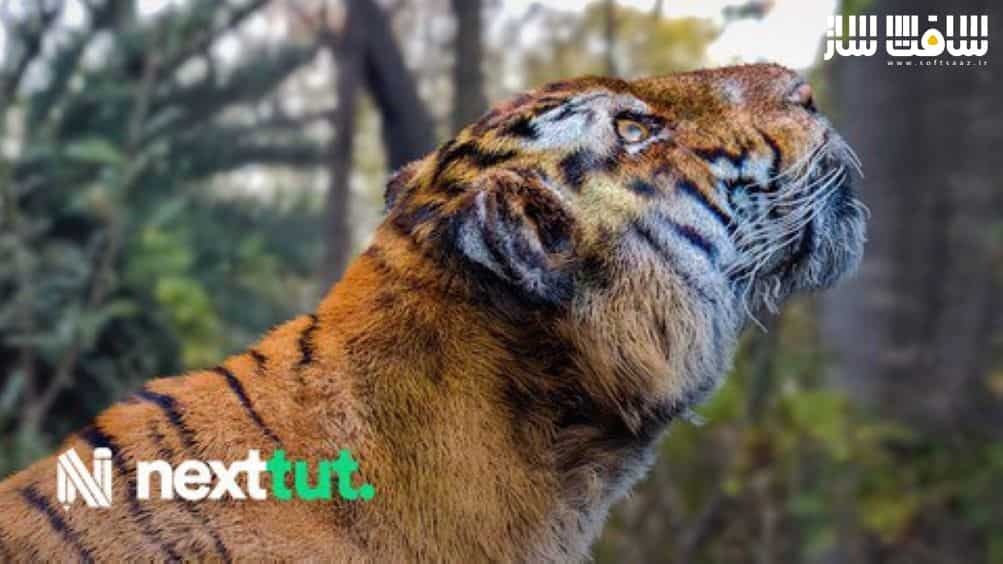
طراحی حیوانات برای فیلم : ببر
آموزش طراحی حیوانات برای فیلم : ببر : اگر در حجاری حیوانات بصورت واقع بینانه مشکلی دارید، این دوره برای شماست.در این دوره از Nexttut Education Pvt.Ltd هنرمند Nalini Kanta Jena، با نحوه اسکال آناتومی دقیق،تکسچرینگ،گروم واقع بینانه حیوانات برای پورتفولیوی خود در ZBrush و Maya آشنا خواهید شد. این دوره آموزشی توسط تیم ســافــت ســاز برای شما عزیزان تهیه شده است.
عناوین آموزش طراحی حیوانات برای فیلم :
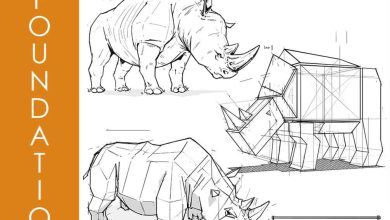
- اصول حجاری اسکلت اصلی ببر با ZSphere
- حجاری عضلات اصلی سطحی
- افزودن پوست و لایه چربی
- توپولوژی سریع با استفاده از ZRemesher و PolyGroups
- یووی آنرپ سریع در ZBrush
- پوزینگ و ژست گرفتن حیوانات
- گرومینگ در Xgen و رندر در Maya/Arnold
- تصحیح رنگ در Photoshop
عنوان دوره : Udemy – Animal Creation for Film: Tiger
سطح : متوسط
زمان کل دوره : 19.45 ساعت
تعداد فايل هاي تصويري : 56
سال آموزش : 2022
فایل تمرینی : دارد
مربی دوره : Nalini Kanta Jena
نرم افزار : ZBrush – Maya – Arnold – Photoshop
زیرنویس انگلیسی : دارد
Udemy – Animal Creation for Film: Tiger
My name is Adrian Krokodil and with a bit of medical background I founded a company called SA Anatomy where I have been teaching human & animal anatomy in ZBrush for many years now. Precision & Accuracy has been always mandatory for me since I supply 3D Anatomical models around the globe.
BENEFITS :
By the end of this course, you’ll be able to,
Understand the fundamentals of animal anatomy for artists,
Sculpt, texture & groom realistic animals
WHAT WILL I LEARN:
Sculpting the basic tiger skeleton with ZSphere
Sculpting the major superficial muscles
Adding skin & fat layer on top
Quick retopology using ZRemesher & PolyGroups
Quick UV unwrap in ZBrush
Posing our animal
Making a stand & eye parts
Polypaint our sculpts
Export all the required maps & files for Maya
Groom in Xgen & render in Maya/Arnold
Color Correction In Photoshop
COURSE PROJECTS:
We will start by customizing our Zbrush so we can work much faster and efficiently. Then we’ll use our ZSphere to block out the basic skeleton. Then after our proportions are in place we’ll start blocking our muscles. Then we will sculpt the skin & fat layer on top(without the fine details yet). After that we will do a quick zremesher on our model using polygroups & guides, this is not to say our model will be game ready, it’s just for us to get decent typology(Manual retopology is always recommended). We’ll then sculpt a stand for our animal to help best present our art for our portfolio & model the eyes. Then we’ll do quick UV’s in ZBrush(Again not production ready).Then we’ll pose our animal to a specific dynamic pose. Then we’ll sculpt some fine details(We’ll not be too concerned about the animal as it will be covered in fur). Then we’ll polypaint our sculpts using ZBrush spotlight (which we’ll also serve as guides for our groom). We’ll use the multimap exporter to export the required maps & files for maya. Then we’ll groom our animal in maya xgen then set up a quick scene for our renders with MtoA. Then lastly we’ll do some quick color correction for our render in Photoshop.
حجم کل : 17 گیگابایت
برای نمایش این مطلب و دسترسی به هزاران مطلب آموزشی، نسبت به تهیهی اکانت ویژه از لینک زیر اقدام کنید.
وضعیت فعلی شما
- لینکهای دانلود این مطلب قفل است
- بقیهی مطالب ویژه هم بسته است
- بدون دسترسی به آموزش نصب
با اشتراک ویژه
- دسترسی به همهی مطالب سافتساز
- آپدیت روزانه مطالب سایت از بهترین سایتهای سیجی
- ورود نامحدود کاربران از هر دیوایسی
- دسترسی به آموزش نصب کامل پلاگینها و نرمافزارها
For international users: online support — email info@softsaz.ir or Telegram @SoftSaaz.
امتیاز دهی به این مطلب :
لطفا به این مطلب امتیاز دهید