
آموزش Blender Grease Pencil: طراحی و انیمیشن دوبعدی در دنیای سهبعدی
Udemy -Blender Grease Pencil: Draw & Animate 2D Art in a 3D World

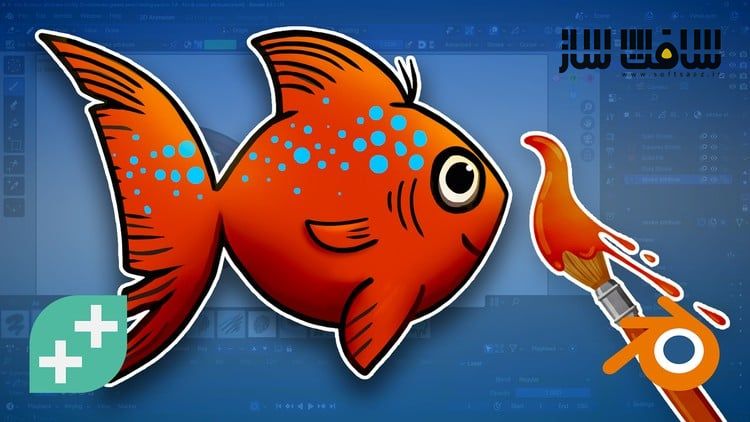
آموزش Blender Grease Pencil
آموزش Blender Grease Pencil : این دوره از GameDev.tv Team ، راهی است برای کشف ابزار قدرتمند Grease Pencil در نرمافزار Blender تا بتوانید آثار دوبعدی خود را در فضای سهبعدی زنده کنید. در این آموزش، یاد میگیرید چگونه مستقیماً در داخل Blender طراحی و انیمیشنسازی دوبعدی انجام دهید، خطوط را اصلاح و سبکسازی کنید و با ترکیب خلاقانهی 2D و 3D، آثار منحصربهفردی خلق کنید.
این دوره بهصورت گامبهگام و پروژهمحور طراحی شده تا حتی اگر تازهکار باشید، بتوانید از روز اول شروع به ساخت پروژههای سرگرمکننده کنید. برای شرکت در این دوره نیازی نیست هنرمند حرفهای باشید—کافی است ذوق و کنجکاویتان را همراه بیاورید (استفاده از تبلت گرافیکی پیشنهاد میشود، اما ماوس نیز قابل استفاده است).این دوره آموزشی توسط تیم ســافــت ســاز برای شما عزیزان تهیه شده است.
عناوین آموزش Blender Grease Pencil :
- طراحی و ساخت انیمیشنهای دوبعدی مستقیماً در داخل Blender با استفاده از ابزار Grease Pencil
- تسلط بر براشها، لایهها، متریالها و مدیفایرها برای خلق نتایج پویا و بیانگر
- ویرایش و اصلاح طراحیها در حالتهای Edit و Sculpt برای دستیابی به خطوط تمیز و استایلایز
- انیمیت سریع با استفاده از Auto In-Between، میانبرها و مدیفایرها
- ریگبندی کاراکترهای ساده با استخوانها برای حرکات نرم و پویاتر
- طراحی مستقیم روی اشیای سهبعدی برای ترکیب خلاقانهی هنر دوبعدی و دنیای سهبعدی
عنوان دوره : Udemy -Blender Grease Pencil: Draw & Animate 2D Art in a 3D World
سطح : مبتدی
زمان کل دوره : 3.30 ساعت
تعداد فايل ها : 29
سال آموزش : 2025
فایل تمرینی : ندارد
مربی دوره : GameDev.tv Team
نرم افزار : Blender
زیرنویس انگلیسی : ندارد
فشردگی اختصاصی سافت ساز : ندارد
Udemy -Blender Grease Pencil: Draw & Animate 2D Art in a 3D World
Discover Blender’s Grease Pencil tool and bring your 2D creations to life inside 3D spaces.
What you’ll learn
Create 2D animations and artwork directly inside Blender using Grease Pencil.
Master brushes, layers, materials, and modifiers for expressive results.
Refine drawings in Edit and Sculpt modes for cleaner, stylised animation.
Animate quickly with auto in-betweens, shortcuts, and modifiers.
Rig simple characters with bones for smooth, dynamic motion.
Draw directly onto 3D objects to blend 2D and 3D in creative ways.
Want to make your own 2D animations or hand-drawn art inside Blender?
Grease Pencil lets you draw, animate, and create expressive 2D artwork, all within a full 3D world.
Because it’s so powerful, Grease Pencil can seem intimidating at first. That’s why this beginner-friendly course walks you through it step-by-step, with fun, bite-sized projects that help you build confidence while creating cool stuff from day one.
You don’t need to be an artist – just bring your curiosity (and ideally a graphics tablet, though a mouse works too).
What You’ll Learn
Create fun 2D art and animations directly inside Blender.
Master Grease Pencil’s brushes, layers, materials, and modifiers.
Refine and reshape your drawings in Edit and Sculpt modes.
Animate efficiently with auto in-betweens and smart shortcuts.
Rig characters with bones to make them move, stretch, and dance.
Draw directly onto 3D objects to blend 2D art and 3D worlds.
By the end, you’ll have a collection of animated projects – from bouncing balls and dancing worms to expressive cats, colourful fish and more!
You’ll understand Grease Pencil’s workflow from start to finish and know how to bring your own creative ideas to life in both 2D and 3D.
So whether you’re just starting out and want to create your first 2D animations in Blender, you’re an artist or hobbyist who loves hand-drawn styles and expressive animation, or you’re already a Blender fan ready to explore the fun of mixing 2D and 3D art – this is the course for you!
حجم کل : 2 گیگابایت
برای نمایش این مطلب و دسترسی به هزاران مطلب آموزشی، نسبت به تهیهی اکانت ویژه از لینک زیر اقدام کنید.
وضعیت فعلی شما
- لینکهای دانلود این مطلب قفل است
- بقیهی مطالب ویژه هم بسته است
- بدون دسترسی به آموزش نصب
با اشتراک ویژه
- دسترسی به همهی مطالب سافتساز
- آپدیت روزانه مطالب سایت از بهترین سایتهای سیجی
- ورود نامحدود کاربران از هر دیوایسی
- دسترسی به آموزش نصب کامل پلاگینها و نرمافزارها
For international users: online support — email info@softsaz.ir or Telegram @SoftSaaz.
امتیاز دهی به این مطلب :
لطفا به این مطلب امتیاز دهید





عزیز ، این آموزش ناقصه . بخش دوم رو هم بذارین لطفا .
سلام متاسفانه همین فایلها موجوده ، لطفا پیگیر مطالب سایت باشید