ساخت اکشنهای قابل استفاده مجدد در Moho Pro 13
Udemy - Building Reusable Character Actions in Moho Pro 13

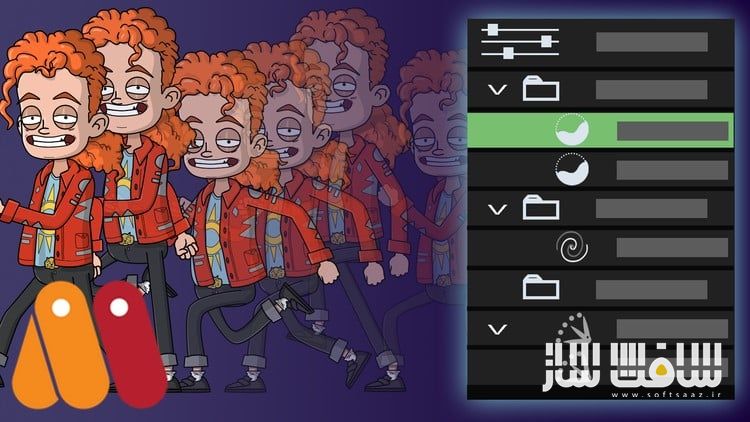
ساخت اکشنهای قابل استفاده مجدد در Moho Pro 13
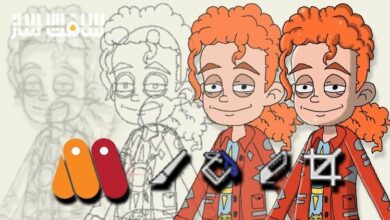
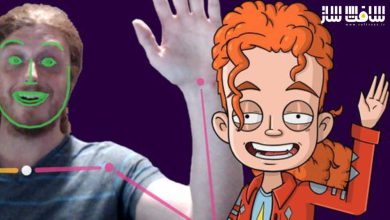
ساخت اکشنهای قابل استفاده مجدد در Moho Pro 13 : این دوره از Chad Troftgruben راهی کاربردی برای یادگیری ساخت اکشنهای قابل استفاده مجدد در نرمافزار Moho Pro 13 است. با استفاده از سیستم استخوانبندی قدرتمند Moho و پنل Actions میتوانید انیمیشنهای متنوعی مانند چرخههای راهرفتن (Walk Cycles)، ژستها و حرکات دیگر کاراکتر را بسازید، ذخیره کنید، و در پروژههای مختلف یا حتی روی ریگهای مشابه بهکار ببرید. این روش بهویژه برای پروژههای بزرگ یا سریالهای چند قسمتی که به تکرار حرکات نیاز دارند بسیار مفید است.
در این دوره یاد میگیرید چگونه سه نوع اکشن اصلی یعنی Smart، Morph و Regular را تنظیم کنید و با ترفندها و نکات حرفهای، بیشترین بهره را از این قابلیت ببرید. همچنین اصول پایه انیمیشن مانند Anticipation و Follow-through در ساخت کتابخانه اکشنهای شما به کار گرفته میشوند تا نتایجی چشمنواز و حرفهای داشته باشید. این دوره آموزشی توسط تیم ســافــت ســاز برای شما عزیزان تهیه شده است.
عناوین ساخت اکشنهای قابل استفاده مجدد در Moho Pro 13 :
- یادگیری ساخت سه نوع اکشن: Smart، Morph و Regular
- استفاده از Smart Dials برای ارتقای ریگها
- درک تفاوت بین Copies و References
- اهمیت گروهبندی و سازماندهی اکشنها
- ایجاد کتابخانه اکشن برای استفاده در پروژهها و ریگهای مختلف
- ساخت اکشنهای یکمرحلهای و ترکیب آنها برای خلق حرکات منحصربهفرد
- طراحی چرخههای راهرفتن و حرکات چشمگیر
- ایجاد Action Dial بهعنوان جایگزینی برای پنل Actions
- وارد کردن و خروجی گرفتن اکشنها بین اسناد Moho
عنوان دوره : Udemy – Building Reusable Character Actions in Moho Pro 13
سطح : مبتدی
زمان کل دوره : 2.44 ساعت
تعداد فايل ها : 21
سال آموزش : 2019
فایل تمرینی : دارد
مربی دوره : Chad Troftgruben
نرم افزار : Moho
زیرنویس انگلیسی : دارد
فشردگی اختصاصی سافت ساز : ندارد
Udemy – Building Reusable Character Actions in Moho Pro 13
Create reusable walk cycles, poses and more for any Moho character rig!
What you’ll learn
How to use the Actions panel
Build step based actions which can be linked with others
Learn how to create walk cycles and other character animations
Moho’s robust bone system is great for creating quick, eye pleasing animations. And with the Actions panel, you can save, edit and reuse these actions at any time. You can even transfer the animation to other rigs with a similar makeup. This process is great for larger projects with reusable actions or multi-episode series that rely on the same actions.
In this course you will learn how to set up the three main action types: Smart, Morph and Regular. In addition, we will go over various tips and tricks to ensure your workflow is being maximized with this feature.
This also acts as a crash course in character animation as we will be applying anticipation, follow-through, and other animation principles to help solidify our library.
More specifically in this course you will learn:
How to create the three action types: Morph, Regular and Smart
Enhance rigs further with additional Smart Dials
The differences between Copies and References
The importance of grouping and action organization
Build an actions library which can be used for multiple projects and rigs
Build up isolated one step actions which can be linked together with others to create unique animations
Setup robust motions such as a walk cycles and learn what it takes to create eye catching results
Create an action dial that acts as an alternative to the Actions Panel
Import and export actions from and to Moho documents
حجم کل : 1.7 گیگابایت
برای نمایش این مطلب و دسترسی به هزاران مطلب آموزشی، نسبت به تهیهی اکانت ویژه از لینک زیر اقدام کنید.
وضعیت فعلی شما
- لینکهای دانلود این مطلب قفل است
- بقیهی مطالب ویژه هم بسته است
- بدون دسترسی به آموزش نصب
با اشتراک ویژه
- دسترسی به همهی مطالب سافتساز
- آپدیت روزانه مطالب سایت از بهترین سایتهای سیجی
- ورود نامحدود کاربران از هر دیوایسی
- دسترسی به آموزش نصب کامل پلاگینها و نرمافزارها
For international users: online support — email info@softsaz.ir or Telegram @SoftSaaz.
امتیاز دهی به این مطلب :
لطفا به این مطلب امتیاز دهید