
دوره آموزشی کامل نرم افزار Affinity Designer Desktop v2
Udemy – Complete Course Custom Made For Affinity Designer Desktop v2

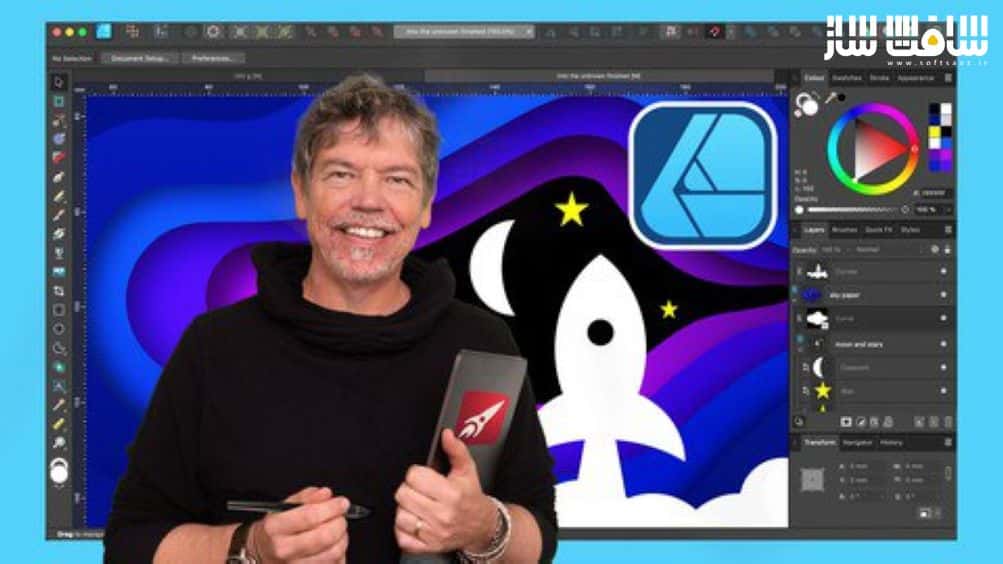
دوره آموزشی کامل نرم افزار Affinity Designer Desktop v2
دوره آموزشی کامل نرم افزار Affinity Designer Desktop v2 : در این دوره از هنرمند Tim Wilson ، با نحوه استفاده از نرم افزار Affinity Designer برای طراحی گرافیک،تکنیک های تصویرسازی،تایپوگرافی و طراحی لوگو آشنا خواهید شد.
این دوره نحوه ایجاد گرافیک های زیبا برای Affinity Designer Desktop V2 را می آموزد. این دوره نگاهی به مجموعه خاصی از ابزارها و تکنیک ها افینیتی دیزاینر برای خلق لوگو ها،آیکون ها،پوستر های پیچیده،گرافیک ها،طراحی جلد مجله بروشور می اندازد.این دوره آموزشی توسط تیم ســافــت ســاز برای شما عزیزان تهیه شده است.
عناوین آموزش :
- اصول Affinity Designer برای کسانی که تازه وارد هستند
- ایجاد تصاویر و طرح های حرفه ایی
- نحوه کشیدن اشکال و دستکاری آنها با استفاده از ابزارهای Geometry ،Pen, Pencil
- نحوه ایجاد اینفوگرافیک،لوگو و آیکون
- ایجاد آثار هنری خیره کننده ،چشم نواز با رنگ های زیبا
- خلق آثار هنری شگفت انگیز
- درک رنگ RGB / CMYK, Spot و کار با گرادیانت ها
- ایجاد طرح هایی برای چاپ،بسته بندی،تبلیغات،سوشال مدیا و گرافیک های موبایل
- کار با Vector, Bitmap
- کار با براش های بیت مپ و ماسک ها
- آموزش طراجی جلد مجلات و بروشور ها
عنوان دوره : Udemy – Complete Course Custom Made For Affinity Designer Desktop v2
سطح : متوسط
زمان کل دوره : 11.16 ساعت
تعداد فايل هاي تصويري : 214
سال آموزش : 2023
فایل تمرینی : دارد
مربی دوره : Tim Wilson
نرم افزار : Affinity Designer
زیرنویس انگلیسی : ندارد
Udemy – Complete Course Custom Made For Affinity Designer Desktop v2
Learn to Create Beautiful Graphics on this Comprehensive, Custom Made for, Affinity Designer Desktop V2 Course
This is a comprehensive course in Affinity Designer Desktop V2, starting from scratch for complete beginners, through to advanced techniques. Using the new version 2, I show you the techniques and concepts to create amazing graphics and artwork. You do not have to be able to draw to complete this Affinity Designer V2 course.
Using real life examples, I will demonstrate and give you exciting projects to carry out so you can easily put these into practice for your own artwork, graphic design work and marketing materials. Whether you want to get paid for your designer skills, or you’re doing this for fun / self-improvement, this course and the projects will help you build confidence to be able to translate into your own work.
I will take you through Affinity Designer V2 by first looking at a specific set of tools and techniques, and then reinforcing your knowledge in these with a step-by-step project at the end of most sets of lectures. The projects range from simple logos and icons, through to more complex posters, into in-depth graphics and magazine / brochure cover design. All the content can be adapted for both print or web.
During the videos there will also be key phrases that appear to help you remember tools, shortcuts and techniques.
حجم کل : 7.7 گیگابایت
برای نمایش این مطلب و دسترسی به هزاران مطلب آموزشی، نسبت به تهیهی اکانت ویژه از لینک زیر اقدام کنید.
وضعیت فعلی شما
- لینکهای دانلود این مطلب قفل است
- بقیهی مطالب ویژه هم بسته است
- بدون دسترسی به آموزش نصب
با اشتراک ویژه
- دسترسی به همهی مطالب سافتساز
- آپدیت روزانه مطالب سایت از بهترین سایتهای سیجی
- ورود نامحدود کاربران از هر دیوایسی
- دسترسی به آموزش نصب کامل پلاگینها و نرمافزارها
For international users: online support — email info@softsaz.ir or Telegram @SoftSaaz.
امتیاز دهی به این مطلب :
لطفا به این مطلب امتیاز دهید



سلام
واقعا ممنون از قرار دادن این آموزش
دمتون گرم،فقط اگر امکانش هست از افینیتی دیزاینر دوره های بیشتری قرار بدید.