آموزش ساخت سلاحهای سهبعدی Low-Poly از صفر تا صد
Fast Track Tutorials – Creating Low-Poly Stylized 3D Weapons in depth

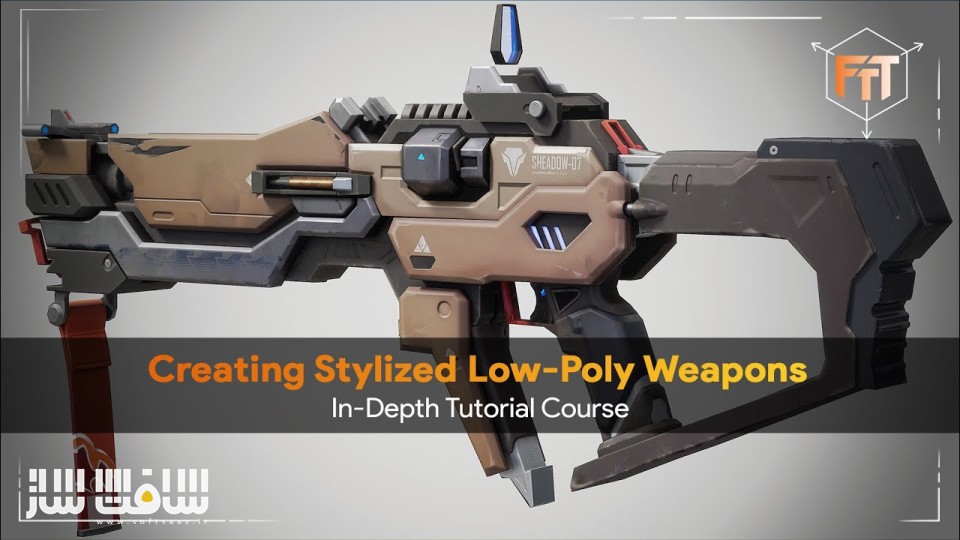
آموزش ساخت سلاحهای سهبعدی Low-Poly از صفر تا صد
آموزش ساخت سلاحهای سهبعدی Low-Poly از صفر تا صد : در این دوره جامع از Marcos Emilio Cuesta ، یاد میگیرید که چگونه یک هنرمند حرفهای در زمینه طراحی آبجکت و شخصیتهای سهبعدی، یک سلاح Low-Poly و استایلایز را از ابتدا تا انتها ایجاد میکند. تکنیکهایی مانند مدلسازی و اسکالپت در ZBrush، ریتوپولوژی، UV Unwrapping، بیکینگ تکسچر، تکسچرینگ در Substance Painter و رندر نهایی با Marmoset Toolbag بهصورت کامل آموزش داده میشوند. ایشان یک هنرمند سهبعدی با حدود ۳ سال سابقه در صنعت بازیسازی است و تخصص او در طراحی شخصیتها و آبجکتهای سهبعدی استایلایز میباشد.این دوره آموزشی توسط تیم ســافــت ســاز برای شما عزیزان تهیه شده است.
عناوین آموزش ساخت سلاحهای سهبعدی Low-Poly از صفر تا صد :
- مدلسازی در ZBrush:
ساخت یک مدل استایلایز سهبعدی از ابتدا، با شروع از مش بلوکآوت (Blockout) تا رسیدن به مدل High-Poly بر اساس کانسپت آرت - ریتوپولوژی در Blender:
آموزش کامل ایجاد مش Low-Poly بهینه برای استفاده در بازی.
یووی آنرپینگ :
آموزش ساخت UVهای تمیز و بهینه در Blender برای آمادهسازی مرحله تکسچر.
بیکینگ در Substance Painter:
آموزش دقیق بیک کردن مپها با استفاده از تکنیکهای هندسه شناور (Floating Geometry)
تکسچرینگ در Substance Painter:
ایجاد متریالهای پایه، سپس جزئیاتدهی و ساخت تکسچرهای استایلایز با کیفیت بالا
رندر نهایی در Marmoset Toolbag 5:
ساخت رندرهای جذاب برای نمایش در پرتفولیو

عنوان دوره : Fast Track Tutorials – Creating Low-Poly Stylized 3D Weapons in depth
سطح : متوسط
زمان کل دوره : 29 ساعت
تعداد فایل ها : 34
سال آموزش : 2025
فایل تمرینی : دارد
مربی دوره : Marcos Emilio Cuesta
نرم افزار : Zbrush Blender 3D Substance 3D Painter Marmoset Toolbag
زیرنویس انگلیسی : ندارد
فشردگی اختصاصی سافت ساز : ندارد
Fast Track Tutorials – Creating Low-Poly Stylized 3D Weapons in depth
Learn how a professional prop/character artist works in creating a stylized low poly weapon from start to finish. You’ll learn techniques like Zbrush modeling & Sculpting, Retopology, UV Unwrapping & Baking, Texturing and making final renders, and more!
Creating Assets Using Zbrush.
Learn how to create stylized 3D assets completely from start to finish using Zbrush. starting with a blockout mesh and then further refining it into a high poly.
Retopology Using Blender.
Learn how to do optimized retopology using Blender to end up with a low-poly and game-ready asset.
UV Unwrapping Using Blender.
Learn how to create optimized UV’s using Blender.
Baking Using Substance Painter.
Learn how to create clean bakes using Substance Painter and make use of floating geometry techniques.
Texturing using Substance Painter.
Learn how to texture stylized assets in Substance Painter starting with defining the base materials and then further refining the texture.
Final Portfolio Renders using Marmoset Toolbag.
Learn how to create great looking renders using Marmoset Toolbag 5 that are ready to be put on your portfolio!
Full Course Description
Creating Low-Poly Stylized 3D Weapons – In-Depth Tutorial Course
Learn how a professional prop/character artist works in creating a stylized low poly weapon from start to finish. You’ll learn techniques like Zbrush modeling & Sculpting, Retopology, UV Unwrapping & Baking, Texturing and making final renders, and more!
This tutorial is based on the amazing work from Nula
ZBRUSH, BLENDER, SUBSTANCE PAINTER, AND MARMOSET TOOLBAG
The majority of the modeling and sculpting will be done using Zbrush. Starting with creating the initial blockout mesh directly in zbrush and refining it to a final model while following our concept art. After that we will focus on doing a low-poly retopology using Blender and also doing our UV Unwrapping inside of Blender. Next we will focus on preparing and baking our texture maps using Substance Painter and then we will move onto creating unique stylized textures also using Substance Painter.
We will finish the course off by making some final renders for our portfolio using Marmoset Toolbag 5.
29+ HOURS!
This course contains over 29+ hours of content – You can follow along with every single step – This course has been done 100% in real-time and does not contain any timelapses.
With this course you will learn the essentials on creating assets completely from scratch using Zbrush and on how to utilize additional tools to create final, game-ready stylized assets.
SKILL LEVEL
This course is intended for intermediate artists, it is essential to have a basic understanding of the software listed. We do provide a keyboard shortcut overlay while explaining the process. But this course will not cover the basics of the tools mentioned below.
TOOLS USED
Zbrush
Blender 3D
Substance 3D Painter
Marmoset Toolbag
YOUR INSTRUCTOR
Marcos Emilio Cuesta is a skilled 3D Character Artist with around 3 years of experience working in the game industry.
CHAPTER SORTING
There’s a total of 34 videos split into easy-to-digest chapters. All the videos will have logical naming and are numbered to make it easy to find exactly the ones you want to follow.
SOURCE FILES
All the project source files including the final weapon are included in this course.
SUBTITLES
Subtitles are offered for this tutorial in English, Chinese and Spanish. Please note the subtitles are auto generated and might not always be 100% accurate.
حجم کل : 12.5 گیگابایت

برای دسترسی به کل محتویات سایت عضو ویژه سایت شوید
برای نمایش این مطلب و دسترسی به هزاران مطالب آموزشی نسبت به تهیه اکانت ویژه از لینک زیر اقدام کنید .
دریافت اشتراک ویژه
مزیت های عضویت ویژه :
- دسترسی به همه مطالب سافت ساز
- آپدیت روزانه مطالب سایت از بهترین سایت های سی جی
- ورود نامحدود کاربران از هر دیوایسی
- دسترسی به آموزش نصب کامل پلاگین ها و نرم افزار ها
اگر در تهیه اشتراک ویژه مشکل دارید میتونید از این لینک راهنمایی تهیه اشتراک ویژه رو مطالعه کنید . لینک راهنما
For International user, You can also stay connected with online support. email : info@softsaaz.ir telegram : @SoftSaaz