دوره جامع تدوین ویدیو با نرمافزار داوینچی ریزالو (مقدماتی تا پیشرفته)
Udemy - DaVinci Resolve Essentials Beginner Video Editing Course

دوره جامع تدوین ویدیو با نرمافزار داوینچی ریزالو
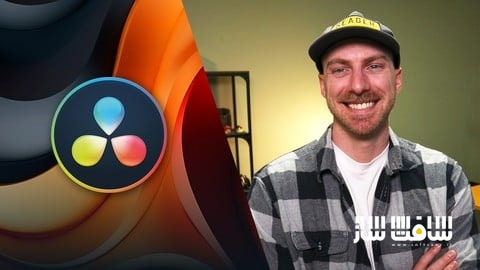
دوره جامع تدوین ویدیو با نرمافزار داوینچی ریزالو (مقدماتی تا پیشرفته) : این دوره آموزشی با تدریس «برندن بالدووین»، شما را با یکی از قدرتمندترین ابزارهای پستولید ویدیو در جهان آشنا میکند. اگر تا به امروز با دیدن محیط پیچیده داوینچی ریزالو دچار سردرگمی شدهاید، این دوره ۱۲ ساعته با پروژههای عملی، به شما کمک میکند تا بهجای درگیری با نرمافزار، بر هنر روایتگری و تدوین خلاقانه تمرکز کنید. شما در این مسیر، از وارد کردن فایلها تا خروجی نهایی، تمامی مراحل تدوین، اصلاح رنگ، طراحی گرافیک متحرک در بخش فیوژن و مدیریت صدا را بهصورت حرفهای و گامبهگام فرا خواهید گرفت. با پایان این دوره، صاحب یک پورتفولیوی حرفهای شامل مستند کوتاه، تیزر و محتوای شبکههای اجتماعی خواهید شد. این دوره آموزشی توسط تیم ســافــت ســاز برای شما عزیزان تهیه شده است.
عناوین دوره جامع تدوین ویدیو با نرمافزار داوینچی ریزالو (مقدماتی تا پیشرفته) :
- شروع کار و تنظیمات اولیه نرمافزار
- اصول تدوین ویدیوهای مصاحبهای
- ساخت محتوای ویدیویی کوتاه برای شبکههای اجتماعی
- ترفندها و نکات کلیدی تدوین که هر تدوینگری باید بداند
- طراحی گرافیک متحرک در محیط فیوژن
- ساخت عناوین و نوشتههای متحرک
- تدوین تخصصی تیزرهای ویدیویی
- یادگیری جامع صفحه اصلاح رنگ
- تکنیکهای پیشرفته تدوین و بهینهسازی جریان کاری
- پروژه نهایی: ساخت یک مستند کامل
عنوان دوره : Udemy – DaVinci Resolve Essentials Beginner Video Editing Course
سطح : مبتدی
زمان کل دوره : 13 ساعت و 6 دقیقه
تعداد فايل ها : 110 (1080p)
سال آموزش : 2026
فایل تمرینی : ندارد
مربی دوره : Daniel Walter Scott
نرم افزار : DaVinci Resolve
زیرنویس انگلیسی : ندارد
Udemy – DaVinci Resolve Essentials Beginner Video Editing Course
Taught by video editor and content creator Brandon Baldovin, DaVinci Resolve Essentials is a practical introduction to one of the most powerful tools in modern post production. Whether you’re cutting a social clip, trailer, or documentary, DaVinci Resolve brings together editing, audio, motion graphics, and color in a single application. This comprehensive 12-hour course shows you how to wield that power with confidence, so you can focus on telling better stories instead of fighting the software.
If you’ve ever opened DaVinci, felt overwhelmed by all the pages and panels, and closed it just as fast, you’re not alone. Brandon is here to guide you step-by-step with hands-on projects that don’t just teach you where to click but how to think about each editing challenge as it comes. You’ll work through a variety of videos from first import to final render, building skills through repetition, problem solving, and practical application.
Together with Brandon, you’ll learn how to:
Navigate the relevant pages of DaVinci Resolve and skip the rest
Create projects, timelines, and media bins that stay organized
Use J and L cuts, b-roll, music, and sound effects to shape compelling edits
Work inside Fusion to design your own motion graphics
Build a simple, repeatable approach to color correction and basic grading (and learn the difference between the two!)
Streamline your workflow with adjustment clips, compound clips, power bins, and proxies
Best of all, DaVinci Resolve is free. If you’ve always wanted to try your hand at video editing, whether for personal projects, content creation, or client work, there’s never been a better time or a better tool. This course is designed to help you focus on only the core features you need to get started, so you can build confidence and make intentional decisions no matter what type of footage you’re working with.
By the end, you’ll have a reels’ worth of finished projects that reflect your editing sensibilities, including a talking head video, short form social content, a trailer, and a polished mini documentary. Even more importantly, you’ll have the confidence to open DaVinci Resolve and transform a blank timeline into your creative vision, time and again. Let’s get editing!
Note: Because the exercise files contain video footage, they’re large (7 GB) and may take extra time to download. EditStock has generously supplied watermarked footage for use in the course and course exercise files.
Requirements
Download DaVinci Resolve, either the free version or Studio (paid)
A computer that meets DaVinci Resolve minimum system requirements, with at least 16GB of RAM recommended
Enough storage space for exercise files and included footage, either on your computer or an external hard drive
Headphones strongly recommended to properly hear dialogue, music, and sound effects
A mouse can be helpful for precise timeline and Fusion work, though a trackpad also works
Who this course is for
Beginners who want to learn DaVinci Resolve from scratch
Self-taught editors who feel stuck clicking buttons without understanding the process
Content creators and small business owners who want better video for their brand
Designers and creatives who need to learn basic editing for client projects
Anyone who has opened Resolve, panicked, and wants a clear, structured path forward
What you’ll learn
How to download, install, and set up DaVinci Resolve
Setting up frame rates, codecs, and project settings
Navigating the Edit, Media, Fusion, Color, and Deliver pages
Importing, organizing, and managing media with bins and timelines
Editing talking head videos from start to finish
Removing ums, uhs, and dead space to improve pacing
Cutting footage efficiently with custom keybinds
Creating smooth edits using J cuts and L cuts
Adding and timing b-roll to support the story
Choosing and placing music and sound effects
Balancing dialogue, music, and SFX for clean, intentional audio
Editing short form and vertical videos for social platforms
Using adjustment clips to apply effects across multiple clips
Working with compound clips to stay organized
Creating and using power bins for reusable assets
Using proxies for smoother playback on larger projects
Rendering in place to simplify complex timelines
Understanding the Fusion page and node based workflows
Creating Fusion compositions for motion graphics
Working with merge nodes, masks, and transforms
Building simple logo animations and motion elements
Creating lower thirds and animated text
Keying green screen footage
Tracking footage and attaching animated callouts
Understanding the difference between color correction and color grading
Reading scopes to guide color decisions
Correcting exposure, white balance, and contrast
Working with primary wheels and RGB curves
Handling skin tones accurately
Applying basic color grading to shape mood
Creating and saving color correction presets
Exporting and delivering videos for YouTube, social platforms, and clients
Completing multiple real world class projects you can add to your portfolio
Downloadable exercise files and professional footage to follow along
Quizzes and hands-on projects to reinforce key concepts
Practical workflows and techniques used by working video editors
What you’ll learn:
– How to download, install, and set up DaVinci Resolve
– Setting up frame rates, codecs, and project settings
– Navigating the Edit, Media, Fusion, Color, and Deliver pages
– Importing, organizing, and managing media with bins and timelines
– Editing talking head videos from start to finish
– Removing ums, uhs, and dead space to improve pacing
– Cutting footage using ripple delete, blade edits, and keybinds
– Creating smooth edits using J cuts and L cuts
– Adding and timing b-roll to support the story
– Choosing and placing music and sound effects
– Balancing dialogue, music, and SFX for clean, intentional audio
– Editing short form and vertical videos for social platforms
– Syncing external audio with video footage
– Using adjustment clips to apply effects across multiple clips
– Working with compound clips to stay organized
– Creating and using power bins for reusable assets
– Using proxies for smoother playback on larger projects
– Rendering in place to simplify complex timelines
– Understanding the Fusion page and node based workflows
– Creating Fusion compositions for motion graphics
– Working with merge nodes, masks, and transforms
– Building simple logo animations and motion elements
– Creating lower thirds and animated text
– Keying green screen footage
– Tracking footage and attaching animated callouts
– Understanding the difference between color correction and color grading
– Reading scopes to guide color decisions
– Correcting exposure, white balance, and contrast
– Working with primary wheels and RGB curves
– Handling skin tones accurately
– Applying basic color grading to shape mood
– Creating and saving LUTs and presets
– Exporting and delivering videos for YouTube, social platforms, and clients
– Completing multiple real world class projects you can add to your portfolio
– Downloadable exercise files and professional footage to follow along
– Quizzes and hands-on projects to reinforce key concepts
– Practical workflows and techniques used by working video editors
Requirements:
– Download DaVinci Resolve, either the free version or Studio (paid)
– A computer that meets DaVinci Resolve minimum system requirements, with at least 8 GB of RAM recommended
– Enough storage space for exercise files and included footage, either on your computer or an external hard drive
– Headphones strongly recommended to properly hear dialogue, music, and sound effects
– A mouse can be helpful for precise timeline and Fusion work, though a trackpad also works
Who this course is for:
– Beginners who want to learn DaVinci Resolve from scratch
– Self-taught editors who feel stuck clicking buttons without understanding the process
– Content creators and small business owners who want better video for their brand
– Designers and creatives who need to learn basic editing for client projects
– Anyone who has opened Resolve, panicked, and wants a clear, structured path forward
حجم کل : 3.12 گیگابایت
برای نمایش این مطلب و دسترسی به هزاران مطلب آموزشی، نسبت به تهیهی اکانت ویژه از لینک زیر اقدام کنید.
وضعیت فعلی شما
- لینکهای دانلود این مطلب قفل است
- بقیهی مطالب ویژه هم بسته است
- بدون دسترسی به آموزش نصب
با اشتراک ویژه
- دسترسی به همهی مطالب سافتساز
- آپدیت روزانه مطالب سایت از بهترین سایتهای سیجی
- ورود نامحدود کاربران از هر دیوایسی
- دسترسی به آموزش نصب کامل پلاگینها و نرمافزارها
For international users: online support — email info@softsaz.ir or Telegram @SoftSaaz.
امتیاز دهی به این مطلب :
لطفا به این مطلب امتیاز دهید