تسلط بر داوینچی ریزالو از صفر تا صد تدوین ویدیو
Udemy - DaVinci Resolve Mastery: The Complete Video Editing Bootcamp

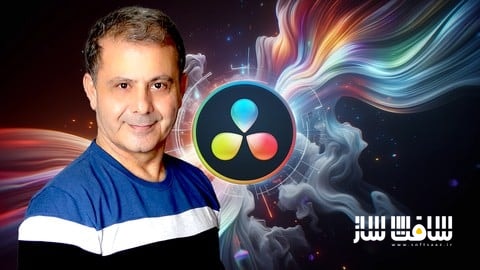
تسلط بر داوینچی ریزالو از صفر تا صد تدوین ویدیو
تسلط بر داوینچی ریزالو از صفر تا صد تدوین ویدیو : این دوره جامعترین راهنما برای یادگیری نرمافزار داوینچی ریزالو است که شما را از سطح مبتدی به یک تدوینگر حرفهای تبدیل میکند. در این آموزش، تمامی بخشهای کلیدی شامل تدوین، اصلاح رنگ، موشن گرافیک، فیوژن و صداگذاری را به صورت پروژهمحور میآموزید. با تکیه بر متدهای استاندارد صنعت سینما، یاد میگیرید چگونه ویدیوهای باکیفیت برای یوتیوب، تیکتاک و ریلز بسازید و با استفاده از هوش مصنوعی و ابزارهای پیشرفته، سرعت کاری خود را به حداکثر برسانید. این دوره برای هر کسی که میخواهد بدون اتلاف وقت و با تمرینهای عملی، به قدرت این نرمافزار رایگان مسلط شود، طراحی شده است. این دوره آموزشی توسط تیم ســافــت ســاز برای شما عزیزان تهیه شده است.
عناوین تسلط بر داوینچی ریزالو از صفر تا صد تدوین ویدیو :
- مقدمهای بر تدوین و شروع کار با داوینچی ریزالو
- اصول تدوین سریع و انرژیبخش در صفحه کات
- بهبود کیفیت بصری و صوتی پروژهها
- تدوین تخصصی ویدیوهای عمودی برای شبکههای اجتماعی
- ضبط صدا و گویندگی حرفهای در محیط نرمافزار
- تکنیکهای پیشرفته تدوین داستانی در صفحه ادیت
- مدیریت تایملاین، تدوین چندلایه و برشهای دقیق
- کار با افکتهای سرعت و بازتولید زمان
- نهاییسازی تصویر و صدا و اصلاح رنگ و نور
- خروجی گرفتن حرفهای و تدوین چنددوربینه
عنوان دوره : Udemy – DaVinci Resolve Mastery: The Complete Video Editing Bootcamp
سطح : مبتدی
زمان کل دوره : 15 ساعت و 50 دقیقه
تعداد فايل ها : 246 (1080p:144, 720p:102)
سال آموزش : 2026
فایل تمرینی : دارد (ZIP:3, HTML:2, TXT:1)
مربی دوره : Louay Zambarakji
نرم افزار : DaVinci Resolve
زیرنویس انگلیسی و فارسی : دارد
Udemy – DaVinci Resolve Mastery: The Complete Video Editing Bootcamp
DaVinci Resolve Mastery: The Complete Video Editing Bootcamp
Join 90,000+ Students in the Most Comprehensive, Up-to-Date Course on Udemy
“The most comprehensive DaVinci Resolve course on Udemy—a complete package covering Edit, Color, Fusion, and Fairlight. It made building my skills easy.” — DaVinci Bootcamp Student
Stop feeling overwhelmed by complex software. Join a community of over 81,000 fellow students and 14,000+ positive reviewers who have already transformed their raw footage into professional-grade cinema. Whether you’re a total beginner or an editor looking to switch to the industry’s most powerful free software, you’re in the right place.
Meet Your Instructor
Hello! I’m Louay, a bestselling instructor specializing in Video Editing, Motion Graphics, and Visual Effects. My courses are consistently top-rated because I focus on one thing: your success.
I’ve designed this bootcamp to be a hands-on journey. We won’t just talk about tools; we will use them. This course is fully updated, ensuring you are learning the latest AI features, tools, and professional workflows used by professional working editors today.
The “30-Minute” Promise
I know you’re eager to start creating. That’s why we dive right in. Within your first 30 minutes, you will have navigated the interface and created your first video—complete with music, text, and transitions. No wasted time on fluff—just the skills you need to edit with confidence.
What You’ll Learn
Editing & Workflow (Cut + Edit Pages)
Understand the complete DaVinci Resolve workflow from start to finish
Edit quickly and efficiently using the Cut Page
Import, organize, and manage media using Bins and Power Bins
Build projects confidently on the Edit Page
Perform precise, frame-by-frame edits
Use professional techniques such as 3-point editing, J-cuts, and L-cuts
Adjust timing with speed controls (slow motion and fast motion)
Create smooth transitions and design your own custom transitions
Complete your first video project step by step
Vertical Video (Shorts, TikTok, Reels)
Edit vertical videos optimized for YouTube Shorts, TikTok, and Instagram Reels
Reframe horizontal footage to vertical while keeping your subject in focus
Use smart tools to track and maintain framing automatically
Design vertical-friendly titles, captions, and layouts
Export videos in the correct formats for each platform
Motion Graphics & Titles
Create clean, modern titles, lower thirds, intros, and outros
Work with Text, Text+, and Rich Text tools
Customize and animate graphics for professional results
Apply and refine effects using Resolve FX
Design visually engaging content for videos, social media, and presentations
Fusion
Understand the fundamentals of node-based compositing
Use Fusion tools and effects to enhance your videos
Work with Fusion FX for advanced visual effects
Apply tracking techniques to follow motion in your footage
Combine elements to create clean and convincing visual effects
Fairlight Audio
Record clear voiceovers directly inside DaVinci Resolve
Edit and clean audio for professional sound quality
Balance dialogue, music, and sound effects
Use essential Fairlight tools to improve clarity and consistency
Color Correction & Grading
Correct exposure, contrast, and color balance with confidence
Work with Log footage and normalize it properly
Use Power Windows, tracking, and qualifiers for targeted adjustments
Create polished, cinematic color grades
Practical Learning Experience
Follow simple, step-by-step lessons designed for clarity
Work with professionally shot footage and real projects
Apply everything you learn through hands-on exercises
Is This For You?
Beginners: We start at the absolute basics. No experience? No problem.
Switchers: Moving from Premiere Pro or Final Cut? I’ll show you the fastest way to translate your skills to Resolve.
Content Creators: Perfect for YouTubers, Filmmakers, and Social Media Marketers.
Don’t just take my word for it—check out what your future classmates are saying:
“I was pleasantly surprised at how well this course began. The pace is excellent and I learned useful things constantly… it helped the speed and efficiency of my workflow.” — Timothy Larson
“I am new to DaVinci Resolve so the course is very insightful and helpful. I love that you’ve provided materials for your students to easily do the edits with you which make it so much easier to understand the features provided on the video editing software. Thank you!!! :D” — Joy Billel:
Your journey from beginner to pro starts right here. Let’s start creating together!
Enroll Now and see in the course.Louay
What you’ll learn:
– How to download, install, and correctly set up DaVinci Resolve on your system
– Configure frame rates, codecs, and project settings the right way from day one
– Confidently navigate the Media, Edit, Fusion, Color, and Deliver pages
– How to edit Vertical videos for YouTube Shorts and Tiktok
– Record studio-quality voice overs directly inside Resolve—fast and clean
– Convert horizontal footage into engaging vertical content without losing key visuals
– Optimize videos for maximum reach on YouTube Shorts and TikTok algorithms
– Balance dialogue, music, and sound effects for clean, professional audio
– Design viral-style cuts, zooms, and transitions used by top creators
– Cut and trim footage quickly and precisely using ripple delete, blade tools, and time-saving
– Import, organize, and manage footage using bins and timelines
– Edit short-form and vertical videos for social media platforms
– Core Workflow in DaVinci Resolve: Understand the full editing pipeline—from setting up projects, importing and organizing media, to navigating key tools
– Efficient Editing Technique Using the Cut Page Master fast, intuitive editing workflows on the Cut Page for streamlined editing and quick turnarounds
– Work confidently with merge nodes, masks, and transforms
– Fix exposure, white balance, and contrast like a pro
– ResolveFX & OpenFX Visual Effects: Apply and customize built-in effects (ResolveFX & FusionFX) to enhance visual storytelling
– Key green screen footage cleanly and accurately
– Apply color grading to create mood and style
– Create and add Motion Graphics to your videos
– Create and use power bins for reusable assets across projects
– Understand the difference between color correction and color grading
– Color Correction & Grading Essentials – Develop skills in: Using color wheels and curves Balancing and correcting footage. Power Windows
– Practice with downloadable exercise files and professional footage
– Navigating Nodes in DaVinci Resolve: From Serial to Layer, Parallel, and Beyond
– Practical Usage of Curves, Color Wheels, Qualifiers, Power Windows, Scopes, and more
– Complete a full-scale project: From Importing Media, through Video Editing and Color Correction, to Color Grading with Motion and ResolveFX
– Titles & Motion Graphics Learn to design and insert: Lower thirds Intros and outros Advanced text effects using Fusion Text, Text+, Rich Text
– Export videos correctly for YouTube, social media, and client delivery
– Reinforce learning with quizzes and hands-on projects
Requirements:
– DaVinci Resolve the free copy. I’ll show you how to download and Install your copy.
– DaVinci Resolve requires Windows 10 or any Mac OS.
– No Prior knowledge in DaVinci Resolve required.
– No prior knowledge in Video Editing, Color Correction and Grading, Visual Effects or Motion is required. It’s all covered in the Course.
– A 1080p (at least) Screen Resolution is highly recommended to work in DaVinci Resolve and to preview the course.
– I will provide you, free of charge, professionally shot videos to create your own project (from video editing to color correction and Grading)
Who this course is for:
– DaVinci Resolve Newbies: Dive in and discover the basics of video editing and color grading.
– Novices in Video Editing and Color Grading: Not only will you grasp how to edit videos and color grade, but you’ll also learn much more.
– Advanced Video Editors keen to master DaVinci Resolve: Whether it’s for video editing or color grading, we’ve got you covered.
– Future Video Editors: Master an array of video editing techniques in DaVinci Resolve.
– Aspiring Colorists: Gain comprehensive knowledge on color correction/grading using DaVinci Resolve.
حجم کل : 4.8 گیگابایت
برای نمایش این مطلب و دسترسی به هزاران مطلب آموزشی، نسبت به تهیهی اکانت ویژه از لینک زیر اقدام کنید.
وضعیت فعلی شما
- لینکهای دانلود این مطلب قفل است
- بقیهی مطالب ویژه هم بسته است
- بدون دسترسی به آموزش نصب
با اشتراک ویژه
- دسترسی به همهی مطالب سافتساز
- آپدیت روزانه مطالب سایت از بهترین سایتهای سیجی
- ورود نامحدود کاربران از هر دیوایسی
- دسترسی به آموزش نصب کامل پلاگینها و نرمافزارها
For international users: online support — email info@softsaz.ir or Telegram @SoftSaaz.
امتیاز دهی به این مطلب :
لطفا به این مطلب امتیاز دهید