حجاری و تکسچرینگ Offworlder در 3D Coat برای Blender Eevee
Gumroad – Offworlder Sculpting and Texturing in 3D Coat for Blender Eevee

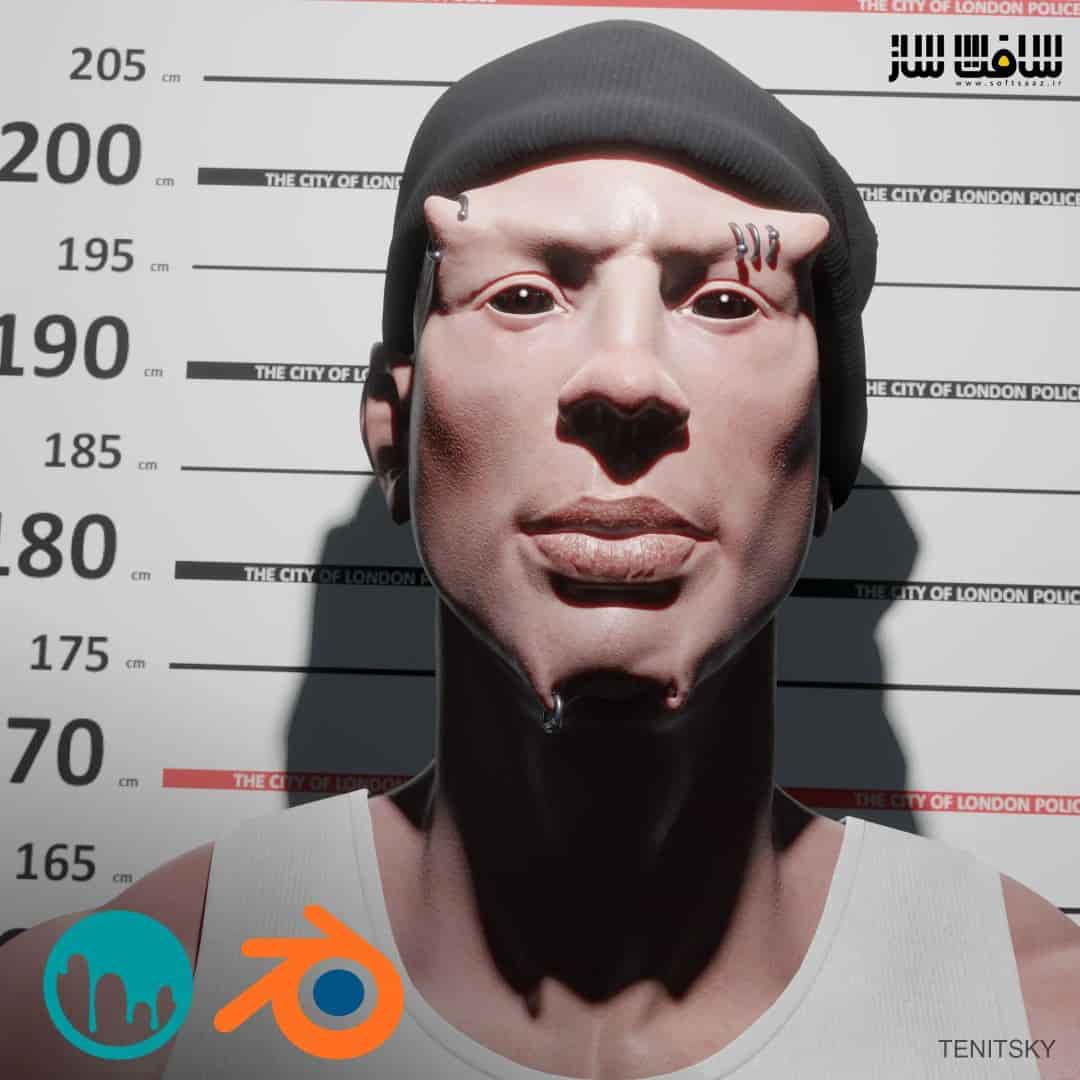
حجاری و تکسچرینگ Offworlder در 3D Coat
حجاری و تکسچرینگ Offworlder در 3D Coat برای Blender Eevee : در این دوره از هنرمند Anton Tenitsky، با پایپ لاین جدید 3D Coat و Blender برای حجاری و تکسچرینگ یک کاراکتر Offworlder آشنا خواهید شد. تمامی ویدیو ها کوتاه و بین 2 تا 5 دقیقه می باشند که تماشا کردنشان ساده تر و بهترین تجربه یادگیری را به ارمغان می آورند.این دوره آموزشی توسط تیم ســافــت ســاز برای شما عزیزان تهیه شده است.
عناوین آموزش :
- ایجاد سر بیس
- حجاری کاراکتر
- ریتوپولوژی و یووی
- نقاشی تکسچر
- ارائه در بلندر
- طراحی لباس در مارولوس دیزاینر
عنوان دوره : Gumroad – Offworlder Sculpting and Texturing in 3D Coat for Blender Eevee
سطح : متوسط
زمان کل دوره : –
تعداد فايل هاي تصويري : 73
سال آموزش : 2022
فایل تمرینی : png – jpg – pdf
مربی دوره : Anton Tenitsky
نرم افزار : 3D Coat – Blender – Marvelous Designer
زیرنویس انگلیسی : ندارد
Gumroad – Offworlder Sculpting and Texturing in 3D Coat for Blender Eevee
Explore a new pipeline of 3D Coat and Blender that could fit very well in certain productions and cover many needs at a fraction of the commonly used software costs.
The whole course is structured that every video about a certain point that is in the name of the file. It makes it convenient to navigate and study.
All videos are short between 2-5 minutes for easy watching and the best learning experience.
Long boring processes are recorded to timelapses without narration.
COURSE STRUCTURE:
Part 1 – Creating the Base Head
Setting up a sculpt that is easy and fast to modify. You will be able to turn it to various character designs while retaining the important bits (lips, eyes, nose, ears) under control. At this speed, it is only possible to do in 3D Coat.
The segmented head is included in the project files so you can even just skip doing it yourself and start designing straight ahead.
Part 2 – Character Sculpting
The second part is about modifying the base head to different creatures. Then moving on to creating the finished voxel sculpt of the character. Talking about particularities of sculpting in 3D Coat.
Part 3 – Retopology and UVs
3D Coat has great retopology and UV tools to do the job fast and it is covered in this chapter.
Part 4 – Texture Painting
Texturing in 3D Coat is a great experience. The brushes give you a very natural painting feeling and are highly customizable.
Part 5 – Blender Presentation
This part covers the basics of the scene set up like skin shader, lighting, sculpting, and modeling tools.
Bonus Part – Marvelous Designer
Jumping in Marvelous to design clothing for the character and bringing back to Blender.
حجم کل : 5.7 گیگابایت
برای نمایش این مطلب و دسترسی به هزاران مطلب آموزشی، نسبت به تهیهی اکانت ویژه از لینک زیر اقدام کنید.
وضعیت فعلی شما
- لینکهای دانلود این مطلب قفل است
- بقیهی مطالب ویژه هم بسته است
- بدون دسترسی به آموزش نصب
با اشتراک ویژه
- دسترسی به همهی مطالب سافتساز
- آپدیت روزانه مطالب سایت از بهترین سایتهای سیجی
- ورود نامحدود کاربران از هر دیوایسی
- دسترسی به آموزش نصب کامل پلاگینها و نرمافزارها
For international users: online support — email info@softsaz.ir or Telegram @SoftSaaz.