آموزش طراحی بافتهای نقاشیدستی برای جلوههای ویژه استایلایز
VFXapprentice - Hand-Painted Textures for Stylized FX

آموزش طراحی بافتهای نقاشیدستی برای جلوههای ویژه استایلایز
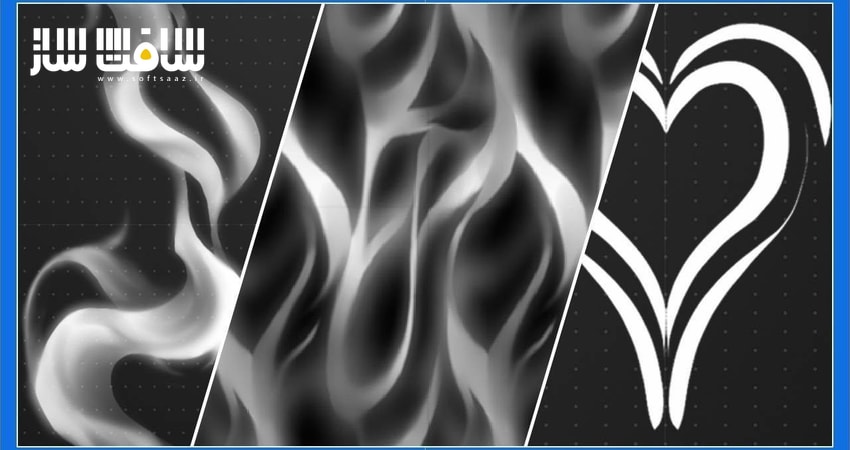
آموزش طراحی بافتهای نقاشیدستی برای جلوههای ویژه استایلایز : در این دوره آموزشی جامع، با راهنماییهای علی سورنسن، یاد میگیرید چگونه بافتهای هنری و جذاب برای جلوههای ویژه بازیهای ویدیویی طراحی کنید. این دوره بر نرمافزار رایگان کریتا (Krita) تمرکز دارد، اما تکنیکهای ارائهشده در فتوشاپ یا سایر نرمافزارهای طراحی نیز کاملاً قابل اجرا هستند. شما با اصول پایه، طراحی اسپرایتشیتها، افکتهای نوری و تکنیکهای پیشرفتهای مانند آلفا ارژن (Alpha Erosion) آشنا میشوید. این آموزش برای هنرمندان تازهکار و علاقهمندان به حوزه VFX که قصد دارند مهارتهای خود را در خلق بافتهای سهبعدی و دوبعدی ارتقا دهند، طراحی شده است. این دوره آموزشی توسط تیم ســافــت ســاز برای شما عزیزان تهیه شده است.
عناوین آموزش طراحی بافتهای نقاشیدستی برای جلوههای ویژه استایلایز :
- مقدمهای بر محیط نرمافزار کریتا و ابزارهای پایه
- طراحی بافتهای درخشان و افکتهای ضربه (Impact Flair)
- ساخت حلقههای موج شوک و افکتهای محیطی
- آموزش طراحی اسپرایتشیت برای ذرات آتش و گدازه
- ایجاد افکتهای الکتریکی و رعد و برق
- طراحی بافتهای دود و بخار با استفاده از کنتراست
- تکنیکهای پیشرفته ایجاد پاشش مایعات و حلشدگی
- ساخت بافتهای نویز کاشیکاری شده برای تنوع در افکتها
- طراحی دنبالههای متحرک برای پرتابهها
- بررسی نهایی و خروجی گرفتن برای موتورهای بازیسازی
عنوان دوره : VFXapprentice – Hand-Painted Textures for Stylized FX
سطح : مبتدی
زمان کل دوره : 4 ساعت و 17 دقیقه
تعداد فايل ها : 9
سال آموزش : 2026
فایل تمرینی : دارد: TXT (1)
مربی دوره : Ali Sorensen
نرم افزار : Krita
زیرنویس انگلیسی : ندارد
VFXapprentice – Hand-Painted Textures for Stylized FX
Included with VFX-A All Access
Learn how to paint amazing stylized textures with Ali Sorensen! This course uses the free painting tool Krita, but you can also follow along in Photoshop or other drawing tools.
We recommend using a tablet to draw true “hand” painted textures, but you can also follow along with a mouse.
4+ Hours
This course includes over four hours of stylized FX texture training.
Skill Level
Beginner Level One course for new and aspiring VFX artists.
Software
Krita or
Adobe Photoshop
Instant Access
This course is immediately available to All Access members.
Course Breakdown
Lesson overview.
Intro to Krita
Krita is a free open source painting tool. If you’re new to texture painting, Ali Sorensen will help you get started by going through the basics.
Go through the layout of Krita and its tools. Follow along and make a fuzzy orb texture that will be very useful in many of the effects you’ll be making.
Impact Flair
Use your creative skills to make an impact flash. Get pointers and techniques you can apply to any texture, regardless of whether you’re choosing to draw a realistic or a stylized flair.
Learn how to check your texture for issues, how to clean them up, and finally how to export your completed texture.
Shockwave AOE Ring
Shockwave or AOE ring textures are very common in games. They communicate gameplay mechanics like area damage or healing.
In this lesson, layer tools are your friend. Use them to work non-destructively while you test new blur and glow effects. Go through your design and look for areas to improve on each pass.
Embers Sprite Sheet
Sprite sheets are used in both 2D and 3D effects. Using a sprite sheet texture for real-time particle systems gives you the ability to randomly spawn particles.
Learn how to create interesting ember shapes. For embers, there is extra emphasis on blur and layer techniques to create a nice fiery glow. This will be very useful for you in the future when creating any other type of emissive materials.
Zap Sprite Sheet
Make another sprite sheet, this time for electricity. Experiment with different zap shapes and designs to create variation.
Start by establishing a rough silhouette for each shape. Look for interesting designs regardless of the size of the sprite will be in-game. Then add a polish pass to add that extra oomph to make your zap effects shine.
Wisp Sprite Sheet
One last sprite sheet lesson to test the skills you’ve gained. Create wisp textures and focus on creating clean transitions between sharp crisp shapes and soft blurry shapes.
Focus on using the full range of black and white in your textures. The higher level of contrast will really push your shapes and make them stand out clearer for that stylized look.
Liquid Splatter
Make a basic liquid splatter and learn how to dissolve it using a Threshold Map. Threshold maps are a little more advanced in the texture painting skillset, but they’re quite common and incredibly useful to drive non-linear dissolves for liquids, smoke clouds, and burst effects.
In games, this technique is also commonly called Alpha Erosion.
Tiling Noise
Create tiling noise textures, one of the most commonly used textures in VFX. They prevent the repetition of shapes and add more randomness to your effects.
Focus on the variation of shape size, controlling edge sharpness, and controlling the values of the shapes in your texture. Polish your texture to suit the style of the effect you are trying to achieve. Once you’re done with your tiling noise you can save and export it out for use in the engine.
Tiling Trail
Tiling trail textures are often used for the trail of a projectile or as a base for panning mesh particles.
This lesson will be a culmination of all the skills that you have learned to create a tiling trail texture in Krita.
حجم کل : 1.02 گیگابایت

برای دسترسی به کل محتویات سایت عضو ویژه سایت شوید
برای نمایش این مطلب و دسترسی به هزاران مطالب آموزشی نسبت به تهیه اکانت ویژه از لینک زیر اقدام کنید .
دریافت اشتراک ویژه
مزیت های عضویت ویژه :
- دسترسی به همه مطالب سافت ساز
- آپدیت روزانه مطالب سایت از بهترین سایت های سی جی
- ورود نامحدود کاربران از هر دیوایسی
- دسترسی به آموزش نصب کامل پلاگین ها و نرم افزار ها
اگر در تهیه اشتراک ویژه مشکل دارید میتونید از این لینک راهنمایی تهیه اشتراک ویژه رو مطالعه کنید . لینک راهنما
For International user, You can also stay connected with online support. email : info@softsaaz.ir telegram : @SoftSaaz