آموزش مدلسازی سطوح سخت برای بازیها
Flipped Normals - Hard Surface Modeling for Games

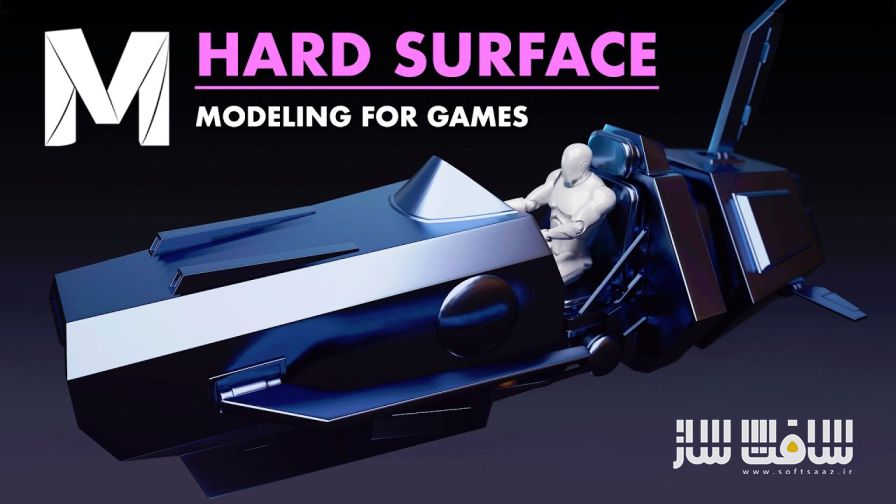
آموزش مدلسازی سطوح سخت برای بازیها
آموزش مدلسازی سطوح سخت برای بازیها : در این دوره تخصصی، تمام نکات و ترفندهایی را یاد میگیرید که هنرمندان حرفهای هنگام ساخت مدلهای Hard Surface برای بازیها بهکار میبرند. تمرکز اصلی دوره بر طراحی و مدلسازی یک هاورکرافت (Hovercraft) ، با در نظر گرفتن نیازهای گیمپلی و صحنههای سینمایی است .
در این آموزش، از فرآیند سنتی High Poly تا Low Poly استفاده میشود تا مدلی تمیز و بهینه برای بازیها و انیمیشنها بسازید. همچنین یاد میگیرید چگونه بهترین UVها را ایجاد کنید و مدل خود را تا رسیدن به عملکردی بینقص برای رندر و تکسچر نهایی اصلاح کنید. در پایان این دوره، خروجی شما یک مدل Hard Surface کاملاً آماده برای تکسچرینگ، شیدینگ و رندرینگ خواهد بود.
David Saiz همبنیانگذار و مدیر استودیوی Paloma Studios است. او سابقهی طولانی در حوزهی بازیهای ویدیویی، تلویزیون، تبلیغات و واقعیت مجازی دارد. از جمله استودیوهایی که در آنها فعالیت داشته میتوان به Sony Online Entertainment، Electronic Arts، Wevr، Rhythm & Hues و Halon Entertainment اشاره کرد. برخی از پروژههایی که در آنها مشارکت داشته شامل: Overwatch (مجسمههای تبلیغاتی)، The Sims 3، Planetside 2، Mass Effect New Earth (Ride)، Disney Infinity و Serpent’s Saga هستند. این دوره آموزشی توسط تیم ســافــت ســاز برای شما عزیزان تهیه شده است.
عناوین آموزش مدلسازی سطوح سخت برای بازیها :
- مدلسازی و Unwrap حرفهای در Maya
- یادگیری تکنیکهای مدلسازی و UV در سطح AAA
- درک عمیق از تصمیمگیریهای طراحی در فرآیند ساخت
- استفاده از workflow واقعی استودیوهای بازیسازی
- کار با پروژهای کامل در قالب طراحی یک هاورکرافت برای بازی
عنوان دوره : Flipped Normals – Hard Surface Modeling for Games
سطح : متوسط
زمان کل دوره : 13 ساعت
تعداد فايل ها : 41
سال آموزش : 2025
فایل تمرینی : دارد
مربی دوره : David Saiz
نرم افزار : Autodesk Maya 2018
زیرنویس انگلیسی : ندارد
فشردگی اختصاصی سافت ساز : ندارد
Flipped Normals – Hard Surface Modeling for Games
Learn all the tips and tricks professionals use when they create hard surface models for games. We’ll be focusing on designing and modeling a hovercraft, taking into account gameplay and cinematic needs. We will cover traditional High Poly to Low Poly workflow, and what to model. We will create the best UV’s possible, and refine the model until perfectly functional for games and cinematics.
The final result will be a clean hard surface model, ready for texturing, shading, and rendering.
Learn More: Check out our Exclusive Tutorial on Hard Surface Texturing for Games for complete knowledge on the hard surface real-time pipeline.
Maya Modeling and Unwrapping
Learn professional Modeling and UV techniques in Maya. We will not only focus on the workflow, but also on the thought process behind the decisions that go into making a AAA hovercraft for games.
13 Hours Of Real-Time Content
Everything is covered step by step over 13 hours of real time narrated videos. There are no timelapses. You will get to see how and why certain things are made the way they are. All the hotkeys, tricks, shortcuts, every single step to making this game model, will be covered.
Skill Level
This tutorial is great for students and artists who are just starting out and want to know everything about hard surface modeling for games. It is easy to follow for newcomers as it covers all the basics before slowly ramping up to more complicated things.
Instructor Bio
David Saiz is a CoFounder and Studio Director of Paloma Studios. He has many years of experience working on videogames, television, commercials, attractions, and Virtual Reality experiences. David has worked in numerous studios in California such as Sony Online Entertainment, Electronic Arts, Wevr and film, and commercial studios such as Rhythm & Hues, Halon Entertainment among others. He is an experienced Technical Lead, as well as an artist. He has worked on projects such as Overwatch (promotional statues), The Sims 3, Planetside 2, Mass Effect New Earth (Ride), Disney Infinity, and Serpent’s Saga.
Tools Used
- Autodesk Maya 2018
Chapter List
01 – The Importance of Reference
02 – Maya Scene Setup
03 – Final Output Concerns
04 – Blocking BackArea
05 – Blocking Seat
06 – Blocking Front
07 – Blocking Posing Human
08 – Blocking Front Thickness
09 – Blocking Pedals Functionality
10 – Blocking Final Proportions Adjustment
11 – Blocking Cockpit Details
12 – Blocking Cockpit Details 2
13 – Blocking Back
14 – High to Low Poly Baking Explanation
15 – Defining Amount of Detail in High Poly
16 – Modeling Tail
17 – Modeling Tail Rotating Mechanism
18 – Modeling Back Wings Rotating Mechanism
19 – Modeling Back Turbine
20 – Modeling Front Wings
21 –Modeling Front Windshield
22 – Modeling Rest of Chassis
23 – Modeling Support Elements
24 – Modeling Under Structure
25 – Modeling Dashboard
26 – Modeling Seat
27 – Modeling Handles
28 – Modeling FinalDetails
29 – Uvs Intro Explanation
30 – Uvs Front Preserve Uvs
31 – Uvs Front Select Backfacing
32 – Uvs Front Wings Glass
33 – Uvs Turbine
34 –Uvs Back
35 – Uvs Back Transfer Attributes
36 – Uvs Seat
37 – Uvs Dashboard
38 – Uvs Under Structure
39 – Uvs Mirror
40 – Uvs Layout
41 – Conclusion
حجم کل : 6.5 گیگابایت
برای نمایش این مطلب و دسترسی به هزاران مطلب آموزشی، نسبت به تهیهی اکانت ویژه از لینک زیر اقدام کنید.
وضعیت فعلی شما
- لینکهای دانلود این مطلب قفل است
- بقیهی مطالب ویژه هم بسته است
- بدون دسترسی به آموزش نصب
با اشتراک ویژه
- دسترسی به همهی مطالب سافتساز
- آپدیت روزانه مطالب سایت از بهترین سایتهای سیجی
- ورود نامحدود کاربران از هر دیوایسی
- دسترسی به آموزش نصب کامل پلاگینها و نرمافزارها
For international users: online support — email info@softsaz.ir or Telegram @SoftSaaz.
امتیاز دهی به این مطلب :
لطفا به این مطلب امتیاز دهید