دوره Illustrator First Class از Dansky
Dansky – Illustrator First Class

دوره Illustrator First Class از Dansky
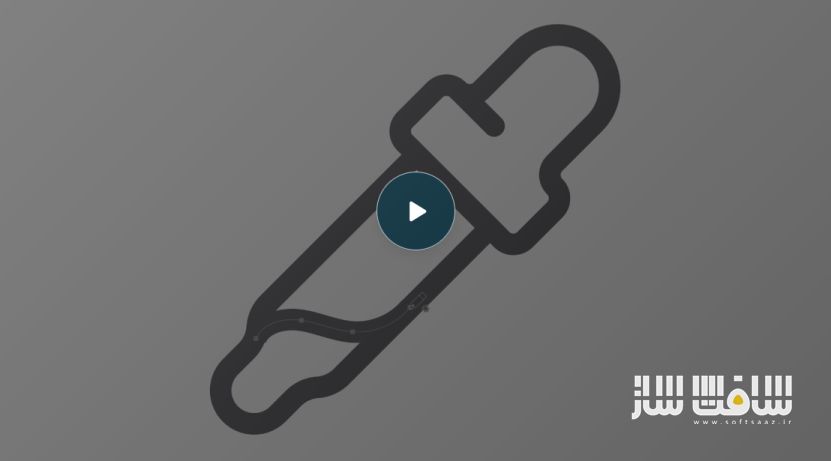
دوره Illustrator First Class از Dansky : در این دورهی جامع و هوشمندانه از Dansky، یاد میگیرید چگونه در عرض تنها ۷ روز بدون سردرگمی و اتلاف وقت، بر نرمافزار Adobe Illustrator مسلط شوید. مدرس با تجربهای چندساله در طراحی گرافیک، تمام اشتباهات رایج در یادگیری ایلاستریتور را برطرف کرده و مسیر یادگیری را به شکلی ساده، هدفمند و حرفهای برای شما ترسیم کرده است.
اگر از تماشای آموزشهای پراکنده خسته شدهاید و هنوز نمیتوانید طرحهایی را که در ذهن دارید بهدرستی خلق کنید، این دوره میانبری سریع برای رسیدن به سطح حرفهای طراحی است. در این مسیر، میآموزید چگونه از ابزارهای کلیدی Illustrator برای طراحی اشکال دقیق، آیکونها، تایپوگرافی خلاقانه، پوسترهای چشمنواز و مدلهای سهبعدی استفاده کنید. این دوره آموزشی توسط تیم ســافــت ســاز برای شما عزیزان تهیه شده است.
عناوین دوره Illustrator First Class از Dansky :
- ماژول ۱: شروع اصولی (نصب، محیط کاربری، ناوبری، خطوط راهنما)
- ماژول ۲: ابزارهای کلیدی (ترکیب و تراز اشکال، لایهها، آرتبوردها)
- ماژول ۳: رنگ، خطوط و گرادینتها (تنظیم رنگها، سایهروشن، بازرنگآمیزی)
- ماژول ۴: ابزارهای طراحی و تکنیکهای ساخت اشکال (Pen Tool، تقارن، نقاشی زنده)
- ماژول ۵: تایپوگرافی حرفهای (متن روی مسیر، تغییر شکل و افکتهای سهبعدی)
- ماژول ۶: تصاویر، ماسکها و ترسیم (Image Trace و تکنیکهای ماسکینگ)
- ماژول ۷: براشها و بافتها (براشهای پراکنده، هنری و الگویی)
- ماژول ۸: ویژگیهای پیشرفته (Pattern، Blend، Warp، Intertwine و گرافیکهای سهبعدی)
- ماژول ۹: خروجی و اشتراکگذاری (برای چاپ، وب، و آمادهسازی فایلها)

عنوان دوره : Dansky – Illustrator First Class
سطح : مبتدی
زمان کل دوره : – ساعت
تعداد فایل ها : 9 ماژول
سال آموزش : 2025
فایل تمرینی : ندارد
مربی دوره : –
نرم افزار : illustrator
زیرنویس انگلیسی : ندارد
فشردگی اختصاصی سافت ساز : ندارد
Dansky – Illustrator First Class
Ditch the frustration and learn Illustrator the smart way in just 7 days.
Most beginners waste years trying to learn Illustrator the hard way, and this skips all of that.
It took me years to realise the problem wasn’t me, it was how I was learning Illustrator.
I remember years ago, staring at my screen, completely lost. I’d spent hours reading articles and watching Illustrator tutorials but still couldn’t design what was in my head, let alone get it looking good. I kept jumping between tools, following random videos, hoping something would finally click — the process was painfully slow and incredibly frustrating.
Even when I finished something, I had no idea if it was actually any good, and to be honest it all felt like guesswork for a long time.
Well after years of trial and error, I’ve finally figured it out.
Illustrator isn’t difficult, it’s just overwhelming when you try to learn everything, and in the wrong order. But when you focus on the tools that actually matter, and learn how to use them properly, everything changes.
That’s why I created Illustrator First Class. It’s the course I wish I had on day one. So if you’re new to design or feeling stuck, this gives you the shortcut — a clear path, the right tools, and a way to start creating real pro-level work as fast as possible.
Very soon you’ll be able to…
Before
After
Design pro-level shapes and icons with precision.
Most people get shape-building wrong — but not you. Learn the exact tools, shortcuts and workflows for crafting clean, professional shapes that form the foundation of high-quality icon and logo design.
Turn basic shapes into expressive illustrations.
Master the essentials of building and colouring vector artwork. You’ll go from flat lines to bold, characterful illustrations — and gain the skills to create your own graphic style from scratch.
Create beautiful type with detailed effects.
Learn how to design better typography, and take it further with artistic effects like stippling, shadowing and depth — giving your type a textured, handcrafted feel that sets your designs apart.
Build 3D mockups with your own custom graphics.
Create patterns, icons and illustrated elements, then apply them to your own 3D models. You’ll learn the full mockup process — from design to rendering — so you can present your work like a pro.
Design posters that grab attention.
See how to take an idea and turn it into a polished, eye-catching poster. You’ll explore composition, layout, and how to make your design pop while still feeling clean and intentional..
Craft minimalist icons and logos with real impact.
Clean, simple and effective — but harder to do well than it looks. You’ll learn how to design minimal icons and logos using proper construction techniques that produce consistent, scalable results.
حجم کل : 3.3 گیگابایت

برای دسترسی به کل محتویات سایت عضو ویژه سایت شوید
برای نمایش این مطلب و دسترسی به هزاران مطالب آموزشی نسبت به تهیه اکانت ویژه از لینک زیر اقدام کنید .
دریافت اشتراک ویژه
مزیت های عضویت ویژه :
- دسترسی به همه مطالب سافت ساز
- آپدیت روزانه مطالب سایت از بهترین سایت های سی جی
- ورود نامحدود کاربران از هر دیوایسی
- دسترسی به آموزش نصب کامل پلاگین ها و نرم افزار ها
اگر در تهیه اشتراک ویژه مشکل دارید میتونید از این لینک راهنمایی تهیه اشتراک ویژه رو مطالعه کنید . لینک راهنما
For International user, You can also stay connected with online support. email : info@softsaaz.ir telegram : @SoftSaaz