مقدمه ایی بر نرم افزار Affinity Photo
Domestika - Introduction to Affinity Photo

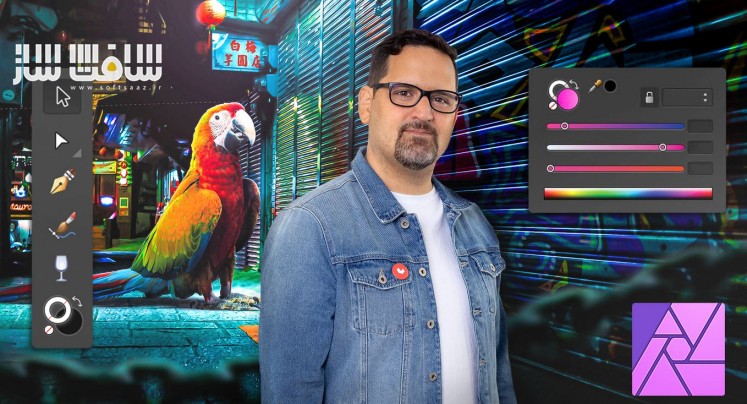
مقدمه ایی بر نرم افزار Affinity Photo
مقدمه ایی بر نرم افزار Affinity Photo : در این دوره از هنرمند Carlos Jimenez Varela ، با نحوه روتوش کامپوزیشن های عکاسی و دادن سبکی منحصر به فرد به آنها در نرم افزار قدرتمند Affinity Photo آشنا خواهید شد. این دوره عکاسی و فیلمبرداری ، هنر کامپوزیشن عکس در افینیتی فوتو ، ویرایش و دستکاری تصاویر ، اصول استفاده از ابزارها و ویرایش تصویر ، نقاشی ، روتوشینگ عکس ، کار با ابزارهای تصحیح رنگ ، تسلط بر ادجانسمنت لایر ، نحوه ایجاد چند فتومونتاژ ساده ، رنگ و کارهای تکمیلی را پوشش می دهد. این دوره آموزشی توسط تیم ســافــت ســاز برای شما عزیزان تهیه شده است.
عنوان دوره : Domestika – Introduction to Affinity Photo
سطح : مبتدی
زمان کل دوره : 5.57 ساعت
تعداد فايل ها : 40
سال آموزش : 2024
فایل تمرینی : ندارد
مربی دوره : Carlos Jimenez Varela
نرم افزار : Affinity Photo
زیرنویس انگلیسی : دارد
فشردگی اختصاصی سافت ساز : ندارد
Domestika – Introduction to Affinity Photo
Learn how to retouch your photographic compositions and give them a unique style with one of the most complete and intuitive software on the market
Domestika Basics · 4 courses included
Photography & Video Course 1: First Steps
By Carlos Jimenez Varela
Immerse yourself in the art of photographic composition with Affinity Photo
Photography & Video Course 2: Image Manipulation
By Carlos Jimenez Varela
Learn the basic tools and start editing your photos
Photography & Video Course 3: Painting and Retouching
By Carlos Jimenez Varela
Begin to master color correction and photo retouching tools
Photography & Video Course 4: Total Control
By Carlos Jimenez Varela
Master adjustment layers, colorization, and the finishing touches
Immerse yourself in the world of photographic composition and photomontage, no matter your level, with the help of Affinity Photo, one of the most comprehensive and user-friendly software on the market. Throughout these four courses, designer and publicist Carlos Jiménez shows you how to get the most out of this program by teaching you all its main tools and features.
As a follow-on from his first course Surrealistic Photomontage with Photoshop, Carlos shows you how to use Affinity Photo to achieve astonishing images, with a strikingly unique style, entirely from scratch.
Start this Domestika Basics by comparing Photoshop and Affinity Photo before getting familiarized with the fundamentals of working with digital images and exploring the Affinity Photo interface.
Then turn your attention to the creation of some simple photomontages using basic tools and discover the magic of mask layers.
Now it’s time to delve into some photo retouching tools that are invaluable for perfecting your portraits such as brushes and a few colorization features.
Finish up by getting to grips with non-destructive workflows using adjustment layers, as well as some tools for maintaining complete control over your photomontages.
Now you’ve mastered the basic features of Affinity Photo, it’s time to get out there and create your own breathtakingly professional compositions and photomontages.
حجم کل : 2.2 گیگابایت
برای نمایش این مطلب و دسترسی به هزاران مطلب آموزشی، نسبت به تهیهی اکانت ویژه از لینک زیر اقدام کنید.
وضعیت فعلی شما
- لینکهای دانلود این مطلب قفل است
- بقیهی مطالب ویژه هم بسته است
- بدون دسترسی به آموزش نصب
با اشتراک ویژه
- دسترسی به همهی مطالب سافتساز
- آپدیت روزانه مطالب سایت از بهترین سایتهای سیجی
- ورود نامحدود کاربران از هر دیوایسی
- دسترسی به آموزش نصب کامل پلاگینها و نرمافزارها
For international users: online support — email info@softsaz.ir or Telegram @SoftSaaz.
امتیاز دهی به این مطلب :
لطفا به این مطلب امتیاز دهید