آموزش مقدماتی Maya 2026: جلد اول
The Gnomon Workshop - Introduction to Maya 2026: Volume 1


آموزش مقدماتی Maya 2026: جلد اول
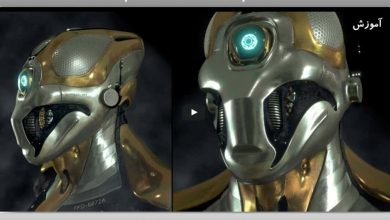
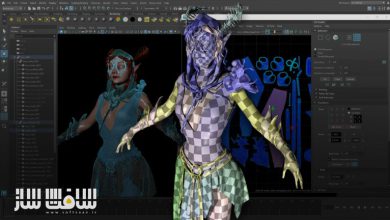
آموزش مقدماتی Maya 2026: جلد اول : در این دوره از Eric Keller مسیر ورود حرفهای به نرمافزار Autodesk Maya 2026 بهصورت کاملاً اصولی و قدمبهقدم آموزش داده میشود و هنرجویان با محیط کاربری، ناوبری در صحنه و ویرایشگرهای ضروری برای ساخت مدلها و صحنههای سهبعدی حرفهای آشنا میشوند.
این ورکشاپ که توسط یکی از محبوبترین مدرسان این مجموعه تهیه شده است، شامل 20 درس عمیق و کاربردی بوده و به هنرمندان کمک میکند تا پیش از ورود به بخشهای پیشرفتهتر مانند Bifrost و XGen، درک کاملی از هسته اصلی Maya به دست آورند و بدانند کدام بخشها در ابتدای مسیر ضروری هستند و کدام قسمتها را میتوان فعلاً نادیده گرفت تا از سردرگمی هنگام یادگیری نرمافزار جلوگیری شود.
در جلد اول این مجموعه، مفاهیم کلیدی مانند کار با دوربینها، هندسه، نورپردازی صحنه و رندرگیری در Viewportهای Maya بررسی میشود. همچنین نحوه تنظیم صحیح نرمافزار در ابتدای پروژه آموزش داده شده و فایلهای تمرینی برای همراهی هنرجو ارائه میشود. این دوره آموزشی توسط تیم ســافــت ســاز برای شما عزیزان تهیه شده است.
عناوین آموزش مقدماتی Maya 2026: جلد اول :
- آشنایی کامل با رابط کاربری و Navigation در Maya
- کار با Editors مختلف مانند Outliner، Attribute Editor، Channel Box و Display Layers
- بررسی تنظیمات و گزینههای Panel Menu
- پیشنمایش رندر با موتور Arnold مستقیماً داخل محیط Maya
- پیشنمایش شیدینگ و تکسچر با Viewport 2.0
- بهینهسازی گردش کار با Display Options
- معرفی ابزارهای Toolbox شامل Soft Select، Pivot Manipulation، Component Mode و Object Mode
- آشنایی با ابزار Blue Pencil
- نکات کاربردی برای جلوگیری از اشتباهات رایج در محیطهای حرفهای
عنوان دوره : The Gnomon Workshop – Introduction to Maya 2026: Volume 1
سطح : متوسط
زمان کل دوره : 4.10 ساعت
تعداد فايل ها : 20
سال آموزش : 2025
فایل تمرینی : دارد
مربی دوره : Eric Keller
نرم افزار : Maya
زیرنویس انگلیسی : ندارد
فشردگی اختصاصی سافت ساز : ندارد
The Gnomon Workshop – Introduction to Maya 2026: Volume 1
Kickstart your journey in Autodesk Maya 2026 with this beginner-friendly workshop from one of our most-watched instructors, Eric Keller. Introduction to Maya 2026: Volume 1 is a comprehensive guide featuring 20 in-depth lessons that walk artists through the Maya interface and navigation, and detail the essential editors required to build professional-looking 3D models and scenes.
Eric has been working with Maya for over 20 years. His goal with this workshop is to not only help artists understand all the essential parts of Maya that they need to understand before expanding into the more exotic parts, such as Bifrost and XGen, etc., but he also lets artists know which parts can be set aside and not worried about, easing the anxiety that can come with overwhelming interfaces when learning new software as a beginner or junior artist.
This first volume in Eric’s Introduction to Maya series covers key concepts, including working with cameras, geometry, scene lighting, and rendering within Maya’s viewports. He begins by teaching how to set up Maya properly, providing project files to support the learning process. He covers how to use Editors such as Outliner, Attribute Editor, Channel Box, and Display Layers, as well as the options available in the various panel menus. He shows how to preview Arnold renders directly in the interface, how to preview shading and textures using Viewport 2.0, and how to optimize the workflow using the Display options in the panel menus. Eric also demonstrates the Toolbox options, including Soft Select, Pivot Manipulation, Component vs. Object Mode, and Blue Pencil.
Along the way, Eric shares valuable tips and workflow tricks to help artists avoid common pitfalls and work efficiently in a professional setting. With 20 lessons to help artists get up and running in Maya, each around 12–15 minutes long, Eric’s workshop is designed so that artists looking to learn or get a refresher on an individual feature or technique can watch lessons independently, while those looking for a complete introduction can follow along in sequence.
To enhance the learning experience, this workshop includes downloadable project files that allow artists to follow along and practice with real-world examples.
The learning will continue in Volume 2 (coming soon), where Eric will dive into Maya’s modeling, deformation, and rigging tools. In Volume 3 (coming soon), Eric will introduce the Maya UV Toolkit, cover lighting, shading, and rendering with Arnold, and also take a look at Maya’s animation interfaces. Eric’s goal with this beginner’s guide to Maya is to equip artists with a solid foundation in Maya to tackle many of the intermediate- to advanced Maya workshops in The Gnomon Workshop library.
حجم کل : 5.6 گیگابایت

برای دسترسی به کل محتویات سایت عضو ویژه سایت شوید
برای نمایش این مطلب و دسترسی به هزاران مطالب آموزشی نسبت به تهیه اکانت ویژه از لینک زیر اقدام کنید .
دریافت اشتراک ویژه
مزیت های عضویت ویژه :
- دسترسی به همه مطالب سافت ساز
- آپدیت روزانه مطالب سایت از بهترین سایت های سی جی
- ورود نامحدود کاربران از هر دیوایسی
- دسترسی به آموزش نصب کامل پلاگین ها و نرم افزار ها
اگر در تهیه اشتراک ویژه مشکل دارید میتونید از این لینک راهنمایی تهیه اشتراک ویژه رو مطالعه کنید . لینک راهنما
For International user, You can also stay connected with online support. email : info@softsaaz.ir telegram : @SoftSaaz