آموزش ساخت سیستم شاپ و اینونتوری در Godot
Udemy - Inventory & Shops in Godot

آموزش ساخت سیستم شاپ و اینونتوری در Godot
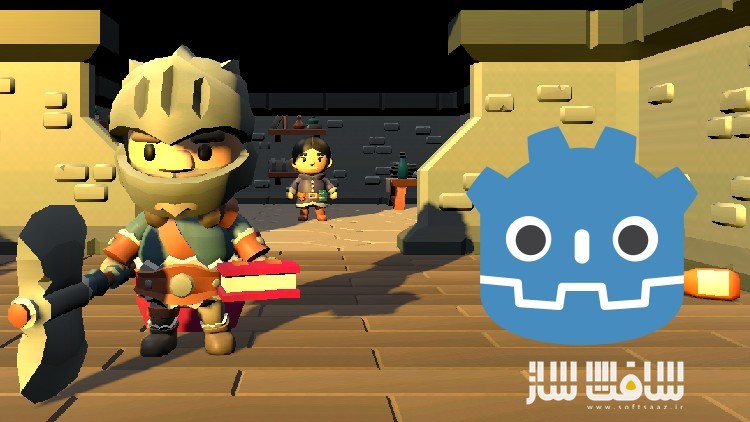
آموزش ساخت سیستم شاپ و اینونتوری در Godot : در این دوره از هنرمند Thomas Yanuziello ، با نحوه برداشتن آیتم ها ، نمایش موجودی پلیرها ، دراپ استفاده یا تجهیز آیتم ها و معامله آنها با NPC ها در انجین Godot آشنا خواهید شد. این دوره همه چیز در مورد سیستم اینونتوری ، استفاده از آن ، افزودن سیستم شاپ به بازی ، مدیریت داده ها ، نمایش موجودی ها در اینترفیس ، کدنویسی با اسکریپت GD ، اصول طراحی شی گرایی ، وراثت ، پولی مورفیسم ، کپسوله سازی و قابلیت استفاده مجدد از کد ها را پوشش می دهد.این دوره آموزشی توسط تیم ســافــت ســاز برای شما عزیزان تهیه شده است.
عناوین آموزش ساخت سیستم شاپ و اینونتوری در Godot :
- روش های مختلف برای اجازه دادن به پلیر برای برداشتن آیتم ها
- مدیریت داده های سیستم اینونتوری و نمایش منوی آنها
- دراپ استفاده یا تجهیز آیتم ها
- ترید آیتم ها با کاراکتر NPC
عنوان دوره : Udemy – Inventory & Shops in Godot
سطح : متوسط
زمان کل دوره : 2 ساعت
تعداد فايل ها : 9
سال آموزش : 2024
فایل تمرینی : ندارد
مربی دوره : Thomas Yanuziello
نرم افزار : Godot
زیرنویس انگلیسی : ندارد
فشردگی اختصاصی سافت ساز : ندارد
Udemy – Inventory & Shops in Godot
Pick up items, display the player’s inventory, drop, use, or equip items, and trade items with NPCs.
Learn different methods for letting the player pick up items.
Manage the player’s inventory data and display their items in an inventory menu.
Drop, use, or equip items from the player’s inventory.
Trade items with an NPC character.
You’re welcome to join our discord server to work on this course alongside your peers.
This course is a continuation of Dialogue & Events in Godot, but can be followed and applied to any project that involves picking up items, adding them to an inventory, dropping, using, or equipping items from an inventory menu, and trading items with an NPC. In this course, we will cover different methods of picking up items, managing the player’s inventory data, displaying their inventory on the UI in a menu, allowing the player to interact with their inventory in different ways, and trading items with NPCs.
When you’re done, you’ll have a simple inventory system for your game that is easily customizable in its presentation and function. You’ll also learn useful skills for working with the Godot game engine; organizing and designing your projects to be more scalable. You will be learning how to code with GD script, with everything explained in detail. We will apply object oriented design principles in our scripts; Inheritance, Encapsulation, Abstraction, and Polymorphism, to keep them organized, customizable, and reusable for a project of any size.
All of the project files are also available on GitHub if you need to review the project as it was after completing each lesson. These videos were recorded using Godot version 4.2.2. The project starts with assets from KayKit’s Character & Dungeon Remastered Packs made by Kay Lousberg, Basic GUI Bundle made by Penzilla, and Fantasy Icons Pack made by Shikashi. All are available to download for free on itch. Extra sound effects made by Valenspire are also included and are available from FreeSound.
حجم کل : 1.3 گیگابایت
برای نمایش این مطلب و دسترسی به هزاران مطلب آموزشی، نسبت به تهیهی اکانت ویژه از لینک زیر اقدام کنید.
وضعیت فعلی شما
- لینکهای دانلود این مطلب قفل است
- بقیهی مطالب ویژه هم بسته است
- بدون دسترسی به آموزش نصب
با اشتراک ویژه
- دسترسی به همهی مطالب سافتساز
- آپدیت روزانه مطالب سایت از بهترین سایتهای سیجی
- ورود نامحدود کاربران از هر دیوایسی
- دسترسی به آموزش نصب کامل پلاگینها و نرمافزارها
For international users: online support — email info@softsaz.ir or Telegram @SoftSaaz.
امتیاز دهی به این مطلب :
لطفا به این مطلب امتیاز دهید