آموزش طراحی کانسپت آرت خودرو از Learn Squared
Learn Squared – Vehicle Concept Art

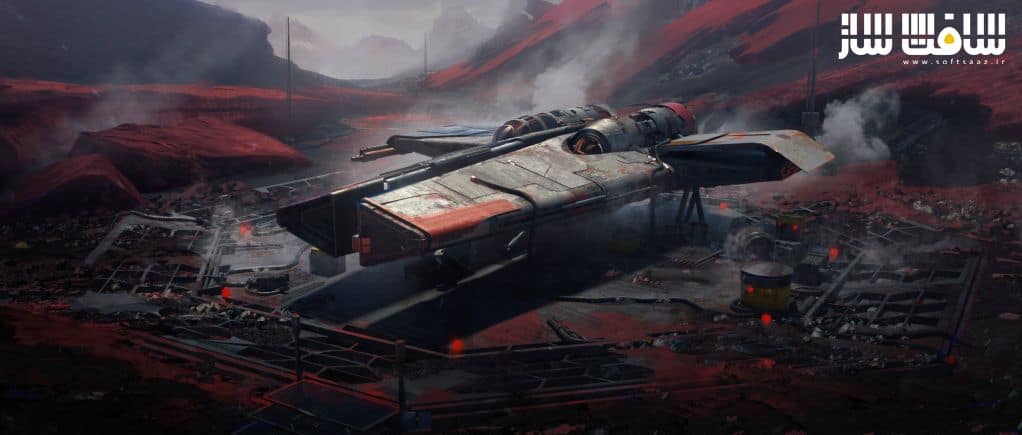
طراحی کانسپت آرت خودرو
آموزش طراحی کانسپت آرت خودرو از Learn Squared : در این آموزش از هنرمند Pablo Dominguez، با نحوه ایجاد دارایی های ساده بصورت سه بعدی،چیدمان آنها برای ایجاد کامپوزیشن داینامیک و استفاده از آنها بعنوان یک بیس برای ایجاد کانسپت آرت با جزییات ،زیبا برای پروژه یا پورتفولیو خود آشنا خواهید شد.این دوره آموزشی توسط تیم ســافــت ســاز برای شما عزیزان تهیه شده است.
عناوین آموزش طراحی کانسپت آرت خودرو :
- ترسیم خشن : اصول مورد نیاز،کار با ابزار Brief Builder، ایجاد ایده های وسایل نقلیه،ایجاد مراجل و شروع به طراحی خودرو
- اصول مدلینگ : کار با اینترفیس،ابزارهای و مفاهیم کلیدی،استفاده از ZBrush برای این دوره
- طراحی در سه بعدی : مسدود سازی اشکال،افزودن جزییات به اشکال،استفاده از InsertMeshes
- رندرینگ : چند مرحله برای ایجاد حس واقعی خودرو،آشنایی با Octane و ابزارهای مختلف آن،استفاده از جلوه های مختلف
- Paintover : ادغام کردن در نقاشی ها،استفاده ترکیبی از مدلینگ سه بعدی،نقاشی و فتوبشینگ
عنوان دوره : Learn Squared – Vehicle Concept Art
سطح : متوسط
زمان کل دوره : 16.39 ساعت
تعداد فايل هاي تصويري : 114
سال آموزش : 2021
فایل تمرینی : ندارد
مربی دوره : Pablo Dominguez
نرم افزار : Photoshop – Octane – Zbrush
زیرنویس انگلیسی : ندارد
Learn Squared – Vehicle Concept Art
Lesson 1
Rough Sketching
In this lesson you’ll learn the foundations required for the rest of the course. Pablo will take you through the Brief Builder Tool to spark ideas for your vehicles, then you’ll build references and start your design. At the end of this lesson, you will have a finished vehicle sketch.
Lesson 2
Modeling Fundamentals
This lesson will be all about getting comfortable in your 3D software. You’ll go over UI, tools and useful concepts before building your own kit of small details which can be added to your vehicle design in the next lesson.
Note: Pablo focuses on ZBrush in this course, but the overarching concepts he covers can be applied to any 3D software. Pay attention to how each idea might apply to your own technique, and adapt it to work for your personal style. After all, great artists aren’t defined by their tools!
Lesson 3
Design in 3D
Now that you’re familiar with your 3D software, you’ll begin building your vehicle. First you’ll block out its shapes using very simple geometry, then you’ll fill those shapes in with more and more detail. Now is the time to utilize those InsertMeshes you created in the previous lesson, so keep them in mind when adding details- they can greatly speed up your workflow. Finally you will create a turntable in your 3D software, so you can show off your model from every angle.
Lesson 4
Rendering
This lesson will cover a few very important steps in making your vehicle feel realistic. First, Pablo will take you through Octane and its various tools. You’ll then learn how to create any materials you might need for your design, applying various effects and trying a few different looks. After this, you’ll light your vehicle and export it as a new turntable.
Lesson 5
Paintover
This lesson is where all your work comes together- you will take your vehicle model and integrate it into a set of final paintings. This will involve first sketching out designs for your keyframes, then using a mix of 3D modeling, painting and photobashing to bring those frames to life.
حجم کل : 14.2 گیگابایت
برای نمایش این مطلب و دسترسی به هزاران مطلب آموزشی، نسبت به تهیهی اکانت ویژه از لینک زیر اقدام کنید.
وضعیت فعلی شما
- لینکهای دانلود این مطلب قفل است
- بقیهی مطالب ویژه هم بسته است
- بدون دسترسی به آموزش نصب
با اشتراک ویژه
- دسترسی به همهی مطالب سافتساز
- آپدیت روزانه مطالب سایت از بهترین سایتهای سیجی
- ورود نامحدود کاربران از هر دیوایسی
- دسترسی به آموزش نصب کامل پلاگینها و نرمافزارها
For international users: online support — email info@softsaz.ir or Telegram @SoftSaaz.
امتیاز دهی به این مطلب :
لطفا به این مطلب امتیاز دهید