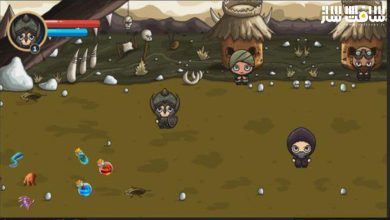
آموزش ساخت شبیهساز فروشگاه در Unity 6 و C#
Udemy - Learn To Create A Store Simulator in Unity 6 & C#

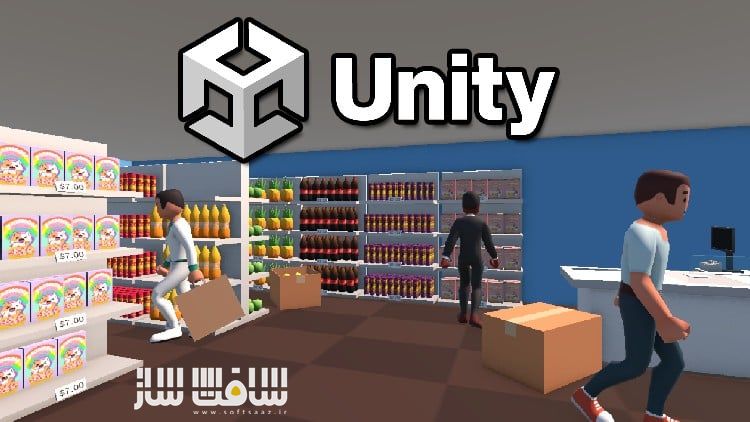
آموزش ساخت شبیهساز فروشگاه در Unity 6 و C#
آموزش ساخت شبیهساز فروشگاه در Unity 6 و C# : در این دوره از سایت Udemy یاد میگیرید چگونه با استفاده از Unity 6 و زبان برنامهنویسی C#، یک بازی شبیهساز مدیریت فروشگاه بسازید. این آموزش برای مبتدیان طراحی شده و مفاهیم برنامهنویسی و توسعه بازی را به شکلی کاربردی و پروژهمحور آموزش میدهد.
در طول دوره، علاوه بر یادگیری مفاهیم شیءگرایی و منطق برنامهنویسی، با نحوهی پیادهسازی آنها در توسعهی واقعی بازی آشنا میشوید و در نهایت میتوانید بازی فروشگاه خود را از صفر طراحی و برنامهنویسی کنید.این دوره آموزشی توسط تیم ســافــت ســاز برای شما عزیزان تهیه شده است.
عناوین آموزش ساخت شبیهساز فروشگاه در Unity 6 و C# :
- یادگیری زبان برنامهنویسی مدرن و چندمنظورهی C#
- آشنایی کامل با قابلیتهای توسعهی بازی در Unity 6
- تقویت مهارتهای حل مسئله و منطق برنامهنویسی
- درک کامل از فرایند ساخت بازی از ابتدا تا انتها
- یادگیری عملی اصول برنامهنویسی شیءگرا (OOP)
- ساخت کنترلکنندهی کاراکتر اولشخص با قابلیتهای کامل حرکتی
- افزودن و حذف کالا از قفسهها و مدیریت موجودی فروشگاه
- قرار دادن قفسهها و مبلمان در فضای بازی
- طراحی سیستم منو برای خرید کالاها و اشیای جدید
- مدیریت مشتریان و ایجاد تنوع در رفتار و ظاهر آنها
- استفاده از سیستم فیزیک Unity برای پرتاب و جابهجایی اشیا
- پیادهسازی سیستم قیمتگذاری برای اقلام قابل فروش
- طراحی رابط کاربری (UI) کامل با منوهای تعاملی
- ایجاد سیستم صندوق برای کسب درآمد درون بازی
- مدیریت صدا و سیستمهای صوتی در محیط بازی
عنوان دوره : Udemy – Learn To Create A Store Simulator in Unity 6 & C#
سطح : متوسط
زمان کل دوره : 3.12ساعت
تعداد فايل ها : 84
سال آموزش : 2025
فایل تمرینی : دارد
مربی دوره : James Doyle
نرم افزار : Unity
زیرنویس انگلیسی : ندارد
فشردگی اختصاصی سافت ساز : ندارد
Udemy – Learn To Create A Store Simulator in Unity 6 & C#
Game development made easy. Learn C# using Unity 6 and create your own Store Management game!
What you’ll learn
Learn C#, a modern versatile programming language
Understand the capabilities of game development in Unity
Develop strong and transferrable problem solving skills
Gain a complete understanding of the game development process
Learn how object oriented programming works in practice
Learn how to create and program your very own Store Simulator game using Unity, an industry-standard game development program used by large gaming studios and indie developers across the world.
In this course you won’t just be learning programming concepts, but tying these concepts to real game development uses. You will have access to a course forum where you can discuss the topics covered in the course as well as the next steps to take once the course is complete.
This course has been designed to be easily understandable to everyone, so whether you’re a complete beginner, an artist looking to expand their game development range or a programmer interested in understanding game design, this course will help you gain a greater understanding of development.
At the end of this course you will have developed the ability to understand such game elements as:
A first-person character controller with full movement capabilities
The ability to add and remove stock from shelves
Place shelves and other furniture in your store
A complete menu system to purchase stock and other objects
Managing customers and creating a wide variety to appear in your game
Using physics systems to throw objects
A full system for managing the price of items for sale
Full user Interface with interactive menus
A checkout out system to earn money in-game
Managing Audios Systems
And more…
The course also includes a complete version of the project to use for your own reference to ensure everything in your game works as it should!
حجم کل : 7.8 گیگابایت
برای نمایش این مطلب و دسترسی به هزاران مطلب آموزشی، نسبت به تهیهی اکانت ویژه از لینک زیر اقدام کنید.
وضعیت فعلی شما
- لینکهای دانلود این مطلب قفل است
- بقیهی مطالب ویژه هم بسته است
- بدون دسترسی به آموزش نصب
با اشتراک ویژه
- دسترسی به همهی مطالب سافتساز
- آپدیت روزانه مطالب سایت از بهترین سایتهای سیجی
- ورود نامحدود کاربران از هر دیوایسی
- دسترسی به آموزش نصب کامل پلاگینها و نرمافزارها
For international users: online support — email info@softsaz.ir or Telegram @SoftSaaz.