تجسم سهبعدی محصولات در Blender از Interactiv Studio
Interactiv Studio - Master 3D Product Visualisation in Blender

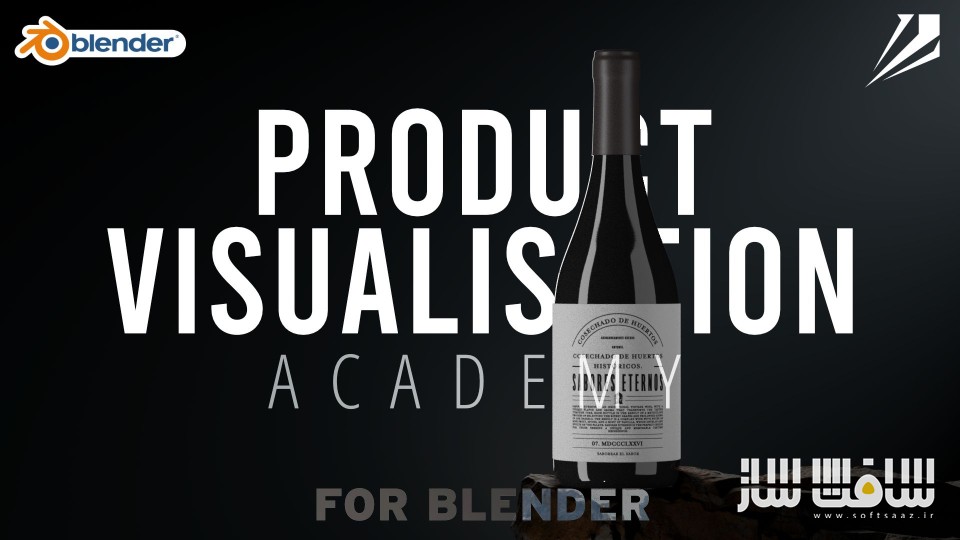
تجسم سهبعدی محصولات در Blender از Interactiv Studio
تجسم سهبعدی محصولات در Blender از Interactiv Studio : این دوره از Hunter Wearne طراح گرافیک، موشن دیزاینر و مدرس – با بیش از ۵ سال تجربه در بلندر و آموزش به بیش از ۵۰۰۰ دانشجو ، راهنمای نهایی برای طراحان گرافیک، عکاسان و طراحان صنعتی است که میخواهند رندرهای سهبعدی واقعی و حرفهای از محصولات با استفاده از نرمافزار Blender خلق کنند. فرقی نمیکند که مبتدی کامل باشید یا بخواهید مهارتهای قبلی خود را ارتقا دهید؛ این دوره تمام آنچه را که نیاز دارید در اختیار شما قرار میدهد.این دوره آموزشی توسط تیم ســافــت ســاز برای شما عزیزان تهیه شده است.
عناوین تجسم سهبعدی محصولات در Blender از Interactiv Studio :
- مقدماتی: آشنایی با محیط بلندر و ابزارهای پایه
یادگیری پیمایش در محیط بلندر
آشنایی با ابزارهای اولیه مدلسازی
آموزش اعمال تکسچرهای تصویری روی مدلها
⏱️ مدت دوره: ۴ ساعت | 🎓 تعداد درسها: ۶۵ - بستهبندی محصولات: مدلسازی و رندر بستهبندی حرفهای
مدلسازی اشکال ساده
ایجاد برجستگی و فرو رفتگی (Emboss/Deboss)
ساخت رندرهای چشمگیر از بستهبندی
⏱️ مدت دوره: ۱ ساعت و ۲۰ دقیقه | 🎓 تعداد درسها: ۲۰ - ویژوالایزیشن بطریهای نوشیدنی (شراب/ویسکی)
استفاده از تکنیک Sub-Division Modeling
ساخت متریالهای چند لایه
ایجاد جزئیات پیچیده و حرفهای
⏱️ مدت دوره: ۲ ساعت و ۲۰ دقیقه | 🎓 تعداد درسها: ۲۷ - هنر نورپردازی
اصول نور و نحوهی عملکرد آن در بلندر
ایجاد چندین سناریوی نورپردازی
یادگیری کامپوزیت در بلندر با استفاده از Compositor
⏱️ مدت دوره: ۱ ساعت و ۲۰ دقیقه | 🎓 تعداد درسها: ۱۸ - اصول مدلسازی
گسترش مهارتهای مدلسازی با تمرکز بر پایهها
یادگیری ساخت اشیاء پیچیده با تکنیکهای مدرن
⏱️ مدت دوره: ۴ ساعت و ۲۰ دقیقه | 🎓 تعداد درسها: ۵۴ - مدلسازی سطح متوسط
ورود به دنیای پیشرفتهتر مدلسازی
به کارگیری تکنیکهای پیچیده برای دقت بیشتر
⏱️ مدت دوره: ۴ ساعت و ۳۲ دقیقه | 🎓 تعداد درسها: ۳۸ - مدلسازی پیشرفته
یادگیری مدلسازی حرفهای با استفاده از تکنیکهای Subdivision
⏱️ مدت دوره: ۱۳ ساعت و ۲۵ دقیقه | 🎓 تعداد درسها: ۱۳۶ - مبانی انیمیشن
ساخت انیمیشنهای جذاب برای رندر محصولات
⏱️ مدت دوره: ۱۲ ساعت و ۲۵ دقیقه | 🎓 تعداد درسها: ۱۳۶

عنوان دوره : Interactiv Studio – Master 3D Product Visualisation in Blender
سطح : تمامی سطوح
زمان کل دوره : +44 ساعت
تعداد فایل ها : –
سال آموزش : 2025
فایل تمرینی : دارد
مربی دوره : Hunter Wearne
نرم افزار : Blender
زیرنویس انگلیسی : ندارد
فشردگی اختصاصی سافت ساز : ندارد
Interactiv Studio – Master 3D Product Visualisation in Blender
Everything You Need to Create Realistic 3D Product Renders Without the Struggle!
Master Product Visualization is your ultimate guide for graphic designers, photographers, and industrial designers to create stunning, realistic 3D product renders using Blender. Whether you’re a complete beginner or looking to enhance your skills, this course has everything you need.
Start learning the basics of Blender’s interface and tools. Throughout this course, we will set up the foundation for creating realistic renders.
Learn how to navigate Blender.
Get set with the basic modelling tools
Learn how to apply image textures to your models.
Course Duration: 4 hours
Lessons: 65 Lessons
Type: On-demand video
Package Visualisation
Learn how to model simple shapes
Create embossing and debossing
Create stunning packaging renders
Course Duration: 1h 20m +
Lessons: 20 Lessons
Learn the basics of modelling simple shapes using hard surface modelling.
Learn how to curve objects easily using modifiers.
Create metallic materials by mixing multiple materials.
Vol 3: Wine/ Whiskey Visualisation
Learn how to use sub-division modelling workflow
Build upon your skills to and create multi-layered materials.
Learn how to create intricate details.
Course Duration: 2h 20m +
Lessons: 27 Lessons
Vol 4: The Art of Lighting
Learn the basics of how light works in Blender
Create multiple lighting setups
Learn how to composite using Blenders Compositor
Course Duration: 1h 20m +
Lessons: 18 Lessons
Type: On-demand video
Modelling Essentials
This course will dive into the fundamentals of modelling, building on what we already know. This course is designed to expand your skillset so you have the ability to model anything.
Course Duration: 4h 20m +
Lessons: 54 Lessons
Intermediate Modelling
Delve deeper into the world of 3D modelling with this course. Building upon foundational knowledge, it equips learners with advanced techniques, enabling them to model any object with precision and confidence.
Course Duration: 4h 32m +
Lessons: 38 Lessons
Advanced Modelling
Learn how to create advanced subdivision models inside Blender
Course Duration: 13h 25m +
Lessons: 136 Lessons
Animation Fundamentals
Learn how to create stunning animations inside of Blender for product renders.
Course Duration: 12h 25m +
Lessons: 136 Lessons
Product CGI is Hard.
Especially as a beginner, like yourself. There are a ton of workflows out there, and it can be very confusing for a beginner just trying to get a handle on the basics.
That’s why the Product Visualisation Masterclass was created.
This course is an incredibly in-depth guide to product CGI, designed for beginners to help them understand the process of creating beautiful scenes in Blender and other industry-standard software.
This course is different.
Blindly following instructions isn’t a very effective way to learn.
Master Product Visualisation was designed so that you aren’t copying a scene another artist made. Each student will have time after each lesson to go off on their own and use what they learned to create their OWN art, unique to them.
Hunter Wearne
Graphic Artist, Motion Designer and Teacher
Hunter is a freelancing designer based in Australia with a diverse portfolio of work that includes graphic design, logo animations, and more. He has been using Blender for five years and has extensive experience teaching the software to others. To date, he has trained over 5k students in its use.
حجم کل : 24 گیگابایت

برای دسترسی به کل محتویات سایت عضو ویژه سایت شوید
برای نمایش این مطلب و دسترسی به هزاران مطالب آموزشی نسبت به تهیه اکانت ویژه از لینک زیر اقدام کنید .
دریافت اشتراک ویژه
مزیت های عضویت ویژه :
- دسترسی به همه مطالب سافت ساز
- آپدیت روزانه مطالب سایت از بهترین سایت های سی جی
- ورود نامحدود کاربران از هر دیوایسی
- دسترسی به آموزش نصب کامل پلاگین ها و نرم افزار ها
اگر در تهیه اشتراک ویژه مشکل دارید میتونید از این لینک راهنمایی تهیه اشتراک ویژه رو مطالعه کنید . لینک راهنما
For International user, You can also stay connected with online support. email : info@softsaaz.ir telegram : @SoftSaaz




سلام وقتتون بخیر ویدیو های بارگذاری شده کامل نیست
سلام متاسفانه همین فایلها موجوده