ویرایش ویدیو برای مبتدیان با Premiere Pro
Udemy - Master Adobe Premiere Pro: Complete Beginner’s Video Editing

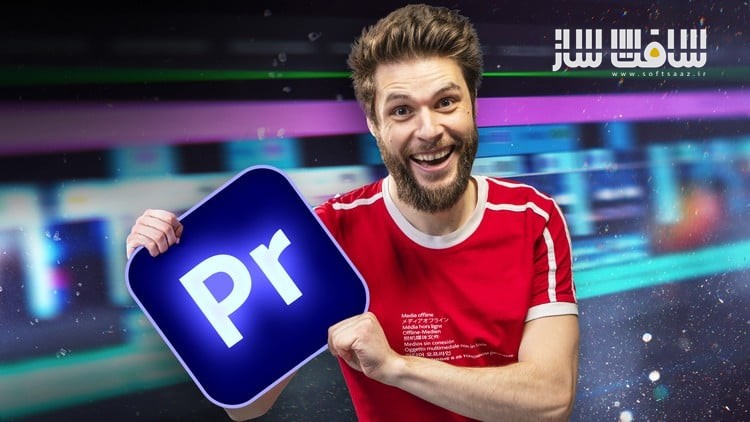
ویرایش ویدیو برای مبتدیان با Premiere Pro
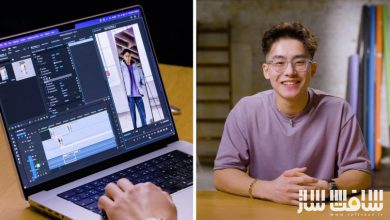
ویرایش ویدیو برای مبتدیان با Premiere Pro : این دوره از مدرس خلاق Jordy Vandeput، راهی عملی و تعاملی برای شروع یادگیری ویرایش حرفهای ویدیو در Adobe Premiere Pro است. چه قصد داشته باشید کانال یوتیوب راهاندازی کنید، محتوای شبکههای اجتماعی بسازید یا وارد مسیر فیلمسازی شوید، این دوره شما را قدمبهقدم از مبانی تا مهارتهای پیشرفته ویرایش ویدیو همراهی میکند.این دوره آموزشی توسط تیم ســافــت ســاز برای شما عزیزان تهیه شده است.
عناوین ویرایش ویدیو برای مبتدیان با Premiere Pro :
- آشنایی با محیط Premiere Pro و کار با تایملاین
- وارد کردن فایلها، مرتبسازی کلیپها، برش و سازماندهی لایهها
- افزودن ترنزیشنها، کار با صدا، ساخت متن و گرافیک
- استفاده از قالبهای موشنگرافیک داخلی برای ظاهری حرفهای
- یادگیری تکنیکهای پیشرفته مانند ماسکگذاری، انیمیشنسازی با کیفریم، ترنزیشنهای سفارشی
- بهرهگیری از ابزارهای هوشمند (AI) برای زیرنویس و پیادهسازی متن
- آموزش کامل پنلهای Essential Sound و Lumetri Color برای تنظیم حرفهای صدا و اصلاح رنگ سینمایی
- آموزش خروجی گرفتن حرفهای و تنظیمات مناسب برای یوتیوب، اینستاگرام یا مشتریان
عنوان دوره : Udemy – Master Adobe Premiere Pro: Complete Beginner’s Video Editing
سطح : مبتدی
زمان کل دوره : 3.44 ساعت
تعداد فايل ها : 24
سال آموزش : 2025
فایل تمرینی : ندارد
مربی دوره : Jordy Vandeput
نرم افزار : Premiere Pro
زیرنویس انگلیسی : دارد
فشردگی اختصاصی سافت ساز : ندارد
Udemy – Master Adobe Premiere Pro: Complete Beginner’s Video Editing
Learn how to get started with professional video editing in Adobe Premiere Pro with this interactive and hands-on course
Learn professional video editing from scratch with this comprehensive Adobe Premiere Pro course. Whether you’re starting your first YouTube channel, creating social media content, or aiming for a career in filmmaking, this course walks you step-by-step through everything you need to know to edit like a pro.
What will I learn?
From importing media to exporting a polished final video, you’ll explore every essential tool inside Premiere Pro. You’ll start by mastering the interface and timeline, learning how to organize clips, trim footage, and arrange layers. Next, you’ll dive into adding transitions, working with audio, creating text and graphics, and exploring built-in motion graphics templates to give your videos a professional edge.
Which Premiere Pro techniques are covered?
You’ll also learn advanced techniques, including masking, keyframe animation, custom transitions, and AI-powered tools for captions and transcripts. Detailed lessons on the Essential Sound and Lumetri Color panels ensure you can mix audio tracks seamlessly and color correct or grade your footage for a cinematic look. Finally, you’ll master the export process to deliver your videos in the right formats for YouTube, Instagram, or clients.
What can I do by the end of this course?
By the end of this course, you’ll confidently edit videos from start to finish, troubleshoot common problems, and create professional-quality projects ready to share with the world.
What you’ll learn
Organizing and starting a Premiere Pro project
Perform basic edits, arranging clips and working in multiple layers
Perform advanced edits using the toolbox, masks and blending techniques
Applying and adjusting video/audio effects
Create custom graphics and texts
Making custom templates and using third party templates
Create custom animations and understand its mechanics
Create custom animations and understand its mechanics Mixing audio from speech, music and sound effects
Exporting a video with the proper settings
حجم کل : 3.1 گیگابایت
برای نمایش این مطلب و دسترسی به هزاران مطلب آموزشی، نسبت به تهیهی اکانت ویژه از لینک زیر اقدام کنید.
وضعیت فعلی شما
- لینکهای دانلود این مطلب قفل است
- بقیهی مطالب ویژه هم بسته است
- بدون دسترسی به آموزش نصب
با اشتراک ویژه
- دسترسی به همهی مطالب سافتساز
- آپدیت روزانه مطالب سایت از بهترین سایتهای سیجی
- ورود نامحدود کاربران از هر دیوایسی
- دسترسی به آموزش نصب کامل پلاگینها و نرمافزارها
For international users: online support — email info@softsaz.ir or Telegram @SoftSaaz.
امتیاز دهی به این مطلب :
لطفا به این مطلب امتیاز دهید