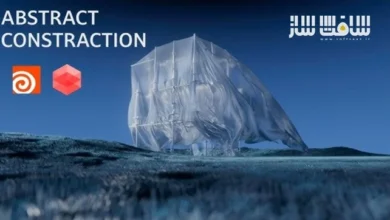
آموزش موشن دیزاین در Houdini از Rebelway | آپدیت
Rebelway – Motion Design in Houdini

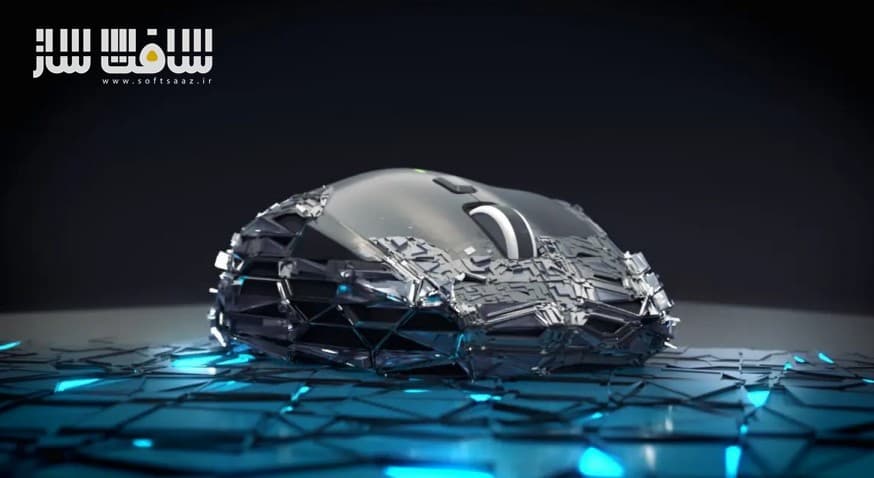
آموزش موشن دیزاین در Houdini
آموزش موشن دیزاین در Houdini : این دوره از Rebelway با تدریس Christopher Friesen، یک آموزش عمیق و پروژهمحور برای یادگیری موشن دیزاین رویهای و شبیهسازیهای داینامیک در Houdini است که در آن، از ایدهپردازی اولیه تا رندر نهایی، روند ساخت انیمیشنهای سینمایی بهصورت کامل آموزش داده میشود.
در این دوره، هنرجو یاد میگیرد ابزارهای رویهای بسازد، شبیهسازیهای کنترلی ایجاد کند و انیمیشنهایی در سطح موشنگرافیکهای حرفهای تولید کند. این آموزش طی ۸ هفته طراحی شده است و با چند پروژه عملی، بهصورت گامبهگام شما را با طرز فکر موشن دیزاینرها در Houdini آشنا میکند و تصمیمگیری درست بین استفاده از SOPs، VEX و Simulation را آموزش میدهد.
در پایان این دوره، شما توانایی ساخت پروژههای موشن دیزاین پیشرفته، رویهای و سینمایی در Houdini را بهدست آورده و آمادگی ورود به پروژههای حرفهای را کسب کرده خواهید کرد. این دوره آموزشی توسط تیم ســافــت ســاز برای شما عزیزان تهیه شده است.
عناوین آموزش موشن دیزاین در Houdini :
هفته اول:
آشنایی با Houdini برای موشن دیزاین، معرفی پروژه اول و مبانی تئوری، بررسی رویکردهای مختلف موشن دیزاین، زمان استفاده از SOPs، VEX و Simulation و ترکیب تکنیکها آموزش داده میشود.- هفته دوم:
بررسی عمیقتر پروژه اول، روشهای مختلف مدیریت Geometry Instanceها و انتخاب بهترین روش بسته به مسئله، همچنین هدایت هنری شبیهسازیهای Vellum در کنار انیمیشن رویهای انجام میشود. - هفته سوم:
معرفی پروژه دوم، استفاده از تکنیکهای کاربردی VEX برای ترکیب افکتهای رایج FX به شکلی خلاقانه و افزودن کنترلهای پیشرفته به ستاپها آموزش داده میشود. - هفته چهارم:
تکمیل پروژه دوم، تنظیم شاتها و انیمیشنهایی در سطح موشنگرافیکهای High-End، و افزایش پیچیدگی انیمیشن با استفاده از کنترلهای ساختهشده در هفته قبل انجام میشود. - هفته پنجم:
برنامهریزی یک پروژه بزرگ سههفتهای با تمرکز بر Product Reveal سهشاتی، آمادهسازی و بهینهسازی Geometryها، بلاکاوت انیمیشن و حرکات دوربین انجام میشود. - هفته ششم:
توسعه لایههای FX و موشن دیزاین پروژه، کار روی بخشهای فوم و چرم، و اضافهکردن Heightfields و Volumes بهعنوان عناصر جدید موشن دیزاین آموزش داده میشود. - هفته هفتم:
ساخت بخشهای پلاستیک و مش، شبیهسازیهای پیشرفته Heightfield و کنترل دقیق انیمیشن با VEX، استفاده از ابزار Curve هفته اول و ترکیب نهایی اجزای صحنه انجام میشود. هفته هشتم:
اعمال جزئیات نهایی، تنظیم Attributeها برای انتقال به Shader، اجرای ترفندهای نهایی VEX، نورپردازی و رندر، و در نهایت کامپوزیت پروژه در Nuke انجام میشود.
عنوان دوره : Rebelway – Motion Design in Houdini
سطح : متوسط
زمان کل دوره : 25 ساعت
تعداد فايل ها : تا هفته 7
سال آموزش : 2025
فایل تمرینی : دارد
مربی دوره : Christopher Friesen
نرم افزار : Houdini
زیرنویس انگلیسی : ندارد
فشردگی اختصاصی سافت ساز : ندارد
Rebelway – Motion Design in Houdini
Learn how to create procedural motion design and dynamic simulations in Houdini
In this course, you’ll deep dive into motion design in Houdini
In this course you will explores the art of motion design in Houdini, you will learn how to build procedural tools, create dynamic simulations, and develop cinematic animations from concept to final render.
WEEK 1
Introduction to Houdini for motion design. We’ll introduce the first project we’ll tackle as well as some theory into using Houdini for motion design. You’ll learn different approaches to motion design; when to use sops, when to use vex, and when to simulate. We’ll also go into why we choose one option over the other as well as combining techniques.
WEEK 2
In week two we’ll dig deeper into the techniques of the first project. You’ll learn a couple different approaches to handling geometry instances and why to choose one over the other based on the problem you’re trying to solve. We’ll also go over how to art direct vellum simulations in conjunction with procedural animation
WEEK 3
In week three we will introduce our second project. We’ll explore several handy vex techniques to combine some commonly seen FX into something unexpected. We’ll also explore how to build additional control into our setups.
WEEK 4
In week four we’ll finish our second project. We’ll build upon what we created in week three. From there, we’ll set up proper shots and animation that you would typically see in a high end motion graphics or animated piece. We’ll use the controls we created the previous week to add another level of complexity to our animation.
WEEK 5
We plan a larger, 3 week project combining the techniques we’ve learned in the first 4 weeks. We start by planning a 3 shot product reveal. We’ll source and prep our geometry so we have all the creative control we’ll need to create a high end piece. Then we’ll block out our sequence with rough animation and camera moves.
WEEK 6
In week six we take the blocked out version of our sequence and start building out the fx and motion design layers. We’ll break up the build into different parts. In week 6 we’ll handle the foam and leather parts. We explore how we can add another element to our motion design, heightfields and volumes.
WEEK 7
In week seven we’ll begin looking at building the plastic and mesh parts. We’ll dive into more heightfield simulations and vex to precisely control our animation. We’ll use our curve tool from week one as a base for the mesh. Finally we’ll begin combining everything together as we approach final animation.
WEEK 8
We put the final touches on the project and setup attributes to pass through to the shader. We finish the project with the last of our vex tricks before lighting and rendering the scene. Finally we bring it into Nuke for compositing.
Curious about what this Houdini course is all about? Click the video to watch a trailer and see what you’ll learn inside Motion Design in Houdini.
حجم کل : 5.9 گیگابایت
برای نمایش این مطلب و دسترسی به هزاران مطلب آموزشی، نسبت به تهیهی اکانت ویژه از لینک زیر اقدام کنید.
وضعیت فعلی شما
- لینکهای دانلود این مطلب قفل است
- بقیهی مطالب ویژه هم بسته است
- بدون دسترسی به آموزش نصب
با اشتراک ویژه
- دسترسی به همهی مطالب سافتساز
- آپدیت روزانه مطالب سایت از بهترین سایتهای سیجی
- ورود نامحدود کاربران از هر دیوایسی
- دسترسی به آموزش نصب کامل پلاگینها و نرمافزارها
For international users: online support — email info@softsaz.ir or Telegram @SoftSaaz.