مجسمهسازی دیجیتال با Nomad Sculpt
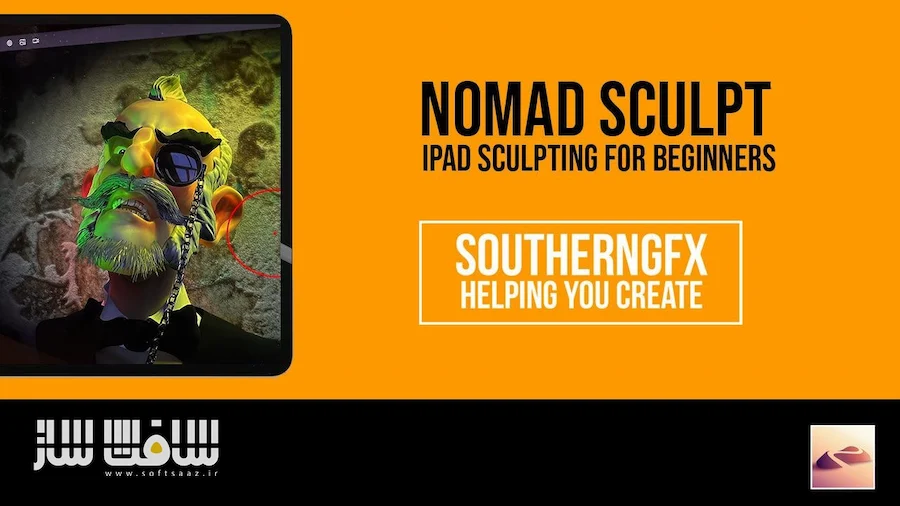
SouthernGFX - Nomad Sculpt - The Ultimate Course

مجسمهسازی دیجیتال با Nomad Sculpt
مجسمهسازی دیجیتال با Nomad Sculpt : این دوره آموزشی جامعترین مرجع یادگیری Nomad Sculpt در جهان است که توسط گلن ساوترن با بیش از ۲۰ سال تجربه تدریس طراحی شده است. شما در این دوره از مبانی مجسمهسازی دیجیتال و کار با ابزارها تا خلق شخصیتهای پیچیده، موجودات فانتزی و طراحی محیط را به صورت گامبهگام فرا میگیرید. این آموزش تمامی قابلیتهای کلیدی این نرمافزار قدرتمند از جمله رنگآمیزی، بافتدهی و طراحی سهبعدی را پوشش میدهد. با شرکت در این دوره، مهارت لازم برای پیادهسازی خلاقیت خود بر روی آیپد یا تبلتهای اندرویدی را کسب خواهید کرد. تمامی بهروزرسانیهای نرمافزاری به صورت رایگان در اختیار هنرجویان قرار میگیرد تا همواره با تکنیکهای نوین صنعت مدلسازی پیش بروید. این دوره آموزشی توسط تیم ســافــت ســاز برای شما عزیزان تهیه شده است.
عناوین مجسمهسازی دیجیتال با Nomad Sculpt :
- آموزش کامل رابط کاربری و ابزارهای Nomad Sculpt
- اصول مجسمهسازی دیجیتال و کار با لایهها
- تکنیکهای پیشرفته ماسک، رنگآمیزی و نورپردازی
- مدلسازی تخصصی دایناسور (تیرانوسوروس رکس)
- طراحی و ساخت ربات (دروید) به سبک طرفداران جنگ ستارگان
- طراحی دیجیتال تتو روی مدلهای سهبعدی
- خلق محیطهای سهبعدی شامل گیاهان، صخرهها و المانهای طبیعی
- مجسمهسازی موجودات ترکیبی (کریچر دیزاین)
- آموزش ساخت دراگونهای استایلیزه و فانتزی
- مدیریت گردش کار برای پروژههای بازی و چاپ سهبعدی
عنوان دوره : SouthernGFX – Nomad Sculpt – The Ultimate Course
سطح : مبتدی
زمان کل دوره : +30 ساعت
تعداد فايل ها : 202
سال آموزش : 2026
فایل تمرینی : دارد
مربی دوره : Glen Southern
نرم افزار : Nomad Sculpt
زیرنویس انگلیسی : ندارد
SouthernGFX – Nomad Sculpt – The Ultimate Course
Learn more about Glen Southern
So who am I and why am I qualified to teach you?
20+ Years teaching digital sculpting
1000s of satisfied customers
Up-to-date industry experience
Constantly updating my own skills
Software developer testimonials
Experience in a wide range of teaching environments
10,000+ Nomad Sculpt courses sold worldwide
What the course is and isn’t about. Is it right for you?
What the course is about
ipad sculpting
Basic 3D Sculpting skills
All the main Nomad Sculpt features
How to create characters, environments, tattoos
What you can do when you’ve made a character
What Nomad Sculpt is capable of
Lessons streamed to allow updates
Updated beginners module using the updated interface
New features demonstrated, e.g. Quadremesher
You will need access to an iPad or an android tablet as well as an Apple Pencil or stylus.
What this course is not about
No rigging in Nomad
Nomad does not have rendering beyond the PBR in the viewport
Lighting beyond the viewport basics
Animation other than Layers
Please note this course is not available for download and you will need an active internet connection to take part.
There are no Android specific lessons.
If any of these features are added in the future we will update the course for free and notify anyone who has purchased it
All 7 of our Nomad Sculpt courses brought into one Ultimate course
iPad Sculpting for Beginners
This is the Ultimate basic module. With over 9 hours of content: this will teach you everything you need to know to get started sculpting on your tablet.
It starts with the interface and the tools. Moving on to sculpting. masking, painting and lighting.
The second part of the beginners module takes all these skills and shows you how to apply them to creating a little vinyl toy.
By the end of the beginners module you will have the skills to create your own sculpts,and be able to move on to the more advance modules.
Sculpt a Tyrannosaurus Rex
This module is all about helping you understand how we would go about creating a Dinosaur Digital Model on your iPad and in this case it’s the mighty Tyrannosaurus rex.
Although focused on a Tyrannosaurus Rex this course really builds on your basic iPad sculpting skills and covers some more in-depth workflows to improve your sculpting and have more efficient models at the end of the process.
Creating a Droid
Originally launched in May 2021 this is module is dedicated to Starwars day on May the 4th. Everyone loves Starwars Fan art and this is a great way for beginners to try their hand at making their first Droid model using Nomad Sculpt on the iPad.
Legal notice:
‘R2D2’ and ‘Starwars’ are both belong to Disney. Any refences here are in an educational and fanart capacity.
Designing Tattoos
Nomad Sculpt is a great way to try out your tattoo design on a 3D model and even show it to a prospective client.
Recent updates have added full-color textures so you can now simply drag your design right onto a model.
The tattoo module was originally part of an article we did for Skin and Ink magazine. They wanted to show their readers the possibilities of being able to design on the iPad!
Creating an environment – The Nomad Garden
In our other Nomad Sculpt modules, we have covered the basics, characters, creatures, and even robots!
This one is all about creating a small environment including grasses, plants, rocks, tree stumps, and even mushrooms.
This module will take you through how to make all the individual assets and then there are a few sections when we bring it all together and look at lighting, composition, and the overall aesthetic.
Sculpting the Crab king
This is our first full Nomad Sculpt Creature module.
The module takes you through how I approach a creature concept that can be used as concept art, or as part of a game, media or 3D print project.
The creature we are going to create is called the Crab King and it’s a chimeric creature which means it a fantasy creature made up of different types of other creatures and in this case it’s part crab, part human, part dog and even part insect.
Sculpting a mini dragon
Have you ever wanted to sculpt your own Dragon? Of course, you have and this is where you learn to do just that. Nomad is amazing at helping you bring your own creatures to life.
This is a great introduction for anyone wanting to make a stylised creature from scratch. You can then take that concept and use it in games, 3D Printing even in your own 2D art.
Watch out for the flames!
حجم کل : 23.4 گیگابایت
برای نمایش این مطلب و دسترسی به هزاران مطلب آموزشی، نسبت به تهیهی اکانت ویژه از لینک زیر اقدام کنید.
وضعیت فعلی شما
- لینکهای دانلود این مطلب قفل است
- بقیهی مطالب ویژه هم بسته است
- بدون دسترسی به آموزش نصب
با اشتراک ویژه
- دسترسی به همهی مطالب سافتساز
- آپدیت روزانه مطالب سایت از بهترین سایتهای سیجی
- ورود نامحدود کاربران از هر دیوایسی
- دسترسی به آموزش نصب کامل پلاگینها و نرمافزارها
For international users: online support — email info@softsaz.ir or Telegram @SoftSaaz.
امتیاز دهی به این مطلب :
لطفا به این مطلب امتیاز دهید