آموزش ویژگیها و ورکفلوهای تولیدی در Silhouette
FXPHD – SIL104 – Production Features and Workflows in Silhouette

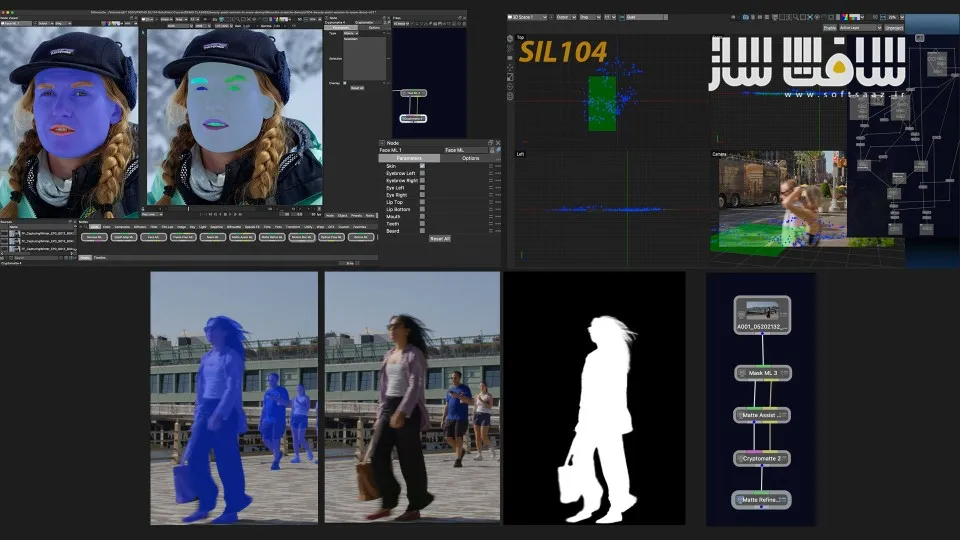
آموزش ویژگیها و ورکفلوهای تولیدی در Silhouette
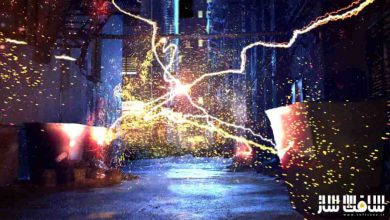
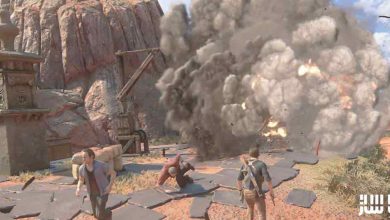
آموزش ویژگیها و ورکفلوهای تولیدی در Silhouette : این دوره از Katie Morris برای هنرمندانی طراحی شده است که آشنایی اولیه با Silhouette دارند و میخواهند مهارتهای خود را در زمینه Rotoscoping، Digital Paint و ورکفلوهای حرفهای تولید جلوههای ویژه گسترش دهند. در این دوره با استفاده از Silhouette 2025.5، جدیدترین قابلیتهای نرمافزار از جمله ابزارهای Machine Learning، ترکینگ دوبعدی و سهبعدی، کامپوزیت، Paint، بازسازی تصاویر (Plate Reconstruction) و ورکفلوهای مدرن پروژههای واقعی آموزش داده میشود.
این دوره شامل 12 جلسه آموزشی، 10 شات 16 بیتی EXR و بیش از 6 ساعت آموزش تخصصی است و ادامهای بر دورههای SIL101، SIL102 و SIL103 محسوب میشود. هنرجویان در این دوره با ابزارهای هوش مصنوعی مانند Face ML، Mask ML، Matte Assist ML، Motion Blur ML، Denoise ML و Matte Refine ML آشنا شده و نحوه استفاده از آنها را در پروژههای واقعی یاد میگیرند. همچنین تکنیکهای حرفهای Beauty Work، حذف ایرادات پوست، بازسازی صحنهها، Paint پیشرفته، Camera Solve با SynthEyes و استفاده از دادههای سهبعدی برای Rotoscoping و Paint بهصورت کامل بررسی میشود. این دوره آموزشی توسط تیم ســافــت ســاز برای شما عزیزان تهیه شده است.
عناوین آموزش ویژگیها و ورکفلوهای تولیدی در Silhouette :
- آشنایی با قابلیتهای جدید Silhouette 2025.5
- مرور کامل ابزارهای Paint و Roto
- مدیریت پروژهها با Sessions
- تنظیمات پیشرفته Paint و Roto
- Auto Paint و Regraining
- ایجاد Matte با هوش مصنوعی (Machine Learning)
- کار با Face ML، Mask ML و Matte Assist ML
- استفاده از Motion Blur ML و Optical Flow
- کار با Cryptomatte و Matte Refine ML
- حذف نویز با Denoise ML
- ساخت Matte خودکار برای اشیاء و چهره
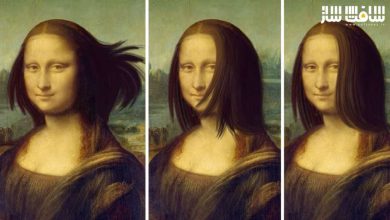
- Beauty Work حرفهای برای اصلاح چهره
- حذف چین و چروک و لکهای پوست
- Shape Warping با Morph Node
- استفاده از Inpaint و Auto Paint
- صاف کردن پوست، سفید کردن دندانها و اصلاح رنگ
- ترکینگ حرفهای با Mocha Pro Powermesh
- بازسازی Plate و ساخت Clean Plate
- استفاده از DOD Node
- بازسازی تصاویر پیچیده
- Camera Solve با SynthEyes
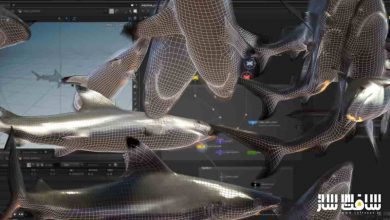
- ترکینگ سهبعدی در 3D Scene
- استفاده از دادههای سهبعدی در Rotoscoping
- Paint بر پایه دادههای سهبعدی
- Unproject / Reproject Workflow
- Plate Reconstruction پیشرفته
- رفع مشکلات عملی پروژههای VFX
عنوان دوره : FXPHD – SIL104 – Production Features and Workflows in Silhouette
سطح : متوسط
زمان کل دوره : 6.30 ساعت
تعداد فايل ها : 12 کلاس
سال آموزش : 2026
فایل تمرینی : دارد
مربی دوره : Katie Morris
نرم افزار : Silhouette
زیرنویس انگلیسی : ندارد
FXPHD – SIL104 – Production Features and Workflows in Silhouette
This course is designed for artists who already have some experience with Silhouette and want to build on their existing roto and paint skills. SIL104 focuses on updated production workflows, introducing new Machine Learning tools, 3D workflows, and expanded paint and tracking features, with practical examples drawn from real-world shot work.
Featuring Silhouette software v2025.5, SIL104 consists of 12 classes, 10 16-bit EXR shots, and over 6 hours of instruction and builds on previous courses SIL101 – Introduction to Silhouette and Roto, SIL102 – Introduction to Silhouette and Paint Part 1 and SIL103 – Introduction to Silhouette and Paint Part 2.
SIL104 starts with two classes covering recent paint and roto updates since the previous fxphd Silhouette series, then transitions into new features and workflows. Silhouette is evolving into a robust, multi-faceted, cross-disciplinary application that includes not only roto and paint features but also compositing, updated 2D tracking options, 3D tracking capabilities with integration, and several new Machine Learning nodes. In this course, the ML nodes covered are: Denoise ML, Face ML, Mask ML, Matte Assist ML, Matte Refine ML, and Motion Blur ML.
After the refresher classes, there are two ML roto classes that cover three separate shots, taking one through the myriad options for automatic matte creation and edge treatment. These new tools provide fast previs mattes, comp assist, tracking assist, as well as final composite quality results.
Next up is a four-part Beauty Work shot that encompasses Mocha Powermesh tracking, shape-based warping with Silhouette’s Morph node, Inpatient, Face ML and the newly reimagined Cryptomatte. Following is a two-part tricky plate reconstruction shot with an oversized clean plate and lots of real-time problem-solving.
The course wraps up with two classes and three shots incorporating the new SynthEyes camera solver in the 3D Scene node. Two separate paint workflows are explored, along with how to use 3D data for rotoscoping.
Whether it has been a year or a couple of months since you last worked in Silhouette, this course will bring you right up to speed with the latest. Thanks go to Damien Vergez of Fast Fokus, Ben Brownlee of Boris FX and ActionVFX for providing the footage.
Katie Morris is a Visual Effects Digital Artist with credits on over 87 feature films. She brings deep expertise as a 2D and 3D post-production digital paint artist, paint compositor, and rotoscoper, using a wide range of techniques and software packages to reconstruct background plates and complex sequences. Katie is also a beta tester for Silhouette FX, giving her early, practical insight into new features long before they reach production.
حجم کل : 6.1 گیگابایت
برای نمایش این مطلب و دسترسی به هزاران مطلب آموزشی، نسبت به تهیهی اکانت ویژه از لینک زیر اقدام کنید.
وضعیت فعلی شما
- لینکهای دانلود این مطلب قفل است
- بقیهی مطالب ویژه هم بسته است
- بدون دسترسی به آموزش نصب
با اشتراک ویژه
- دسترسی به همهی مطالب سافتساز
- آپدیت روزانه مطالب سایت از بهترین سایتهای سیجی
- ورود نامحدود کاربران از هر دیوایسی
- دسترسی به آموزش نصب کامل پلاگینها و نرمافزارها
For international users: online support — email info@softsaz.ir or Telegram @SoftSaaz.
امتیاز دهی به این مطلب :
لطفا به این مطلب امتیاز دهید