آموزش جامع انیمیشنسازی جلوههای ویژه دوبعدی (2D FX)
VFXapprentice - Small 2D FX Animation Studies


آموزش جامع انیمیشنسازی جلوههای ویژه دوبعدی (2D FX)
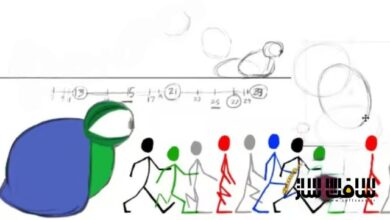
آموزش جامع انیمیشنسازی جلوههای ویژه دوبعدی (2D FX) : در این دوره آموزشی تخصصی، یاد میگیرید که چگونه جلوههای ویژه دوبعدی کوچک و کاربردی را از صفر تا صد طراحی و انیمیت کنید. با دنبال کردن مسیر کاری الکس ردفیش، یکی از برجستهترین هنرمندان این حوزه، از مرحله طراحی حرکت اصلی تا خلق یک فلیپبوک حرفهای و آماده برای موتورهای بازیسازی پیش خواهید رفت. این دوره با بیش از ۲۴ ساعت آموزش، شامل بررسی دقیق تکنیکهای طراحی فرم، استفاده از لایههای ماسک، نورپردازی، رنگآمیزی و تکنیکهای اصلاحی است. شما با تمرین روی ۷ پروژه عملی، از جمله افکتهای آتش، نور و مایعات، مهارتهای خود را به سطح استانداردهای صنعت بازیسازی میرسانید. این دوره آموزشی توسط تیم ســافــت ســاز برای شما عزیزان تهیه شده است.
عناوین آموزش جامع انیمیشنسازی جلوههای ویژه دوبعدی (2D FX) :
- آموزش طراحی و انیمیت افکت انفجار نور
- تکنیکهای درخشش و بازتاب نور در انیمیشن
- روشهای محو کردن و ایجاد عمق در افکتها
- مدیریت لایههای ماسک برای طراحی اشکال داخلی
- فرآیند ساخت و خروجی گرفتن از فلیپبوک
- اصول طراحی و حرکتشناسی افکتهای آتش
- تکنیکهای افزودن جزئیات و لایهبندی در انیمیشن
- روشهای متحرکسازی مایعات و افکتهای چسبناک
- تنظیمات رنگ، نور و درخشش نهایی در انیمیت
- تکنیکهای اصلاح و بهینهسازی افکت برای بازی
عنوان دوره : VFXapprentice – Small 2D FX Animation Studies
سطح : مبتدی
زمان کل دوره : 24 ساعت و 54 دقیقه
تعداد فايل ها : 39
سال آموزش : 2026
فایل تمرینی : دارد: ZIP (7)
مربی دوره : Alex Redfish, Jason Keyser
نرم افزار : Adobe Animate
زیرنویس انگلیسی : ندارد
VFXapprentice – Small 2D FX Animation Studies
Included with VFX-A All Access
Start with the leading motion and finish with a ready-to-brag flipbook by following the FX breakdown of one of the best-known 2D artists, Alex Redfish!
24+ Hours
This course includes over 24 hours of training and 7 different FX.
Skill Level
Beginner Level One course for new artists.
Lessons & Projects
This course includes project files for you follow along.
Instant Access
This course is immediately available to All Access members.
Course Breakdown
Lesson overview.
Light Burst FX
6 Lessons
Learn how to infuse light with magic! This effect is very brief, but there are a lot of fine details that will blow your mind once you see them.
Jason Keyser will guide you through Alex Redfish’s workflow with breakdowns and additional insights.
Corona Shine
Look over the shoulder of Alex Redfish as he animates this magical light! Start by reviewing references and animate the core components.
Dissipation
After all the build-up, we move on to dissipation. Learn how to keep the excitement high, and use perspective to your advantage.
Revisions
Watch how Alex Redfish handles revisions. Let’s change some things and try something new to make your animation even better.
Inner Shapes
Learn how to use mask layers to give you the freedom to set up your inner shapes without having to worry about clean outer edges.
Color & Glow
Take a look at the nice mix of base color, base glow, and highlight glow in this effect, by following Jason Keysers handy chart of colors!
Flipbook Creation
Making flipbooks in Animate can be a bit tricky to set up, so learn how to turn this animation into a 4×4 sprite sheet that’s ready for the game engine.
Fire Swoosh FX
5 Lessons
Even the simplest flick of flame can be full of fancy flourishes! Here you’ll learn how to dissolve shapes while maintaining their appeal.
Breakdown Alex Redfish’s amazing fire swoosh effect! These lessons will go through his step-by-step process of how he designs fire effects.
Fire Effect Primary Motion
Start by creating a strong dynamic shape design of the primary form in this animation.
Follow along as Jason Keyser discusses the different tricks that Alex Redfish employs to push his shapes to the next level.
Secondary Bits
It’s all about attention to detail as Alex Redfish designs the secondary elements of this fire swoosh effect.
Study the way he thinks and designs the dissipations in this effect. Having a variety of secondary shape designs helps break up your primary element and makes it look more complex, detailed, and polished.
Inner Shapes
Highlighting internal shapes for the fire can improve the quality of animations by creating areas of visual interest.
This lesson draws heavily upon the thick and thin design principles when creating internal shapes. It’s important to create interesting variations within your shapes to improve upon the primary design.
Inbetweens
It’s time to add the inbetweens to the fire swoosh animation!
Let’s smooth out the motion by adding inbetweens. Don’t stop being creative at this point! Boring inbetweens can hurt your overall animation.
Flipbook Creation
It’s time to set up the final fire effect animation for export in Adobe Animate.
Jason goes through common features used with flipbooks in games. This will help you think and prepare in advance for how you will want to lay out your frame-by-frame animation.
Nether Poof FX
6 Lessons
Create dynamic and flowing cloudy puff shapes that eat away in a beautiful dance, with lighting and color that brings a magical vibe.
Poof Effect Primary Motion
This effect is separated into two components. We’ll start on the primary motion of the burst and flash frame element. Then we will focus on the smoke FX.
Retiming & Inbetweens
Work on retiming and smoothing the animation by creating inbetweens.
Learn how to refine rough animations with a technique commonly used in pose-to-pose animations.
Inner Shapes
Create stunning interior shapes through a technique that uses masking layers in Adobe Animate. Think about lighting and how it influences the design. Then use color intensity to portray energy.
Highlight Shapes
Adding tertiary highlight shapes creates the feeling of the effect in a three-dimensional space.
This will intensify the blinding flash and add the “wow” moment you want to achieve. But be careful not to add too many highlights and moving parts. It’s easy to lose track of all of them while animating.
Color Adjustments & Glows
Focus on the tools and settings in Adobe Animate. With the use of filters, settings, and tools you can edit and change your effect non-destructively.
This allows you toexperiment and explore new ideas on the fly without changing the base effect that you already created.
Nether Poof FX Timelapse
Watch the original timelapse of Alex Redfish’s Nether Poof animation process without any narration.
Poison Splat FX
5 Lessons
There are many ways to approach liquid effects. Learn some techniques to get a really dynamic flow for fluids that feels natural and appealing all at once.
This poison splat animation will be a little bit more advanced on the creative side than some of the other effects covered so far.
Straight-Ahead Silhouette
Study the primary motion of a poison splat effect by Alex Redfish. Watch as he designs this straight-ahead animation.
Create strong silhouettes that integrate with the design, and allocate frames beforehand so you can finish the dissolve by the end of the animation.
Three-Dimensional Backside
Add more detail and volume to this effect with secondary shapes. Create the backface of the splat to give the impression of volume as a 3D object.
Learn how to design strong dynamic background shapes and pick up some techniques on the flow and motion of liquid effects.
Edge Shadows
Create a sense of depth and volume to your liquid effect with edge shadow. Polish and soften shapes to make this effect truly feel like a 3D fluid splat.
Use blending layers, create interesting shape designs for the internal edge shadows, and improve the sense of motion and speed of this effect.
Color Adjustments & Glow
Polish your FX with color adjustments and glows to make them production-ready.
Learn non-destructive ways to improve the color design and visual appeal of your animated effects.
Poison Splat FX Timelapse
Watch the raw timelapse of Alex Redfish’s Poison Splat animation process without any narration.
حجم کل : 6.49 گیگابایت
برای نمایش این مطلب و دسترسی به هزاران مطلب آموزشی، نسبت به تهیهی اکانت ویژه از لینک زیر اقدام کنید.
وضعیت فعلی شما
- لینکهای دانلود این مطلب قفل است
- بقیهی مطالب ویژه هم بسته است
- بدون دسترسی به آموزش نصب
با اشتراک ویژه
- دسترسی به همهی مطالب سافتساز
- آپدیت روزانه مطالب سایت از بهترین سایتهای سیجی
- ورود نامحدود کاربران از هر دیوایسی
- دسترسی به آموزش نصب کامل پلاگینها و نرمافزارها
For international users: online support — email info@softsaz.ir or Telegram @SoftSaaz.
امتیاز دهی به این مطلب :
لطفا به این مطلب امتیاز دهید