آموزش سالیدورکس در 65 روز : مسترکلاس جامع SolidWorks
Udemy - SolidWorks in 65 Days - The Ultimate Masterclass

آموزش سالیدورکس در 65 روز
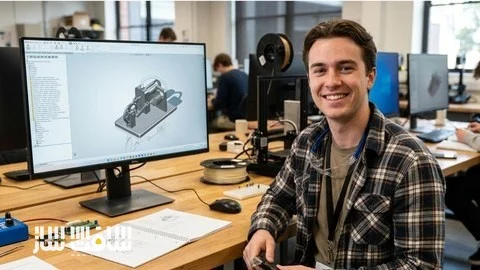
آموزش سالیدورکس در 65 روز : این دوره جامع، مسیری کامل برای یادگیری و تسلط بر نرمافزار SolidWorks ارائه میدهد. آموزشها بهصورت 100 درصد پروژهمحور طراحی شدهاند و شما طی یک چالش 65 روزه، از طراحی قطعات ساده مکانیکی تا مونتاژ مکانیزمهای صنعتی پیچیده را بهصورت عملی انجام خواهید داد. با تکمیل 65 پروژه منحصربهفرد، علاوه بر یادگیری ابزارها و تکنیکهای حرفهای CAD، یک پورتفولیوی قدرتمند از مدلهای سهبعدی و پروژههای مهندسی برای ورود به بازار کار طراحی مکانیکی ایجاد خواهید کرد. این دوره آموزشی توسط تیم ســافــت ســاز برای شما عزیزان تهیه شده است.
عناوین آموزش سالیدورکس در 65 روز :
- آموزش کامل مدلسازی قطعات در SolidWorks
- یادگیری مونتاژ قطعات و مکانیزمهای صنعتی
- انجام 65 پروژه واقعی و کاربردی
- ساخت بیش از 55 مدل سهبعدی حرفهای
- یادگیری طراحی پارامتریک و مدلسازی مهندسی
- آموزش کامل نقشهکشی صنعتی و مستندسازی فنی
- آشنایی با استانداردهای CAD در صنعت مکانیک
- ایجاد پورتفولیوی حرفهای برای استخدام و فریلنسری
عنوان دوره : Udemy – SolidWorks in 65 Days – The Ultimate Masterclass
سطح : مبتدی
زمان کل دوره : 36 ساعت
تعداد فايل ها : 71
سال آموزش : 2026
فایل تمرینی : دارد
مربی دوره : Umair Ahmad Khan
نرم افزار : SolidWorks
زیرنویس انگلیسی : ندارد
Udemy – SolidWorks in 65 Days – The Ultimate Masterclass
Your all-in-one path to SOLIDWORKS mastery. Master part design, assemblies, drawings in Project based learning.
What you’ll learn
Master SolidWorks Part Modelling & Assemblies by completing 55 unique, real-world projects from scratch.
Develop a professional-grade workflow for Part Modeling and Assemblies.
Transition from a beginner to a confident designer with a portfolio of 55 finished 3D models.
Understand the “why” behind the tools by applying them to functional mechanical designs every single day.
Welcome to the ultimate 65-Day SolidWorks Challenge. This is a 100% project-based curriculum designed for those who want to master CAD by actually doing the work. Over the next 65 days, you will complete 65 unique projects, moving from basic mechanical components to complex, multi-body industrial mechanisms.
Every day for 65 days, you unlock a new project. We don’t just “talk” about tools—we use them to solve design problems. By the end of this course, you will have a massive professional portfolio of parts and assemblies that prove your proficiency.
What You Will Build in These 65 Days:
Section 1: Part Modeling Mastery (Days 1–40)
27 Solid Modeling Projects: Master the fundamentals and advanced features by building items like Heat Sinks, Sprocket Wheels, Flange Couplings, and even the iPhone 17 series using complex configurations and Design Tables.
8 Surface Modeling Projects: Learn to create organic, ergonomic shapes including Flower Vases, Cosmetics Tubes, toothbrush and a Car Spoiler.
5 Sheet Metal Projects: Transition into industrial manufacturing by designing Electronic Enclosures, Vent Grills, and specialized brackets ready for the shop floor.
Section 2: Assembly Modeling (Days 41–55)
15 Functional Assembly Projects: Bring your parts to life. You will build and animate complex mechanisms including a Geneva Drive, a Planetary Gearbox, a Scissor Jack, and a Stirling Engine.
Professional Mating & Motion: Learn to use Standard, Advanced, and Mechanical mates to ensure your assemblies move exactly like the real world.
Animations and Motion Study: Learn to use animation wizard to create mechanical animations and workflows of conducting motion studies and analysis with Newton’s Cradle and CAM Follower mechanism.
Section 3: Engineering Drawings (Days 56–65)
10 Engineering Drawing Projects: Create engineering drawings of parts and assemblies created in previous 2 sections.
Drawing Concepts: Learn how to create Bill of Material tables for assemblies, introduction to GD&T, Bend tables for Sheet Metal Projects and more.
What You Will Master:
Parametric Sketching: Create robust, fully-defined sketches that never break.
Design Tables & Configurations: Manage multiple versions of a product in a single file.
Interference Detection: Ensure every part fits perfectly before production.
Industry Workflows: Learn the exact CAD standards used by professional Mechanical Engineers.
So, jump in and let’s start learning by doing.
حجم کل : 25.5 گیگابایت
برای نمایش این مطلب و دسترسی به هزاران مطلب آموزشی، نسبت به تهیهی اکانت ویژه از لینک زیر اقدام کنید.
وضعیت فعلی شما
- لینکهای دانلود این مطلب قفل است
- بقیهی مطالب ویژه هم بسته است
- بدون دسترسی به آموزش نصب
با اشتراک ویژه
- دسترسی به همهی مطالب سافتساز
- آپدیت روزانه مطالب سایت از بهترین سایتهای سیجی
- ورود نامحدود کاربران از هر دیوایسی
- دسترسی به آموزش نصب کامل پلاگینها و نرمافزارها
For international users: online support — email info@softsaz.ir or Telegram @SoftSaaz.
امتیاز دهی به این مطلب :
لطفا به این مطلب امتیاز دهید