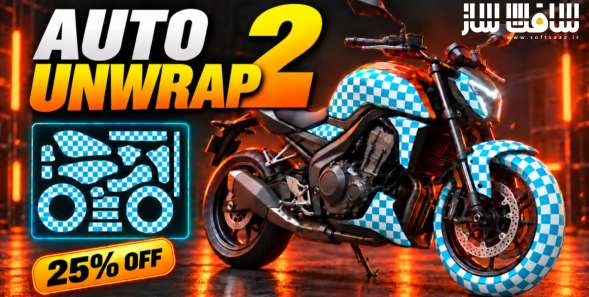
پلاگین Auto Unwrap برای بلندر
پلاگین Auto Unwrap برای بلندر : این پلاگین پیشرفته، هوشمند و جریانساز برای نرمافزار سهبعدی بلندر است که با هدف خودکارسازی کامل فرآیند باز کردن نقشه یووی تنها با یک کلیک توسعه یافته است ، تفاوت بنیادین این ابزار با راهکارهای سنتی خودکار در این است که موتور پردازشی آن همانند یک آرتیست و هنرمند باتجربه فکر میکند؛ به این معنا که مدلهای ارگانیک، قطعات سطوح سخت و الگوهای پارچهای لباس را شناسایی کرده و خطوط درز و برش را دقیقاً در نقاطی قرار میدهد که کمترین دید و اعوجاج را داشته باشند ، با سافت ساز همراه باشید .
ویژگی های این پلاگین :
- موتور هوش مصنوعی بازآموزیشده بر پایه تحلیل عمیق بیش از 1200 مدل سهبعدی متنوع
- باز کردن همزمان چندین آبجکت با یک کلیک همراه با چیدمان و بستهبندی خودکار تمامی قطعات در یک صفحه
- برش خطوط درز کاملاً مشابه با منطق دستی هنرمندان جهت پنهانسازی برشها و جلوگیری از اعوجاج بافت
- سامانه تقارن پیشرفته با سنجش هوشمند ضریب تقارن، برش روی صفحه آینهای و ویرایش متقارن پس از آنرپ
- موتور ارگانیک مبتنی بر الگوریتم اپتکاتس ایدهآل برای کاراکترها، موجودات، اسکالپتها و مدلهای تولیدشده با هوش مصنوعی
- قطعهبندی هوشمند مدلهای ارگانیک به بخشهای تفکیکشده رنگی با امکان ادغام تا سقف 5000 قطعه پیش از برش نهایی
- پروجکشن هوشمند سطوح سخت با کاهش چشمگیر قطعات خردشده نسبت به ابزار پیشفرض بلندر
- برش هوشمند درزهای لباس برای خروجیهای مارولوس دیزاینر و کلو بر پایه الگوهای واقعی خیاطان و طراحان مد
- پشتیبانی کامل از چینش تایلهای یودیم بدون دوپاره شدن جزایر روی مرز تایلها
- قابلیت همپوشانی قطعات تکراری بر روی هم جهت بهینهسازی و استفاده حداکثری از رزولوشن بافت
- تنظیم خودکار جهتگیری زاویه جزایر همگام با امتداد خطوط مدل جهت جریان صحیح بافتهای چوب و پارچه
- کنترل تعادل کشیدگی با امکان انتخاب میان درزهای کمتر یا اعوجاج حداقلی
- ابزارهای ویرایشی اختصاصی شامل اتصال جزایر به یکدیگر، بازکردن مجدد جزیره معیوب و نمایش حرارتی اعوجاج
- کارت کنترلی شناور و مدرن در محیط ویوپورت به همراه پنل کناری کلاسیک در رابط کاربری
- بدون نیاز به هیچگونه نرمافزار واسط و کارکرد مستقیم روی سیستمعاملهای گوناگون
- و..
Superhive Market – Auto Unwrap
Auto Unwrap
Smart UV unwrapping for real production. One click reads the model, decides where it has to be cut, lays every piece out flat with as little pull as the shape allows, and packs the result.
Requirements
Blender 4.2 or newer. Windows and Linux. Everything needed is inside the add-on, including the part segmentation, so there is nothing else to buy or install.
Install
Edit > Preferences > Add-ons > Install, pick the zip, tick it on. The panel lives in the 3D viewport sidebar, press N and open the Auto Unwrap tab.
The four buttons
Unwrap (Organic) reads the model, cuts it where it has to be cut, and opens every piece. Cuts run along hidden areas and the symmetry line where it can. Best for characters, creatures, sculpts, organic props, and meshes that came out of an image to 3D generator.
Smart UV (Hardsurface) is a fast projector for busy hard surface models, one part at a time. It cuts along the model’s own lines, keeps mirrored parts together and lets them share texture. Best for guns, vehicles, machinery and kitbash.
Garment Seams is for clean quad garments, for example a Marvelous Designer or CLO export after retopology. It cuts them the way a garment artist does: rings round the cuffs, armholes, neck and bands, a straight line under the arm and down the side, a center line through the crotch on trousers, a waist ring on a dress. The rules were learned from about forty artist cut garments.
Preview Seams shows where the cuts would run before anything is unwrapped, so you can look them over first.
The panels
Parts decides how the model is split before it is cut. A seam never crosses from one part into the next, so parts give the cutting borders it could not find on its own. Show Parts paints them on the model. Pick and Merge joins two neighbours, Merge Selected joins everything selected, Split turns the selected faces into a part of their own. At 1 the whole model is one piece and the engine picks every seam itself. On figures a high count works well, on hard surface models eight to thirty is plenty.
Seams is the trade between cutting less and stretching less. Less Stretch cuts wherever it helps, Fewer Seams keeps the model whole and takes the pull, Balanced sits between them. Pick Islands On Model lets you click islands on the model itself and unwrap only those again, with a choice of engine for that piece. Redo Selected Island redoes one island and leaves every other island exactly where it is, at the same texel density and in the same tile.
Advanced carries Symmetry. On a symmetric model the parts, the seams and the finished UVs are mirrored.
Smart UV carries Optimize Layout. On it, the panels are straightened onto their own grid and the sheet is filled as tightly as the shapes allow. Off, whatever came out of the flattening is what gets packed, which is the right choice on a model the straightening misreads.
Packing carries Stack Repeats, which puts identical parts on one place on the sheet so the texture is spent once rather than a hundred times, and UDIM Tiles. Above one tile the parts are dealt out so every tile carries about the same surface. Object keeps each object whole on one tile, Balanced shares the islands out for even texel density.
Customize is the card’s own colour and corner rounding. If you would rather have a plain Blender panel, there is a switch for that in the add-on preferences.
What happens at the end
Every run finishes with one last pass through Blender’s own packer, across every selected object at once. It settles anything the build left sitting on top of something else, keeps every island in the UDIM tile it belongs to, and leaves the whole selection at one texel density. There is no need to go to UV and Pack Islands by hand afterwards.
این راهنمای نصب به صورت نوشته می باشد .
- فایل دانلود رو از حالت فشرده خارج کنید
- نرم افزار بلندر رو اجرا کنید و کلید ترکیبی Ctrl+Alt+U رو فشار دهید سپس Add-ons برای شما باز می شود Install from file رو انتخاب کنید
- از پوشه addons فایل Auto Unwrap.zip رو انتخاب کنید تا در پلاگین ها فعال شود
- پلاگین نصب شد
حجم کل :
امتیاز دهی به این مطلب :
لطفا به این مطلب امتیاز دهید