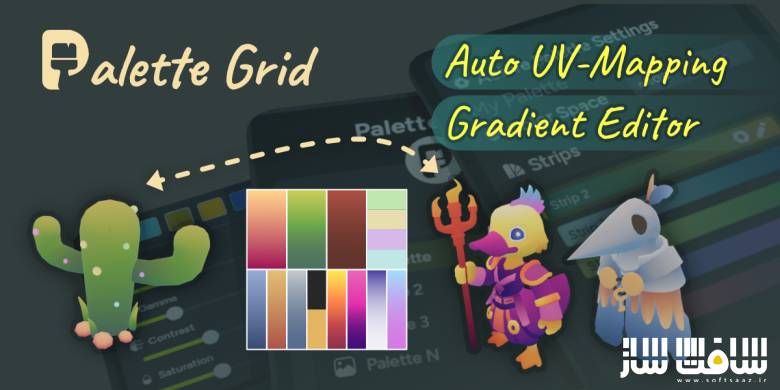
پلاگین PaletteGrid برای بلندر
پلاگین PaletteGrid برای بلندر : این پلاگین یک ابزار انقلابی و مدیریت جریان کاری در نرمافزار بلندر است که فرآیند تکسچرینگ بر پایه پالت رنگی را بهینهسازی میکند ، این متد که به طور گسترده در ساخت بازیهای سبک استایلایز ، فانتزی و کمحجم استفاده میشود، به طراح اجازه میدهد تا کل مدل سهبعدی را تنها با یک تکسچر بسیار کوچک (گاهی در حد چند پیکسل) رنگآمیزی کند ، این کار تعداد محاسبات کارت گرافیک (Draw Calls) را بهشدت کاهش داده و حجم نهایی بازی را بسیار کوچکتر میکند ، با سافت ساز همراه باشید .
ویژگی های این پلاگین :
- امکان ساخت مستقیم پالتهای رنگی تخت و نوارهای گرادینت
- قابلیت تنظیم رزولوشن تکسچر پالت از مقادیر بسیار کوچک مانند 32 پیکسل
- پشتیبانی از سیستم پروژه اتمسفریک زاویه دید
- مجهز به سیستم هوشمند چسباندن دستهای UV ها
- امکان ایجاد گرادینتهای مبتنی بر فاصله و شعاعی از مبدا سهبعدی بر روی سطوح کروی، گنبدها
- قابلیت ویرایش و تغییر همزمان و زنده رنگها
- دارای محیط کاری کاملاً بصری با ابزار Strip Picker جهت پیشنمایش نوارها با نگهداشتن موس
- پشتیبانی از گرادینتهای مسیرمحور جهت ترسیم یک مسیر منحنی یا مارپیچ روی مدل و نگاشت خودکار و دقیق
- کاهش چشمگیر زمان بازبینی و تغییر رنگ مدلها از 10 دقیقه در روش سنتی به چند ثانیه
- پلاگین PaletteGrid
- و..

Superhive Market – PaletteGrid
Stunning stylized art from tiny textures, fewer draw calls, smaller builds, more visual range. The complete Blender workflow to create palettes, snap UVs, project gradients, and edit colors live.
Build the palette texture without leaving Blender.
The normal way: open Photoshop, paint gradient strips manually, export as PNG, import into Blender. Palette Grid lets you create both flat-color and gradient strip textures directly inside Blender. The palette is ready before you even touch UVs.
Flat-color strips and gradient strips in one texture
Choose texture resolution, from 32px to production sizes
No Photoshop, no Krita, no external editor round-trips
Frame the angle. Project the gradient.
Frame the asset from any camera angle and project UVs directly onto the chosen gradient strip. No unwrapping, no rotating UV islands, no guessing alignment. Just point the viewport and apply.
Project UVs from any viewport angle
Gradient strip maps to the visible surface instantly
Replaces tedious manual UV alignment for directional looks
Select faces. Snap to strip. Done.
The manual version: unwrap, move UV island to the right row, scale it to fit the gradient, repeat for every face group. With Palette Grid: select faces, pick the strip, snap. UVs are created and positioned automatically. This is the feature that turns gradient texturing from “neat technique” into a viable production workflow.
One-click UV snapping to any palette strip
Auto-creates UVs if the mesh has none
Works across hundreds of faces without the repetitive drag
Distance-based gradients from any point.
Place distance-based gradients from the 3D cursor. Shields, orbs, effects, and stylized lighting falloff. The kind of UV work that is genuinely painful on curved surfaces done in a single click.
Radial gradient from 3D cursor position
Works on spheres, domes, and organic surfaces
Perfect for stylized lighting, shields, and energy effects
Change the gradient, see it on the model. Instantly.
Gradient texturing gives you infinite color variations from the same UVs, but only if changing colors is fast. Palette Grid updates the texture in real time as you drag stops and adjust strips, so you can explore palettes without any export cycle.
Drag gradient stops and see the model update live
Every edit syncs to the texture in real-time
Swap entire color palettes without redoing UVs
Iterate on look-dev in seconds, not minutes
VISUAL WORKFLOW
Work directly on the texture.
Click strips on the texture to select them, drag gradient stops right on the image, hover to preview. Everything happens where you’re already looking.
Click any strip on the texture to select it
Hover-to-preview with the Strip Picker tool
Drag gradient stops on the image itself
PATH-BASED GRADIENTS
Draw a path. Map the gradient along it.
Draw a path and map a gradient strip along it. Spirals, curves, organic lines. Placements that are genuinely painful to build by hand. Palette Grid turns the drawn path into precise UV placement automatically.
Spiral, curve, and freeform path support
Gradient follows the path direction and length
Ideal for organic shapes, trim sheets, and flowing details
Draw rough. Get perfect shapes.
Sketch a line, circle, or rectangle. The addon detects your intent and snaps to a clean geometric path you can scale, rotate, and position before applying.
The workflow for gradient texturing.
Built for Blender.
If you use gradient texturing, the fastest way to do it should feel obvious. That is what Palette Grid is for.
Powerful – Not Complicated
A Clean Blender Workflow
Manage emitters, effects, constraints, logic, cache, and post-effects from one organized interface. The solver is external, but the workflow stays inside Blender.
Effect Stack Control
Add forces, collisions, fluid behavior, granular physics, color changes, and logic actions step by step. Reorder effects to art-direct the result without rebuilding the setup.
Layered Color and Data Mapping
Use simulation data to drive colors and parameters. Age, speed, mass, proximity, random values, noise masks, and custom mappings can control both look and behavior.
Precise Constraints
Use volumes, curves, surfaces, objects, noise, random masks, and particle properties to decide exactly where emitters and effects are active.
Cache, Render, and Finish
Pro Particles Cache UI Blender Native Cache UI
The cache system is built for heavy scenes and repeatable output.
Use the in-memory cache for fast timeline work, bake raw particle data to the disk cache for persistent playback, and use Blender’s native cache when you need to bake final Geometry Nodes post-effects.
Disk cache versions let you keep multiple bakes. If a selected cache version is empty, the solver can still run normally. Once frames exist, playback becomes cache-only for predictable renders.
Version 5 Highlights
Full GPU solver foundation for particles, fluids, collisions, granular materials, and logic workflows.
Rebuilt granular and fluid solver with presets, persistent contacts, warm starting, sleeping, cohesion, viscosity, and brittle/clumpy material behavior.
Improved mesh-collision contact response for better sliding.
Selectable noise types for Turbulence, Curl Noise, and Advanced Color.
Advanced Color noise masks are normalized for predictable color-ramp control.
GPU shader warmup with compile progress to avoid first-use stalls.
Improved disk cache playback, baking, and cache-version behavior.
Freeze/Unfreeze motion state corrected for clean motion blur.
این راهنمای نصب به صورت نوشته می باشد .
- فایل دانلود رو از حالت فشرده خارج کنید
- نرم افزار بلندر رو اجرا کنید و کلید ترکیبی Ctrl+Alt+U رو فشار دهید سپس Add-ons برای شما باز می شود Install from file رو انتخاب کنید
- از پوشه addons فایل PaletteGrid.zip رو انتخاب کنید تا در پلاگین ها فعال شود
- پلاگین نصب شد
حجم کل :