پلاگین Smart Remesh برای بلندر
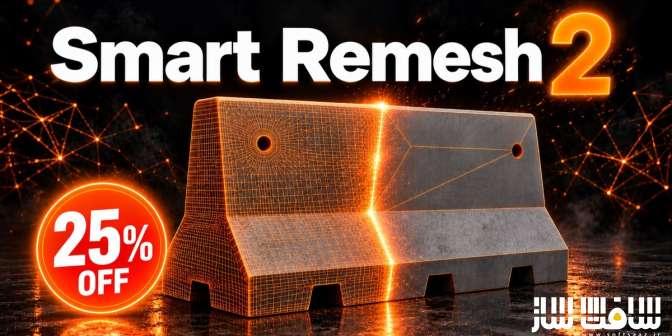
پلاگین Smart Remesh برای بلندر : این پلاگین حرفهای هوشمند و بسیار قدرتمند برای نرمافزار بلندر با عنوان بازسازی مش هوشمند نگارش دوم است که توپولوژی مدلهای سهبعدی ارگانیک و سطوح سخت را به طور کامل نوسازی و بهینهسازی مینماید ، هسته الگوریتمی این ابزار صفحات تخت را به چندضلعیهای تمیز تبدیل کرده و حلقههای لبهای فاقد فرم را بدون جابهجایی حتی یک صدم میلیمتر از سیلوئت اصلی مدل حذف میکند ، این سیستم راهکاری ایدهآل برای پالایش خروجیهای نامنظم و شلوغ ژنراتورهای هوش مصنوعی سهبعدی و اسکنهای لیزری است و مشهای بههمریخته را به داراییهایی سبک، تمیز و آماده استفاده در موتورهای بازی و پروژههای انیمیشن تبدیل میکند ، با سافت ساز همراه باشید .
ویژگی های این پلاگین :
- پاکسازی هوشمند هندسه با حذف خودکار بخشهای زائد و اتصال تمیز شکافها بدون نیاز به دخالت دست
- حفظ صد در صد چیدمان یووی و نگاشتهای چندکاشی یودیم پس از فرآیند بازسازی مش
- انتقال و حفظ قطعی متریالها و جایگذاری اسلاتها روی هندسه بازسازیشده بدون نیاز به انتساب مجدد
- حذف هوشمند حلقههای لبهای غیرضروری با امکان محدودسازی محدوده به لبههای انتخابی کاربر
- دارای دو موتور تفکیکشده ارگانیک جهت خلق شبکههای منظم چهارضلعی و سطوح سخت جهت حفظ لبههای تیز مکانیکی
- ابزار تخصصی ادغام پوسته اسکنها و مدلهای تولیدشده توسط هوش مصنوعی پیش از شروع ریتوپولوژی
- فرآیند فوقالعاده سریع پخت بافت و جزئیات بر بستر کارت گرافیک
- حفظ دقیق راسهای اصلی و عدم دگرگونی فرم و انحنای کلی قطعات
- پشتیبانی از ریتوپولوژی متقارن برای قطعات آینهای و حالت نمایش ساختار خطوط هندسی
- ایجاد شیء مجزا در هر نوبت ریتوپولوژی جهت ممانعت از بازنویسی فایل اصلی
- بهینهسازی سنگین مدلهای مجسمهسازی با کاهش تا بیش از 98 درصد پولیگانها با خروجی پایدار
- و..
Superhive Market – Smart Remesh
QUAD REMESHER FOR HARD-SURFACE & ORGANIC MODELS
Rebuilds flat panels as clean n-gons and drops the edge loops that carry no shape — without moving the surface.
The biggest release yet — smarter cleanup, preserved materials and UVs, precise control over what gets retopologized, and a workflow that respects your scene from names to viewport settings.
Cleanup That Knows What Matters
The new Smart Cleanup pass sweeps the result after retopology — dissolving junk geometry, healing messy areas and leaving only clean, purposeful topology behind. No manual polish needed.
UVs and bakes survive the remesh
UVs and materials preserved after organic retopology with baked detail
UDIMs preserved after remesh
PRESERVE UV & BAKED DETAILS
Your UVs and Bakes Survive the Remesh
Retopology no longer costs you your texturing work. UV layouts carry over to the new mesh and baked detail stays intact — even after a full Organic retopology, the fine detail is baked onto the clean low-poly result so it looks exactly like the original. UDIMs are preserved too: multi-tile layouts stay on the model after the remesh, so you can run your baking process on your own UVs right after remeshing. Remesh a finished asset without redoing a single map.
Materials Stay Exactly Where They Were
KEEP MATERIALS
Materials Stay Exactly Where They Were
Every material and its assignment survives the rebuild. The new topology comes out wearing the same materials as the original — no relinking, no reassigning face by face.
Erase the Loops That Do Nothing
REMOVE USELESS LOOPS
Erase the Loops That Do Nothing
Edge loops that carry no shape are found and removed automatically — and with Limit by Selected Edges you can point the tool at exactly the region you want cleaned, leaving the rest untouched.
Tame the Mess AI Leaves Behind
BUILT FOR AI-GENERATED MODELS
Tame the Mess AI Leaves Behind
Meshes from AI generators are notorious for dense, chaotic loops that serve no purpose. Smart Remesh 2 strips them out and rebuilds the surface as clean, usable topology — turning AI output into production-ready assets.
A Workflow That Respects Your Scene
Symmetry retopology for mirrored models, a wireframe mode to inspect the result instantly, viewport settings that stay as you left them, the original mesh name kept, and managed renaming that keeps your outliner tidy — every detail of your scene is treated with care.
این راهنمای نصب به صورت نوشته می باشد .
- فایل دانلود رو از حالت فشرده خارج کنید
- نرم افزار بلندر رو اجرا کنید و کلید ترکیبی Ctrl+Alt+U رو فشار دهید سپس Add-ons برای شما باز می شود Install from file رو انتخاب کنید
- از پوشه addons فایل Smart Remesh.zip رو انتخاب کنید تا در پلاگین ها فعال شود
- پلاگین نصب شد
حجم کل :