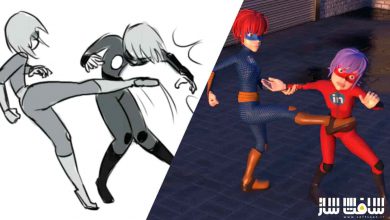
راهنمای جامع ۵۹ فصلی شبیهسازهای فیزیک در بلندر برای عبور از محدودیتهای سهبعدی
Coloso - The 59-Chapter Guide to Blender Physics Simulators That Overcome 3D Limits


راهنمای جامع ۵۹ فصلی شبیهسازهای فیزیک
راهنمای جامع ۵۹ فصلی شبیهسازهای فیزیک : با استفاده از این دوره آموزشی کاربردی، قدرت خلاقیت خود را در دنیای سهبعدی دوبرابر کنید. شما یاد میگیرید چگونه با بهرهگیری از شبیهسازهای فیزیک در نرمافزار بلندر، آثار هنری فوقواقعگرایانه (Hyper-realistic) خلق کنید. این راهنمای ۵۹ فصلی، تمامی ابزارهای پیچیده فیزیکی را به زبان ساده تشریح میکند تا بتوانید محدودیتهای مدلسازی سنتی را پشت سر بگذارید. با تسلط بر این تکنیکها، قادر خواهید بود انیمیشنهای داینامیک، برخورد اجسام و رفتارهای طبیعی مواد را با دقت خیرهکنندهای در پروژههای خود پیادهسازی کنید و سطح حرفهایتری از طراحی سهبعدی را تجربه نمایید. این دوره آموزشی توسط تیم ســافــت ســاز برای شما عزیزان تهیه شده است.
عناوین راهنمای جامع ۵۹ فصلی شبیهسازهای فیزیک :
- آشنایی با موتورهای فیزیک در بلندر
- شبیهسازی دقیق اجسام صلب و برخوردها
- کار با پارچهها و شبیهسازی بافت لباس
- دینامیک سیالات و شبیهسازی مایعات
- کار با ذرات و سیستمهای پیشرفته بارشی
- شبیهسازی دود، آتش و انفجارهای واقعگرایانه
- تکنیکهای شبیهسازی مو و خز در کاراکترها
- استفاده از نیروهای میدان برای کنترل حرکت
- بهینهسازی تنظیمات فیزیک برای رندر سریعتر
- ترکیب شبیهسازیهای فیزیکی با انیمیشنهای دستی
عنوان دوره : Coloso – The 59-Chapter Guide to Blender Physics Simulators That Overcome 3D Limits
سطح : متوسط
زمان کل دوره : 54 ساعت و 13 دقیقه
تعداد فايل ها : 116 (1080p)
سال آموزش : 2026
فایل تمرینی : دارد
مربی دوره : 3D Graphic Artist, Sungwoo Hong
نرم افزار : Blender 3.4.1
زیرنویس انگلیسی : دارد چسبیده
Coloso – The 59-Chapter Guide to Blender Physics Simulators That Overcome 3D Limits
This comprehensive 59-chapter guide empowers 3D artists to master Blender’s physics simulators, enabling the creation of hyper-realistic artwork that surpasses traditional modeling limitations. By diving deep into fluid dynamics, cloth simulations, particle systems, and rigid body physics, students will learn how to inject natural movement and complex physical interactions into their scenes, significantly enhancing their expressive capabilities and professional output.
You’ll Learn
Step 01. Familiarizing Yourself with Blender
Fundamentals of Creating Shapes
Let’s start with the basics. I’m here to make Blender accessible even to beginners. We’ll delve into each element of 3D graphics, starting with the most basic modeling.
Modeling with Modifiers
Discover how to effectively create and refine shapes, even those with complex forms, using Blender’s powerful modifier features.
The Fundamentals of Shading, Rendering, and Animation
Texture and color are as crucial as form, and to bring them to completion, a fundamental understanding of light and camera is essential. In this section, you will learn the groundwork for those fundamentals and familiarize yourself with essential elements for making objects move.
Step 02. Intro to Blender Physics Simulators
Understanding the Principles of Each Physics Simulator
Learn how to make your completed shots more polished and vibrant, and explore the compositing techniques you can use to make all shots appear as one cohesive video.
Controlling Using Force Fields and Gravity
Explore how to intricately control physics simulators using external factors such as gravity, wind, and other elements.
Effectively Portraying Materials Through Lighting
While lighting is important for all materials and forms, subjects like liquids can have vastly different results based on how lighting is arranged. Dive into the lighting techniques that will allow you to effectively showcase the movements, forms, and materials you create.
Step 03. Applications of Blender Physics Simulators
Applications of the Particle Simulation
There are a range of uses for particle simulation, including creating small stitches on fabric, lush grass fields full of weeds, and much more. Explore various techniques by incorporating simulators for small particles.
Actively Utilizing Weight
To achieve more intricate and delicate expressions, it is necessary to apply varied values to a single object. Learn how to assign diverse values using different weights within a single object.
Exporting and Importing Data for Applied Projects
To actively utilize physics simulators and integrate them with one another, it is essential to organize your data appropriately in each step. Discover how to leverage data effectively in this process.
حجم کل : 36.5 گیگابایت
برای نمایش این مطلب و دسترسی به هزاران مطلب آموزشی، نسبت به تهیهی اکانت ویژه از لینک زیر اقدام کنید.
وضعیت فعلی شما
- لینکهای دانلود این مطلب قفل است
- بقیهی مطالب ویژه هم بسته است
- بدون دسترسی به آموزش نصب
با اشتراک ویژه
- دسترسی به همهی مطالب سافتساز
- آپدیت روزانه مطالب سایت از بهترین سایتهای سیجی
- ورود نامحدود کاربران از هر دیوایسی
- دسترسی به آموزش نصب کامل پلاگینها و نرمافزارها
For international users: online support — email info@softsaz.ir or Telegram @SoftSaaz.
امتیاز دهی به این مطلب :
لطفا به این مطلب امتیاز دهید