ایجاد رندرهای سینمایی در Twinmotion 2025
Udemy - Twinmotion 2025: Create Cinematic Renders

ایجاد رندرهای سینمایی در Twinmotion 2025
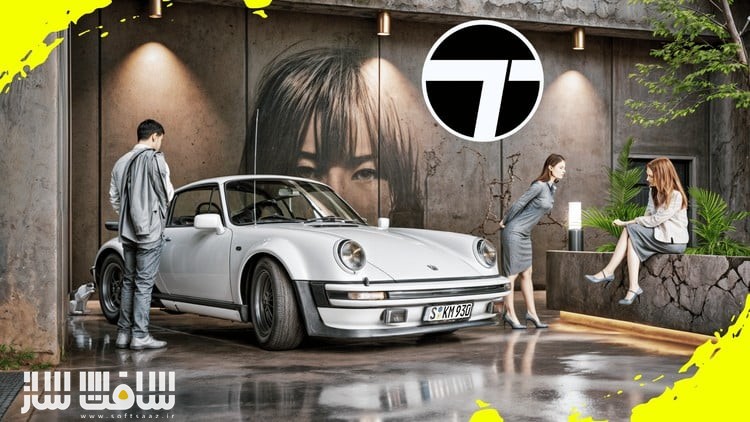
ایجاد رندرهای سینمایی در Twinmotion 2025 : در این دوره از هنرمند Ufuk ŞEN ، با نحوه استفاده از Twinmotion 2025برای خلق رندرها و انیمیشنهای سینمایی و واقعگرایانه آشنا می شوید. با تمرکز بر یک صحنه مدرن از گاراژی با یک خودروی اسپرت، تکنیکهای نورپردازی، متریالسازی، حرکات دوربین و پسپردازش را برای تولید تصاویری خیرهکننده و حرفهای یاد میگیرید. این دوره مناسب هنرمندان سهبعدی، معماران، انیماتورها و علاقهمندان به تجسم معماری و موشن گرافیک است.این دوره آموزشی توسط تیم ســافــت ســاز برای شما عزیزان تهیه شده است.
عناوین ایجاد رندرهای سینمایی در Twinmotion 2025 :
- نورپردازی و متریالها : دستیابی به واقعگرایی با استفاده از بافتها و نورپردازی باکیفیت
- حرکات سینمایی دوربین : ایجاد انیمیشنهای پویا و جذاب
- تکنیکهای رندرینگ : بهینهسازی تنظیمات برای تصاویری خیرهکننده
- پسپردازش و افکتها : افزایش واقعگرایی با استفاده از ابزارهای ویرایش و جلوههای ویژه
عنوان دوره : Udemy – Twinmotion 2025: Create Cinematic Renders
سطح : مبتدی
زمان کل دوره : 1.23 ساعت
تعداد فايل ها : 19
سال آموزش : 2025
فایل تمرینی : ندارد
مربی دوره : Ufuk ŞEN
نرم افزار : Twinmotion 2025
زیرنویس انگلیسی : ندارد
فشردگی اختصاصی سافت ساز : ندارد
Udemy – Twinmotion 2025: Create Cinematic Renders
Create 2 Stunning Anime-Inspired Stylized 3D Scenes in Blender – Everything From Modeling and Texturing to Rendering!
We’ll cover everything—from modelling and texturing to lighting and rendering—so you can bring your stylized scenes to life. We will learn how to achieve that signature anime look using shaders, lighting, and different techniques like adding Outlines to your renders.
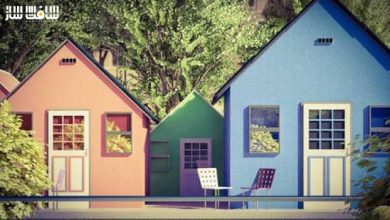
First, we’ll create a stunning anime-style rooftop scene starting with modelling the entire scene setting up the fence, building, adding the benches, ladder etc. You’ll learn how to model all the elements, adding materials, lighting and set up composition for a cinematic look.
Plus, we’ll create both a daytime and a night-time variation, showing you how to transform the mood of your scene with lighting and sky adjustments.
Next, we’ll build an iconic anime school hallway, modeling everything from windows and classroom doors to props like the desks, shoe racks, lockers everything We’ll also explore anime-style lighting techniques and learn how to add outlines to our renders, achieving that signature hand-drawn anime look. You’ll also learn to create a variety of materials, including glass, iron, walls, reflective floors, and a lot more. Later on, we will also add a lot of small props like creating the notice boards, shoe racks, lockers etc.
After that, we will also create a color variation of the Hallway Scene, allowing you to customize the mood and atmosphere to fit different style and color combinations.
We will also spend some time compositing both our scenes in Blender and Photoshop using features like Glare, the Kuwahara Node, using Overlays to add those final touches to our renders. Whether you’re a beginner or an experienced Blender user looking to explore anime aesthetics, this course will give you the skills to create eye-catching, stylized 3D scenes.
What you’ll learn
Learn to Create Stylized and Anime-Inspired Environments
Create 2 Complete Scenes- School Hallway and Rooftop
Learn 3D Modelling in Blender
Master Anime-Style Lighting in Blender
Learn to use HDRIs and Lights to add Mood and Atmosphere to your Blender Scene
Add Outlines & Stylized Effects
Enhance Renders with Compositing in Blender
Improve Composition & Camera Work
Learn Different Modifiers in Blender like Solidify, Bevel, Mirror etc
Create Different Variations and Customizations for your Environments
Learn to work with Reference Images and use them to create 3D models from 2D images
Create and Apply Various Materials in Blender
حجم کل : 1.4 گیگابایت
برای نمایش این مطلب و دسترسی به هزاران مطلب آموزشی، نسبت به تهیهی اکانت ویژه از لینک زیر اقدام کنید.
وضعیت فعلی شما
- لینکهای دانلود این مطلب قفل است
- بقیهی مطالب ویژه هم بسته است
- بدون دسترسی به آموزش نصب
با اشتراک ویژه
- دسترسی به همهی مطالب سافتساز
- آپدیت روزانه مطالب سایت از بهترین سایتهای سیجی
- ورود نامحدود کاربران از هر دیوایسی
- دسترسی به آموزش نصب کامل پلاگینها و نرمافزارها
For international users: online support — email info@softsaz.ir or Telegram @SoftSaaz.
امتیاز دهی به این مطلب :
لطفا به این مطلب امتیاز دهید