آموزش نقاشی،ترسیم و رنگ آمیزی در Manga Studio 5
Udemy – Master Manga Studio 5: Bonus Drawing and Painting

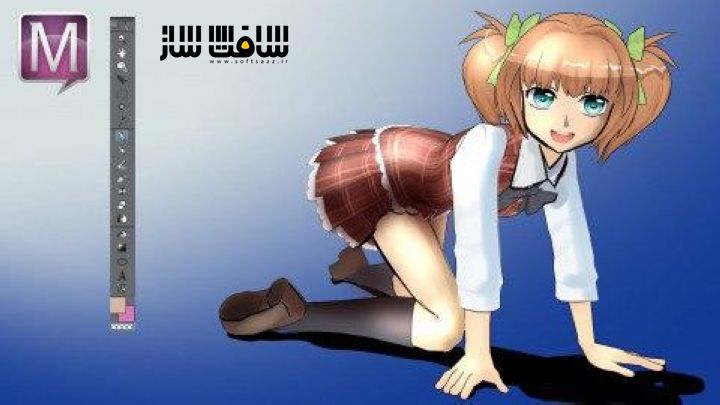
آموزش نقاشی،ترسیم و رنگ آمیزی
آموزش نقاشی،ترسیم و رنگ آمیزی : در این دوره آموزشی ، با نحوه استفاده از برنامه Manga Studio 5، جهت نقاشی،ترسیم،رنگ آمیزی ، تصویری سازی و ایجاد کمیک ها آشنا خواهید شد. همه چیزهای مورد نیاز برای شروع کار با مانگا استودیو 5 را یاد می گیرید. در پایان دوره ، قادر خواهید بود در زمان بسیار کمی، به ایجاد کمیک ها ،کانسپت آرت ، کاراکترهای مانگا و نقاشی دیجیتال بپردازید. این دوره آموزشی توسط تیم ســافــت ســاز برای شما عزیزان تهیه شده است.
عناوین اصلی دوره آموزشی :
- نحوه استفاده از ابزارهای و تنظیمات sub-tool
- نحوه سفارشی سازی اینترفیس و جابه جایی پنجره ها
- نحوه استفاده از چرخ های رنگی و رنگهای سفارشی
- نحوه ایجاد لایه ها و استفاده از همپوشانی لایه
- نحوه استفاده از ابزار warp
- چگونگی استفاده از کاراکتر های سه بعدی آماده و توکار خود برنامه
- نحوه رنگ آمیزی،حوهرزنی و حتی نقاشی دیجیتال با Manga Studio 5
عنوان دوره : Udemy – Master Manga Studio 5: Bonus Drawing and Painting
سطح : مبتدی تا متوسط
زمان کل دوره : 8 ساعت
تعداد فايل هاي تصويري : 61
سال آموزش : 2015
فایل تمرینی : ندارد
مربی دوره : Neil Fontaine
نرم افزار : Manga Studio
زیرنویس انگلیسی : ندارد
Udemy – Master Manga Studio 5: Bonus Drawing and Painting
This course is going to teach you everything you need to know about Manga Studio 5, so you can create your comics, manga, concept art, or digital paintings in less time. After all that is why digital art programs exist. We can work faster. But unlike Photoshop, Manga Studio 5 is cheaper, starting at $38 on Amazon. I also exclusively use it for my artwork now after 17+ years of using Photoshop.
You will learn all the tools and sub-tool settings.
How to customize the interface, move windows, etc.
How to use the color wheels and custom colors.
How to create layers and even use overlay layers.
You will learn drop down items like the warp tool.
You will even learn how to use the built in 3d characters to use as references.
As bonuses, you will learn to ink, color, and even digital paint with Manga Studio 5.
Don’t decide now if you want the course; simply look to the right and click free preview to watch 10 minutes of lessons. You can click any lesson to watch, and stop watching. You get 10 free minutes to browse and watch what you want in this course. I’m sure you will love it and decide to buy.
Who this course is for:
This course is meant for newbies or intermediates that are looking to better harness the power of Manga Studio 5 for their comics, concept art, etc.
حجم کل : 2 گیگابایت
برای نمایش این مطلب و دسترسی به هزاران مطلب آموزشی، نسبت به تهیهی اکانت ویژه از لینک زیر اقدام کنید.
وضعیت فعلی شما
- لینکهای دانلود این مطلب قفل است
- بقیهی مطالب ویژه هم بسته است
- بدون دسترسی به آموزش نصب
با اشتراک ویژه
- دسترسی به همهی مطالب سافتساز
- آپدیت روزانه مطالب سایت از بهترین سایتهای سیجی
- ورود نامحدود کاربران از هر دیوایسی
- دسترسی به آموزش نصب کامل پلاگینها و نرمافزارها
For international users: online support — email info@softsaz.ir or Telegram @SoftSaaz.