بازیسازی در یونیتی با Claude Code
Udemy - Unity and Claude Code AI Game Developer Course

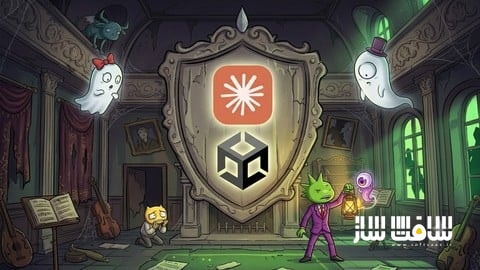
بازیسازی در یونیتی با Claude Code
بازیسازی در یونیتی با Claude Code : در این دوره آموزشی، یاد میگیرید چگونه با استفاده از قدرت هوش مصنوعی Claude Code، بازیهای حرفهای خود را از صفر تا صد در موتور بازیسازی Unity طراحی و پیادهسازی کنید. این دوره به شما میآموزد که چگونه به جای صرف ساعتها زمان برای کدنویسی دستی، با مهندسی پرامپت و مدیریت دقیق هوش مصنوعی، کدهای استاندارد و بهینه تولید کنید. از ساخت سیستمهای پیچیده مکانیک بازی، طراحی پازلها و هوش مصنوعی دشمنان گرفته تا تولید مدلهای سهبعدی و موسیقی، همگی با یک گردش کار مدرن و هوشمند آموزش داده میشوند تا پروژههای رؤیایی خود را با سرعتی باورنکردنی به مرحله انتشار برسانید. این دوره آموزشی توسط تیم ســافــت ســاز برای شما عزیزان تهیه شده است.
عناوین بازیسازی در یونیتی با Claude Code :
- مقدمه و آشنایی با محیط کار
- اصول پایه و مبانی کار با Claude Code
- پیادهسازی سیستم حرکت بازیکن
- طراحی هوش مصنوعی و رفتارهای دشمنان
- ساخت شخصیتهای غیرقابل بازی و سیستم معماها
- استفاده از بستههای جدید یونیتی
- تولید داراییهای گرافیکی و صوتی با هوش مصنوعی
- مدیریت کدها و استانداردهای برنامهنویسی
- بهینهسازی و پولیش نهایی پروژه
- نکات تکمیلی و انتشار بازی
عنوان دوره : Udemy – Unity and Claude Code AI Game Developer Course
سطح : تمامی سطوح
زمان کل دوره : 7 ساعت و 2 دقیقه
تعداد فايل ها : 74
سال آموزش : 2026
فایل تمرینی : دارد: BIN (3)، HTML (1)، PNG (3)، WAV (2)
مربی دوره : Luis Ramirez
نرم افزار : Unity
زیرنویس انگلیسی : ندارد
Udemy – Unity and Claude Code AI Game Developer Course
This course contains the use of artificial intelligence.
Are you ready to create a game with the aid of Claude Code? Whether you’ve only created one game or are a seasoned developer, this comprehensive and standalone course will guide you step by step through building a complete game from scratch using Unity and Claude Code.
If you’ve never used AI before with Unity, that’s not a problem. This course offers a crash course in prompting, connecting your agent to Unity, and establishing a steady workflow to become accustomed to using AI to help you build your dream game.
Once your skills have been solidified, we ramp things up by learning how to generate models, sprites, textures, audio, and so much more. Here’s what you can expect to learn:
So, what are we going to be creating in this course? We’ll be creating a stealth game. Escape the haunted house. If the ghosts let you. Build a complete stealth game where the player has to reach the other side of a house while ghosts and statues prowl the halls looking for them.
Make your project AI-ready from day one – Set up a project overview document that teaches Claude your files and structure, then lock in coding standards so the code you get back is code you’d actually ship.
Add Coding Standards – Learn how to tame Claude to generate code in the exact way you want it, from naming conventions to implementing design patterns.
Learn to prompt like an engineer – Learn how to properly create prompts using plan mode to review each step AI will take to perform your task. If it doesn’t seem right, you’ll know how to refine it to get the desired result.
Master Unity’s Behavior package – Choose between player states with event, action, and flow nodes, then extend the system with your own custom behavior actions.
Direct the AI, don’t just ask it – Learn to read the documentation and tell your agent exactly which methods and properties to use, so you get the implementation you wanted the first time.
Bring your enemies to life – Animate with code through motion tweening, move enemies along patrol paths with the Spline package, and work around its limits to get the behavior you actually want.
Build a detection system with real consequences – Fade the screen, freeze the player, respawn them, and make getting caught feel like it matters.
Design a keys-and-doors puzzle system – Generate concept art with AI, turn it into models, create your own materials, and wire it all up through the event system you’ve already built.
Generate a fully rigged 3D character – Model, rig, and animate an NPC with Unity’s assistant. Afterward, we’ll build a dialogue system to talk to your characters and display dialogue to the player.
Work fearlessly with the checkpoint system – Make bold changes to your project and roll them back safely whenever an experiment goes sideways.
Never just generate and move on – Review, refactor with enums, and optimize. The habits that separate developers who use AI well from developers who ship broken code fast.
Set the mood with sound. Add music and effects, and learn to generate your own soundtrack for your game.
Polish it until it’s genuinely creepy. Craft cubemaps for an ominous sky and write a shader that renders an X-ray silhouette of your player through walls.
What you’ll learn:
– Use Claude Code efficiently to write code & build games with AI
– Work with Unity’s MCP
– Get better at agentic engineering using Claude Code
– Program game mechanics: Puzzles, Dialogue, Player Detection
– Use Unity’s Latest Packages: UI Toolkit, Behavior, Splines
– Generate Models, Apply Rigging, and Animate Humanoid Characters
– Generate Audio, Sprites, and Cubemaps
Requirements:
– Basic programming experience is required
– You will need a Claude Code subscription to efficiently use it
– A PC or Mac capable of running Unity 7 or later.
Who this course is for:
– Beginner and experienced game developers who want to efficiently use Claude Code
حجم کل : 5.58 گیگابایت
برای نمایش این مطلب و دسترسی به هزاران مطلب آموزشی، نسبت به تهیهی اکانت ویژه از لینک زیر اقدام کنید.
وضعیت فعلی شما
- لینکهای دانلود این مطلب قفل است
- بقیهی مطالب ویژه هم بسته است
- بدون دسترسی به آموزش نصب
با اشتراک ویژه
- دسترسی به همهی مطالب سافتساز
- آپدیت روزانه مطالب سایت از بهترین سایتهای سیجی
- ورود نامحدود کاربران از هر دیوایسی
- دسترسی به آموزش نصب کامل پلاگینها و نرمافزارها
For international users: online support — email info@softsaz.ir or Telegram @SoftSaaz.
امتیاز دهی به این مطلب :
لطفا به این مطلب امتیاز دهید