مدلسازی سهبعدی برای جلوههای ویژه (VFX)
VFXapprentice - 3D Modeling for VFX


مدلسازی سهبعدی برای جلوههای ویژه (VFX)
مدلسازی سهبعدی برای جلوههای ویژه (VFX) : مدلسازی مشها برای جلوههای ویژه، دریچهای به سوی خلق طیف گستردهای از افکتهای بصری جذاب است. در این دوره آموزشی، مفاهیم کلیدی مدلسازی سهبعدی از جمله مدیریت مشها، نقشههای UV و استفاده از مادیفایرها را فرا خواهید گرفت. شما میآموزید که چگونه داراییهای سهبعدی خود را برای استفاده بهینه در موتورهای بازیسازی آماده و بهینه کنید. این دوره آموزشی با تمرکز بر نرمافزارهای Blender و Maya، مهارتهای فنی لازم برای ورود به دنیای حرفهای جلوههای ویژه سهبعدی را به هنرمندان تازهکار و علاقهمندان به این حوزه ارائه میدهد. این دوره آموزشی توسط تیم ســافــت ســاز برای شما عزیزان تهیه شده است.
عناوین مدلسازی سهبعدی برای جلوههای ویژه (VFX) :
- مقدمات مدلسازی در بلندر برای جلوههای ویژه
- کار با اجزای سهبعدی و ویرایش مشها
- ساخت اشکال پایه گنبدی و استوانهای
- آموزش جامع اصول نقشهبندی UV
- مدیریت رنگهای ورتکس و دادههای عددی
- استفاده از مادیفایرها برای ویرایش غیرمخرب
- طراحی مشهای متحرک برای افکتهای شمشیر و ضربه
- پیادهسازی افکت آبشار با استفاده از مش و شیدر
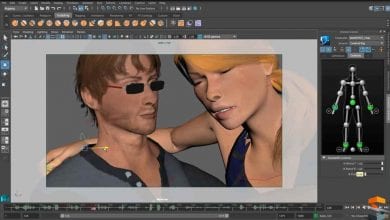
- آموزش اصول اولیه نرمافزار مایا برای جلوههای ویژه
عنوان دوره : VFXapprentice – 3D Modeling for VFX
سطح : مبتدی
زمان کل دوره : 2.5 ساعت
تعداد فايل ها : 8
سال آموزش : 2026
فایل تمرینی : ندارد
مربی دوره : Josh McDonald, Jason Keyser
نرم افزار : Blender, 3ds Max, Maya
زیرنویس انگلیسی : ندارد
VFXapprentice – 3D Modeling for VFX
Included with VFX-A All Access
Modeling meshes for VFX allows you to create a variety of different effects. Learn the key concepts of 3D modeling like meshes, UVs, and modifiers, and how to prepare these assets for use in game engines.
2.5+ Hours
This course includes over
two hours of 3D VFX training.
Skill Level
Beginner Level One course for new and aspiring 3D VFX artists.
Software
Blender,
Autodesk Maya
Instant Access
This course is immediately available to All Access members.
Course Breakdown
Lesson overview.
Intro to Blender Modeling
Learn the basic functionality and key concepts of modeling for your VFX needs. Start by creating your first mesh. Simple planes are used for every spark, glow, or flame lick inside any game engine.
You’ll also learn the basics of interacting with 3D objects and their components (Vertices, Faces, and Edges), learn the many different ways to edit models, and then finally learn how to export a 3D model for use in your favorite game engine.
Dome & Tapered Cylinder
Create domes and tapered cylinders in Blender. These meshes are commonly used to make shields, explosion impacts, and aura effects.
You can use simple techniques to edit your mesh and create simple effects. With these core skills, you’ll be able to learn more complex techniques later in the series to create more specific meshes.
UVs in Blender
Learn the fundamentals of UVs in Blender. Once you’ve grasped the foundations, you can apply these skills to any 3D program.
See how textures interact with UVs using an FX texture. You’ll be able to visually see how game engines will interact with the UV map when applying your shaders. So you can learn how to lay out your UVs to achieve the specific effect that you are after.
Vertex Colors
Vertex colors refer to the 4 channels of data you can manually assign and store in the vertices of meshes. We can use this information in many ways to improve the quality of our effects.
See how you can store color (RGBA) information without the use of a texture. Then use that data in the shader to do many different things, such as multiplying the vertex color with the texture or masking out the edges using the vertex alpha.
Modifiers
Edit meshes in Blender using modeling modifiers. These allow you to change the shape of your mesh quickly and non-destructively. You can easily change the parameters or revert changes if you don’t like how it looks.
If you decide to switch to another 3D software, Maya and 3DS Max have similar modeling modifier tools.
Rings, Swipes, & Soulercoasters
It’s time to move on to something exciting, Panning Meshes! This technique can be used to create a wide variety of effects, such as weapon swipes.
Waterfall
In this video, using the tools you’ve learned through the series, we will make a waterfall with a single mesh and a single shader!
Maya Basics
If you’ve never used Autodesk Maya before, this lesson will give you an overview to get started with Maya for stylized VFX.
حجم کل : 1 گیگابایت
برای نمایش این مطلب و دسترسی به هزاران مطلب آموزشی، نسبت به تهیهی اکانت ویژه از لینک زیر اقدام کنید.
وضعیت فعلی شما
- لینکهای دانلود این مطلب قفل است
- بقیهی مطالب ویژه هم بسته است
- بدون دسترسی به آموزش نصب
با اشتراک ویژه
- دسترسی به همهی مطالب سافتساز
- آپدیت روزانه مطالب سایت از بهترین سایتهای سیجی
- ورود نامحدود کاربران از هر دیوایسی
- دسترسی به آموزش نصب کامل پلاگینها و نرمافزارها
For international users: online support — email info@softsaz.ir or Telegram @SoftSaaz.
امتیاز دهی به این مطلب :
لطفا به این مطلب امتیاز دهید