آموزش جامع طراحی شیدر در یونیتی
Vfxapprentice - Intro to Shaders in Unity


آموزش جامع طراحی شیدر در یونیتی
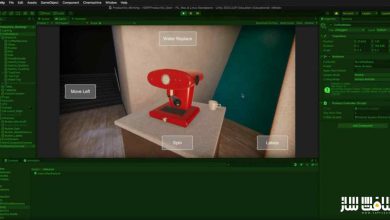
آموزش جامع طراحی شیدر در یونیتی : در این دوره آموزشی، با دنیای جذاب شیدرهای گرهمحور (Node-based) در موتور بازیسازی یونیتی آشنا میشوید. این دوره به شما کمک میکند تا با بهرهگیری از Shader Graph، یکی از قدرتمندترین ابزارهای موجود برای خلق جلوههای ویژه بصری (VFX)، شیدرهای حرفهای و خیرهکنندهای طراحی کنید. مدرس دوره، Jadon Mullinex، در بیش از سه ساعت و نیم آموزش تخصصی، از مفاهیم مقدماتی و ریاضیات پایه گرفته تا تکنیکهای پیشرفتهای نظیر Vertex Offset و Depth Fade را به صورت عملی به شما میآموزد. این دوره برای هنرمندان تازهکار و علاقهمندان به دنیای افکتهای بصری طراحی شده است تا بتوانند مهارتهای خود را در ساخت متریالهای پویا و بهینه ارتقا دهند. این دوره آموزشی توسط تیم ســافــت ســاز برای شما عزیزان تهیه شده است.
عناوین آموزش جامع طراحی شیدر در یونیتی :
- آشنایی با اصول و مبانی شیدرها
- کار با رابط کاربری Shader Graph
- مفاهیم پایه بردارها و نمونهبرداری از بافتها
- تکنیکهای جابهجایی و مقیاسدهی بافتها
- کار با گرههای Step، Smoothstep و Dissolve
- پیادهسازی رنگ، گرادینت و ترکیب بافتها
- ایجاد افکتهای اعوجاج و حرکت در شیدر
- استفاده از ویژگیها (Properties) و واریانتهای شیدر
- پیادهسازی افکتهای Fresnel و عمق میدان
- ارتباط شیدرها با سیستم ذرات (Particle System)
عنوان دوره : Vfxapprentice – Intro to Shaders in Unity
سطح : مبتدی
زمان کل دوره : 3 ساعت و 33 دقیقه
تعداد فايل ها : 18
سال آموزش : 2026
فایل تمرینی : ندارد
مربی دوره : Jadon Mullinex
نرم افزار : Unity
زیرنویس انگلیسی : ندارد
Vfxapprentice – Intro to Shaders in Unity
Included with VFX-A All Access
Learn all about node-based Shaders and how to create them inside of the Unity game engine. Get to know one of the most powerful tools for creating FX.
3.5+ Hours
This course includes over three and a half hours of Unity VFX training.
Skill Level
Beginner Level One course for new and aspiring VFX artists.
Software
Unity
Instant Access
This course is immediately available to All Access members.
Course Breakdown
Lesson overview.
Intro to Unity Shaders
Get started with this quick intro video from your instructor.
How Do Shaders Work?
Let’s dive in to the basics of shaders and how they work before we get into the finer details.
Node-based Shaer Interface
Learn about the node-based Shader Graph in Unity! We’ll get the layout optimized for working on shaders and a quick overview of commonly used nodes.
Vector UVs – Texture Sampling
There are a lot of different values used in shaders, so let’s dive in to UVs and vector basics!
Adding & Panning
Now that you’ve got UV basics down, we can use them in our shaders to make our textures pan.
Multiply & Scaling
Scaling is the second major texture operation we can do in a shader! Follow along and learn more about the Multiply node and the Tiling and Offset node.
Adjusting Texture Intensity
Knowing how to control texture values can be powerful! Learn more about how basic math can be used to affect texture color.
Combining Textures
In VFX, we often use secondary textures to make adjustments to the first! Start creating shaders that can have masking effects and animation with this lesson.
Step, Smoothstep & Dissolve
Step and smoothstep nodes can be used for converting soft textures into hard-shaped textures, but also create dissolve animations. Learn about the differences between the two, as well as the very useful Sine and Remap nodes.
Color Lerp & Gradients
It’s time to add color to our shader! Colored textures can be manipulated with the same nodes we’ve used for grayscale textures, so let’s get to it!
Distortion
Distortion is great for adding motion to effects. In this lesson, we’ll learn the basics of distortion, how it works, how to change it’s direction and how to add motion to it.
Creating a Full Shader
Now that we’ve covered all the basics, it’s time to create a complete shader that we can use for a fiery effect.
Properties & Shader Variants
Properties are super useful in Unity. You cam make adjustments to a shader and use it for many different FX.
Learn how to adjust variables in your materials once they are setup in our shaders. This allows us to use a single shader and change things like color and textures on the fly.
Surface Direction Fresnel
Fresnel effects are great for things like magical orbs and softening soulercoster edges!
Dive into this lesson to learn how it works, and how to put it to use.
Using Positions & Distance
Using Position nodes and distance, we can start creating shaders that are affected by the environment!
Vertex Offset
This time, we’re going to learn a new tool in our shader arsenal: Vertex offset. Follow along and learn how to manipulate the verecy’s of a mesh to get all kinds of fun results!
Depth Fade
Depth fade is all about the distance between objects and the camera, but we can put it to use softening object intersections, as well as creating simple fog and shadow effects!
Shaders & Particle System
It’s time to wrap up this series by diving into how to connect shaders to particle systems, and the neat tricks we can do by storing data in vertexes as a result.
حجم کل : 737.0 مگابایت
برای نمایش این مطلب و دسترسی به هزاران مطلب آموزشی، نسبت به تهیهی اکانت ویژه از لینک زیر اقدام کنید.
وضعیت فعلی شما
- لینکهای دانلود این مطلب قفل است
- بقیهی مطالب ویژه هم بسته است
- بدون دسترسی به آموزش نصب
با اشتراک ویژه
- دسترسی به همهی مطالب سافتساز
- آپدیت روزانه مطالب سایت از بهترین سایتهای سیجی
- ورود نامحدود کاربران از هر دیوایسی
- دسترسی به آموزش نصب کامل پلاگینها و نرمافزارها
For international users: online support — email info@softsaz.ir or Telegram @SoftSaaz.
امتیاز دهی به این مطلب :
لطفا به این مطلب امتیاز دهید