
آموزش After Effects برای ویدیو ادیتورها
School of Motion - After Effects for Video Editors

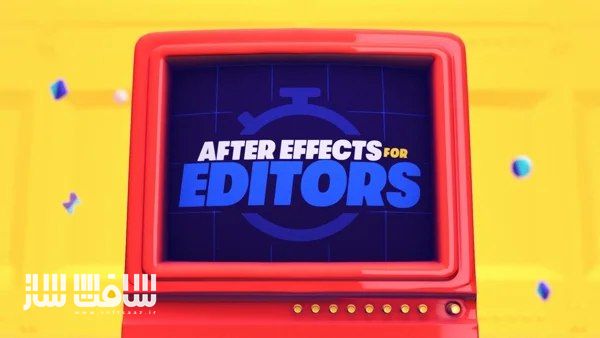
آموزش After Effects برای ویدیو ادیتورها
آموزش After Effects برای ویدیو ادیتورها : این دوره از Jake Bartlett، راهی برای تسلط بر قابلیتهای ضروری After Effects و ایجاد یک پایه محکم در مهارتهای موردنیاز یک تدوینگر است. در این دوره، با یادگیری اصول رابط کاربری، ساخت گرافیکهای متحرک، حذف عناصر ناخواسته از ویدیو، ترکینگ و خروجیگیری حرفهای، میتوانید تواناییهای خود را ارتقا دهید و به سطح بالاتری از اجرای پروژههای ویدیویی برسید. این دوره آموزشی توسط تیم ســافــت ســاز برای شما عزیزان تهیه شده است.
عناوین آموزش After Effects برای ویدیو ادیتورها :
- آشنایی با رابط کاربری After Effects
یادگیری مسیر کار یک تدوینگر در AE، واردکردن تصاویر و ویدیوها و ساخت عناصر گرافیکی از صفر. - حرکت فراتر از قالبهای آماده
طراحی و انیمیت یک Lower Third و Title تمامصفحه با استفاده از کیفریمها، ایجاد حرکتهای روان و یادگیری ترفندهای جذابسازی بصری. - استفاده از AE برای نمایش دادهها (Data Visualization)
کار با ابزارهایی مانند Parenting و Essential Properties برای ساخت صحنههای پیچیده بدون افزایش فشار کاری. - ترکینگ و افزودن گرافیک به داخل صحنه
قرار دادن عناصر گرافیکی داخل فوتیج، ایجاد ترنزیشنهای زیبا و افزودن Speed Ramp با Time Remapping. - صافکاری و اصلاح با ویژگیهای هوش مصنوعی AE
حذف عناصر اضافی با Content-Aware Fill، و قرار دادن گرافیک پشت سوژه با Roto Brush. - ترکیب و نهاییسازی پروژهها
یادگیری متدهای مختلف خروجیگیری، یا وارد کردن مستقیم پروژهها به Premiere Pro برای یک گردشکار (Workflow) سریع، منعطف و حرفهای
عنوان دوره : School of Motion – After Effects for Video Editors
سطح : مبتدی
زمان کل دوره : +6 ساعت
تعداد فايل ها : 40
سال آموزش : 2025
فایل تمرینی : PDF
مربی دوره : Jake Bartlett
نرم افزار : After Effects
زیرنویس انگلیسی : ندارد
فشردگی اختصاصی سافت ساز : ندارد
School of Motion – After Effects for Video Editors
Get comfortable using After Effects for a video editor’s everyday needs in this beginner course from Jake Bartlett. By the end of this course, you’ll be able to create a stylish animated graphics package, remove unwanted elements from footage and track graphics into an existing shot.
Learn the After Effects Interface
Join Jake for a personal tour of After Effects, tailored to the features and skills a working editor needs most. Learn the basics of importing images and video, and how to create elements from scratch directly in AE.
Move Beyond Templates
Design and animate a stylish lower third and full-screen title graphic by creating keyframes, adjusting them to create snappy movements, and learning essential tricks to add appealing visual details.
By The Numbers
After Effects is great for visualizing data – like you’re probably already being asked to do! Work smarter (not harder) by leveraging tools like Parenting and Essential Properties to create complexity without breaking a sweat.
Get Yourself On Track
Tracking graphics directly into footage is a powerful technique, and probably easier than you think! Spice up the shot with stylish transition effects and add a dynamic speed ramp with Time Remapping.
The Fix Is In
Utilize AI-powered features to add that final polish. Easily remove unwanted objects from footage using Content-Aware Fill and tuck graphics behind foreground elements with the Roto Brush.
Put It All Together
Step up that workflow by learning a variety of approaches to exporting your animations or importing them directly into Premiere Pro. Stay flexible, adaptive, and ready for whatever your project demands!
حجم کل : 3.5 گیگابایت
برای نمایش این مطلب و دسترسی به هزاران مطلب آموزشی، نسبت به تهیهی اکانت ویژه از لینک زیر اقدام کنید.
وضعیت فعلی شما
- لینکهای دانلود این مطلب قفل است
- بقیهی مطالب ویژه هم بسته است
- بدون دسترسی به آموزش نصب
با اشتراک ویژه
- دسترسی به همهی مطالب سافتساز
- آپدیت روزانه مطالب سایت از بهترین سایتهای سیجی
- ورود نامحدود کاربران از هر دیوایسی
- دسترسی به آموزش نصب کامل پلاگینها و نرمافزارها
For international users: online support — email info@softsaz.ir or Telegram @SoftSaaz.
امتیاز دهی به این مطلب :
لطفا به این مطلب امتیاز دهید


مدرس دوره یکی از بهترین افراد فعال در حوزه افترافکت و موشن گرافیک هستش؛ اگر یوتیوب مدرس رو نگاه کنید بی معطلی این دوره رو تهیه میکنید 📌