
مبانی Blender – آشنایی با اصول پایهای بلندر
Udemy - Blender Foundations - Fundamental Blender Knowledge

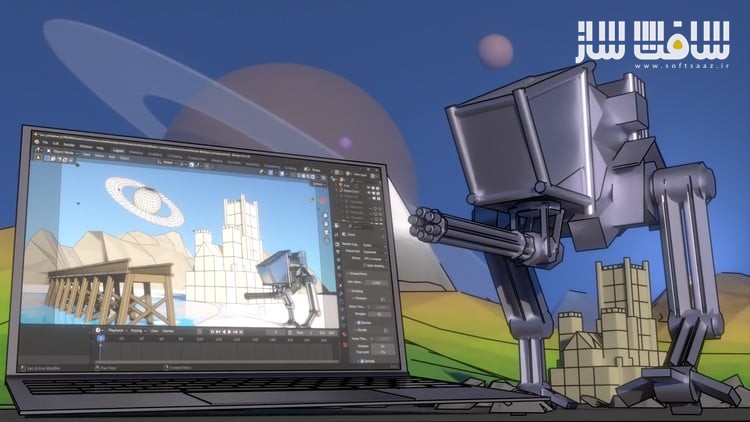
مبانی Blender – آشنایی با اصول پایهای بلندر
مبانی Blender – آشنایی با اصول پایهای بلندر : در این دوره از هنرمند Michael Bridges، همه آنچه برای شروع مدلسازی در Blender نیاز دارید را می آموزید. این دوره مقدماتی در Blender 4 برای مبتدیان طراحی شده و به شما کمک میکند تا به دنیای طراحی سهبعدی، متریالسازی و رندرینگ وارد شوید. با استفاده از درسهای شفاف و ساده، یاد خواهید گرفت که چگونه با این نرمافزار قدرتمند کار کنید و اولین پروژههای سهبعدی خود را بسازید.
اگر به دنبال شروعی آسان و کاربردی در Blender هستید، این دوره راهنمای کاملی برای شما خواهد بود! این دوره نصب، تنظیمات رابط کاربری و استفاده از منابع ، مدلسازی سهبعدی، متریالها، نورپردازی، دوربین، رندرینگ و استفاده از میانبرها ، اصول مدلسازی Box و مدیریت پروژهها، نحوه ایجاد رندر حرفهای با Eevee و Cycles و تکنیکهای پیشرفته نورپردازی و شیدینگ را پوشش می دهد این دوره آموزشی توسط تیم ســافــت ســاز برای شما عزیزان تهیه شده است.
عناوین مبانی Blender – آشنایی با اصول پایهای بلندر :
- آشنایی با Blender – درک اصول اولیه نرمافزار و نحوه کار با آن
- یادگیری آسان و پایهای – ایجاد یک پایه قوی برای یادگیریهای پیشرفتهتر
- شناخت سیستمهای اصلی Blender – آشنایی با ابزارها و قابلیتهای اساسی
- اعتمادبهنفس در ادامه مسیر – کسب مهارتهای لازم برای پیشرفت در مدلسازی سهبعدی
عنوان دوره : Udemy – Blender Foundations – Fundamental Blender Knowledge
سطح : مبتدی
زمان کل دوره : 9.50 ساعت
تعداد فايل ها : 82
سال آموزش : 2025
فایل تمرینی : ندارد
مربی دوره : Michael Bridges
نرم افزار : Blender
زیرنویس انگلیسی : ندارد
فشردگی اختصاصی سافت ساز : ندارد
Udemy – Blender Foundations – Fundamental Blender Knowledge
Unleash Your Creativity with Blender 4 – Beginner-Focused
Are you ready to step into the world of 3D design, materials, and rendering? This foundational course on Blender 4 is crafted just for beginners, offering you everything you need to confidently start your 3D journey. You’ll gain access to clear, concise lessons designed to simplify your experience with this powerful software.
What You’ll Learn
SECTION 1: Setting Up Blender
- Can your computer handle Blender 4? Find out!
- Step-by-step installation guides for Windows, MacOS, and Linux.
- Explore Blender preferences, from interface tweaks to navigation changes, and how to reset to defaults.
SECTION 2: Getting Help
- Navigate the Blender Manual like a pro.
- Use “Save Points” to rescue your work.
- Discover where to ask good questions and adopt active learning techniques.
SECTION 3: A Look Around Blender
- Master Blender’s user interface and workspaces.
- Save time with shortcuts and multi-monitor setups.
- Learn screencast keys to create tutorial-ready videos.
SECTION 4: Box Modelling in Blender
- Dive into 3D modelling basics: transforms, snapping, duplication, and more.
- Organise your projects with collections and relationships.
- Take on exciting challenges like creating a barrel, rocket, or even a mech!
SECTION 5: Basic Materials
- Understand 3D shading options and how to add colour to your models.
- Learn about PBR materials and the shading workspace.
- Get a sneak peek at working with textures.
SECTION 6: Lighting and Camera
- Set the mood with basic and environmental lighting techniques.
- Understand focal lengths, perspective, and orthographic views.
- Master camera setups and safe zones for polished renders.
SECTION 7: Rendering
- Discover the “why” behind rendering and the different rendering models.
- Learn to render with Eevee, Cycles, and Workbench.
- Share your work and tackle extra challenges to showcase your skills.
Why Choose This Course?
- Perfect for Beginners: Start with the basics and build your skills step-by-step.
- Clear and Practical: Each section focuses on actionable learning with real-world challenges.
- No Overwhelm: A foundational course that doesn’t try to teach you everything—just the essentials to get started.
What you’ll learn
- A fundament understanding of what Blender is and hoew to use it.
- A fantastic grounding in Blender making future learning much easier.
- Deep knowledge of the basic systems in Blender.
- confidence in continuing your Blender journey.
حجم کل : 7.6 گیگابایت
برای نمایش این مطلب و دسترسی به هزاران مطلب آموزشی، نسبت به تهیهی اکانت ویژه از لینک زیر اقدام کنید.
وضعیت فعلی شما
- لینکهای دانلود این مطلب قفل است
- بقیهی مطالب ویژه هم بسته است
- بدون دسترسی به آموزش نصب
با اشتراک ویژه
- دسترسی به همهی مطالب سافتساز
- آپدیت روزانه مطالب سایت از بهترین سایتهای سیجی
- ورود نامحدود کاربران از هر دیوایسی
- دسترسی به آموزش نصب کامل پلاگینها و نرمافزارها
For international users: online support — email info@softsaz.ir or Telegram @SoftSaaz.



عالی بود