آموزش جامع نقاشی دیجیتال در ۲۱ روز
21-draw - Learn to Paint Digitally in 21 Days

آموزش جامع نقاشی دیجیتال در ۲۱ روز
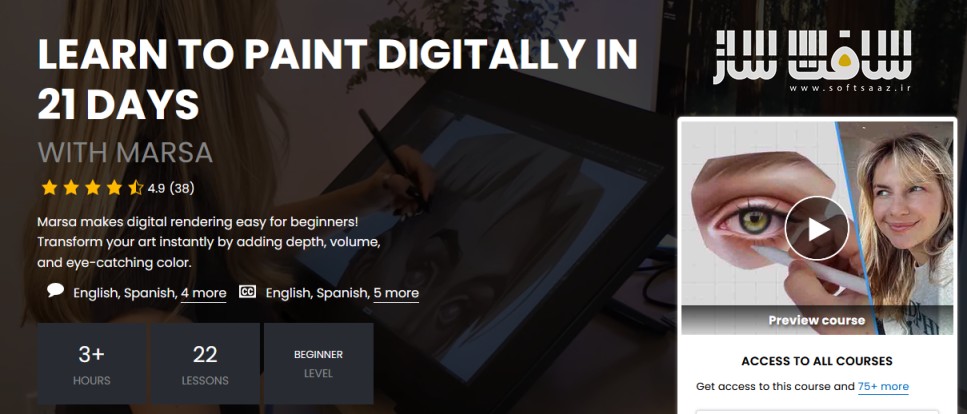
آموزش جامع نقاشی دیجیتال در ۲۱ روز : در این دوره آموزشی، «مارسا» به شما کمک میکند تا با عبور از چالشهای نقاشیهای تخت و بیروح، به عمق و حجم واقعی در آثار خود دست یابید. شما با یادگیری اصول نورپردازی، تئوری رنگ کاربردی و تکنیکهای رندرینگ دیجیتال، خواهید آموخت که چگونه از یک طرح اولیه ساده، اثری سهبعدی و خیرهکننده خلق کنید. این دوره با تمرکز بر تمرینات عملی، از اشکال پایه شروع شده و تا جزئیات پیچیده آناتومی چهره و بافتهای مختلف پیش میرود. با تکمیل این مسیر آموزشی، به یک جریان کاری حرفهای دست مییابید که میتوانید در تمامی پروژههای هنری خود از آن بهره ببرید و مهارت خود را در نقاشی دیجیتال به سطح جدیدی ارتقا دهید. این دوره آموزشی توسط تیم ســافــت ســاز برای شما عزیزان تهیه شده است.
عناوین آموزش جامع نقاشی دیجیتال در ۲۱ روز :
- آشنایی با مسیر آموزشی و ابزارهای دیجیتال
- درک عمیق نور، سایه و حجم در اجسام سهبعدی
- رندرینگ اشکال پایه مانند کره و مکعب
- تکنیکهای حرفهای نقاشی بافت پارچه و چین و چروک
- مبانی کاربردی تئوری رنگ و دمای رنگها
- تمرین عملی رندرینگ اشیاء با سطوح مختلف
- اصول نورپردازی و رنگآمیزی چهره انسان
- جزئیات دقیق در نقاشی لب، بینی و چشم
- پیادهسازی تنالیته پوست و جزئیات ظریف
- دستیابی به جریان کاری حرفهای در نقاشی دیجیتال
دوستان در نظر داشته باشند این دوره ها رمزنگاری شده و در هر خرید محصولات سوپرویژه چون به صورت سخت افزار کد ایجاد میشه فقط یک بار میتوانند بروی یک سیستم بصورت دائم از دوره ها استفاده کنند . برای دریافت کد مجدد ، نیاز به خرید مجدد می باشد . آموزش فقط روی ویندوز اجرا می شود.
مهم : تفاوت بین مطالب اشتراکی با سوپرویژه : لطفاً مطالعه فرماید
عنوان دوره : 21-draw – Learn to Paint Digitally in 21 Days
سطح : مبتدی
زمان کل دوره : 3.49 ساعت
تعداد فايل ها : 22
سال آموزش : 2026
فایل تمرینی : دارد
مربی دوره : Marsa
سکه مورد نیاز برای خرید : 2000 سکه
نرم افزار : Procreate
زیرنویس فارسی : دارد
21-draw – Learn to Paint Digitally in 21 Days
Marsa makes digital rendering easy for beginners! Transform your art instantly by adding depth, volume, and eye-catching color.
Description
You have the idea, you can picture it clearly, but the moment you start rendering … it feels flat and wonky. No real depth or volume like you see in the work of artists you admire.
That’s not a talent problem. That’s a knowledge gap. And it’s exactly what this course is designed to fix!
Marsa, a digital artist specializing in 2D rendering, gives you her exact process: how to understand light, build form and volume, and use color so it actually works.
You’ll discover all the essential steps to transform a flat sketch into artwork that actually looks 3D. Through hands-on exercises, starting with basic spheres and cubes, you’ll not only build solid skills but also a real understanding of why each step is key. Everything you paint after this will click into place!
Then comes color. Marsa tackles it in a practical, no-fluff way, focusing on how hue, saturation, and temperature behave in light rather than on abstract theory. You’ll practice on an apple and a raw egg, two objects that turn out to teach you a surprising amount about how different surfaces catch and reflect light. (No two things catch the light the same way!)
In the final stretch, you’ll apply everything to real parts of the face: lips, a nose, and an eye, complete with skin tones, color variation, and subtle details like freckles and reflected light. This is where everything you have learned stops being theory and starts feeling like your own.
By the end of the course, you’ll have a complete rendering workflow to carry into any project. More than that, you’ll understand exactly why your work looks the way it does, and what to change when something is not quite right.
Ready to finally make sense of light and color? Let’s go.
– Show less
What you’ll learn
Understand how light and shadow work on any 3D form
Master a rendering workflow you can apply to any subject
Build realistic volume using value, halftones, and reflected light
Create shadows using blending mode in Procreate
Apply color theory to your paintings for gorgeous results
Render a variety texures including fabric, food, and skin
Use the Smudge tool, Lasso tool, and Flat Brush for a polished look
Develop your own rendering workflow to use in any project
Avoid common mistakes that make artwork look unfinished
Paint lips, a nose, and an eye with realistic skin tones and lighting
حجم کل : 1.5 گیگابایت
برای دسترسی به لینکها ابتدا وارد حساب خود شوید.
- دسترسی دائمی
- محتوای اختصاصی سافتساز
- جدا از اشتراک ویژه
امتیاز دهی به این مطلب :
لطفا به این مطلب امتیاز دهید