آموزش هوش مصنوعی مولد برای VFX با ComfyUI و InvokeAI
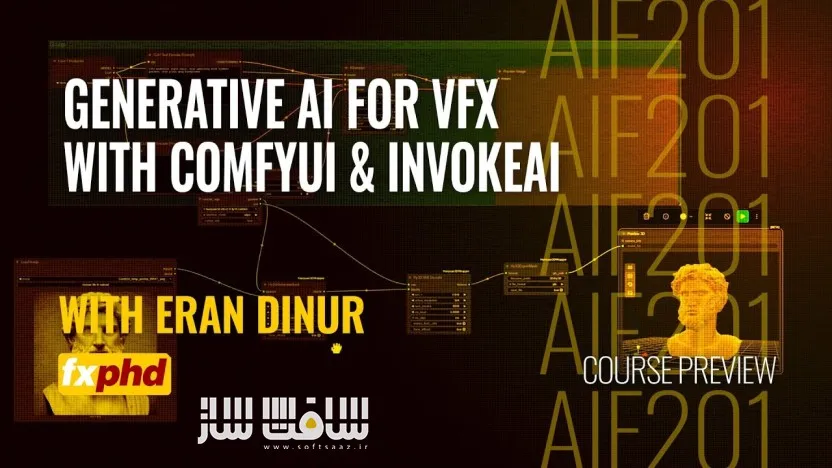
FXPHD - AIF201 - Generative AI for VFX with ComfyUI & InvokeAI

آموزش هوش مصنوعی مولد برای VFX با ComfyUI و InvokeAI
آموزش هوش مصنوعی مولد برای VFX با ComfyUI و InvokeAI : این دوره از FXPHD با تدریس Eran Dinur، سرپرست جلوههای ویژه فیلمهای مطرحی مانند Hereditary، The Wolf of Wall Street و Uncut Gems، به هنرمندان جلوههای ویژه و تجسمسازی کمک میکند تا درک عمیق و کاملی از فرآیند تولید تصویر با Stable Diffusion به دست آورند. در این دوره، دو مورد از قدرتمندترین ابزارهای نودمحور هوش مصنوعی یعنی ComfyUI و InvokeAI بهصورت کامل آموزش داده میشوند تا بتوانید گردشکارهای اختصاصی خود را برای تولید بافتها، متپینتینگ، کامپوزیت، مدلهای سهبعدی و بسیاری کاربردهای دیگر طراحی کنید.
در طول دوره، تمامی اجزای اصلی فرآیند Stable Diffusion، مدلهای تولید تصاویر فوتورئال، ابزارهایی مانند ControlNet، IP Adapter، Preprocessorها، تکنیکهای Inpainting و Upscaling و همچنین تولید مدلهای سهبعدی مبتنی بر هوش مصنوعی بررسی میشوند. این آموزش از سطح مقدماتی آغاز شده و شما را به سطحی میرساند که بتوانید از صفر، ورکفلوهای حرفهای و سفارشی خود را برای پروژههای VFX و Visualization ایجاد کنید. این دوره آموزشی توسط تیم ســافــت ســاز برای شما عزیزان تهیه شده است.
عناوین آموزش هوش مصنوعی مولد برای VFX با ComfyUI و InvokeAI :
- آموزش کامل هوش مصنوعی مولد برای پروژههای VFX و Visualization
- آشنایی عمیق با فرآیند Stable Diffusion
- آموزش جامع ComfyUI و InvokeAI
- طراحی و ساخت ورکفلوهای اختصاصی از صفر
- تولید بافتهای بدون درز (Seamless Textures) برای پروژههای سهبعدی
- ساخت عناصر موردنیاز برای Matte Painting
- تولید المانهای موردنیاز برای Compositing
- ایجاد مدلهای سهبعدی تکسچر شده با کمک هوش مصنوعی
- آشنایی با ساختار نودها و گردشکار نودمحور
- آموزش نصب و پیکربندی حرفهای ComfyUI
- مدیریت و نصب Custom Nodeها و وابستگیهای آنها
- یادگیری اجزای اصلی Stable Diffusion شامل: Checkpoint Models – CLIP – Samplers – Latent Noise -VAE Decoder
- آموزش پارامترهای مهم مانند: CFG Scale – Seed – Steps
- ساخت ابزار اختصاصی تولید بافتهای قابل تکرار برای مدلهای سهبعدی
- استفاده از Split Prompt در InvokeAI
- آشنایی با قابلیتهای مدل SDXL
- استفاده از ControlNet برای هدایت فرآیند تولید تصویر
- آموزش انواع Preprocessorها
- هدایت هوش مصنوعی با استفاده از تصاویر مرجع
- استفاده از خروجیهای CG بهعنوان راهنمای تولید تصویر
- ارتباط و تبادل داده بین Maya، Nuke و ComfyUI
- ساخت پروژه محیط معماری ویلای مدرن
- استفاده از Passهای مختلف مانند: Beauty Pass ، Z Depth Pass ، Normal Pass
- کنترل ترکیببندی و چیدمان تصویر با کمک دادههای سهبعدی
- استفاده از Cryptomatte برای Regional Prompting
- بهرهگیری از IP Adapter برای کنترل نورپردازی، سبک و اتمسفر تصویر
- آموزش تولید مدلهای سهبعدی با مدل HunYuan
- تبدیل تصویر به مش سهبعدی (Image to Mesh)
- آموزش De-lighting برای آمادهسازی مدلها
- ایجاد UV Mapping با هوش مصنوعی
- راهاندازی سیستم Multi-Camera برای تولید تکسچر
- آموزش Texture Projection
- آموزش UV Unwrapping
- خروجی گرفتن از مدلهای سهبعدی تکسچر شده
- آشنایی با ابزار Multi-View Renderer
- استفاده از CV2 Inpaint برای بازسازی تصاویر
- آموزش Inpainting لایهای در InvokeAI
- بهبود فرآیند Matte Painting با ابزارهای هوش مصنوعی
- استفاده از هوش مصنوعی در پروژههای کامپوزیت حرفهای
- آموزش تکنیکهای Segmentation
- آشنایی با مدل Florence برای تحلیل تصویر و تولید توضیحات
- آموزش کامل Upscaling تصاویر
- بررسی روشها و ابزارهای مختلف افزایش رزولوشن
- مناسب برای هنرمندان VFX، کامپوزیتورها، متپینترها و هنرمندان سهبعدی
- مناسب برای کاربران Maya، Nuke و Photoshop
- بدون نیاز به دانش قبلی در ComfyUI، InvokeAI یا Stable Diffusion
عنوان دوره : FXPHD – AIF201 – Generative AI for VFX with ComfyUI & InvokeAI
سطح : متوسط
زمان کل دوره : 4.27 ساعت
تعداد فايل ها : 9
سال آموزش : 2025
فایل تمرینی : دارد
مربی دوره : Eran Dinur
نرم افزار : ComfyUI – InvokeAI
زیرنویس انگلیسی : ندارد
فشردگی اختصاصی سافت ساز : ندارد
FXPHD – AIF201 – Generative AI for VFX with ComfyUI & InvokeAI
This course offers VFX and visualization artists a deep and thorough understanding of the Stable Diffusion generative process by using the two most versatile node-based SD applications: ComfyUI and Invoke AI.
In this course you will learn how to build custom workflows for various tasks like generating seamless textures, creating elements for matte painting and compositing, or producing fully-textured 3D assets.
We will explore all of the building blocks of the SD generative process, as well as various models for photoreal imagery, tools like controlNets, preprocessors, IP Adapters, and techniques for inpainting and upscaling.
By helping you master ComfyUI and InvokeAI, this course provides a rich foundation that will allow you to design and build your own custom workflows from scratch and use generative AI tools as a helping hand in VFX and visualization.
Prior knowledge of generative AI, ComfyUI or InvokeAI is not required. Basic knowledge of Nuke, Maya and Photoshop recommended.
Eran Dinur is a VFX Supervisor (Marty Supreme, Hereditary, The Wolf of Wall Street, Uncut Gems), and author of The Filmmaker’s Guide to Visual Effects and The complete Guide to Photorealism.
**Update Note: A recent update to ComfyUI is currently causing a malfunction of the Hunyuan 3D wrapper used in the course. There is an easy fix for this, detailed in the downloadable PDF ‘AIF201 – Fix for Hunyuan 3D’.
Class 1: Introduction and Setup
We discuss the advantages (and challenges) of working with ComfyUI and InvokeAI and compare the two applications. We then set up a comprehensive environment for Comfy UI that facilitates the installation of complex custom nodes and their dependencies.
Class 2: Essential SD Building Blocks
We build our first generative workflow in ComfyUI, exploring the fundamental components of the Stable diffusion process (Checkpoint models, clips, samplers, latent noise, VAE decoder) and learning the functions of essential controls like CFG, seed and steps.
Class 3: Seamless Textures Tool: Part 1
We start putting together a dedicated workflow that can generate seamlessly tileable textures for 3D. We learn the function of various nodes in InvokeAI and how to use split prompts.
Class 4: Seamless Textures Tool: Part 2
We continue developing our texture generation tool by adding various controlNet nodes and preprocessors, allowing us to use other images as guides. We also look at the unique features of the SDXL checkpoint model.
Class 5: Using CG Elements as Guidance: Part 1
We jump between Maya, Nuke and ComfyUI to create a modern villa environment. We use the beauty, Z depth and normal passes to accurately guide the AI generation toward the desired composition and layout.
Class 6: Using CG Elements as Guidance: Part 2
We continue with the villa project, using Cryptomattes for regional prompting and IP adapters for lighting, style and mood.
Class 7: Generating 3D Assets Part 1
We begin building a comprehensive workflow for generating fully textured 3D models using the HunYuan model and wrapper nodes. We go over installation and dependencies and then build the image-to-mesh and de-lighting sections.
Class 8: Generating 3D Models Part 2
We continue our step-by-step workflow building with AI UV mapping, multi-camera setup, texture projections, unwrapping and final export of textured mesh, exploring tools such as the multi-view renderer and the CV2 Inpaint.
Class 9: Inpainting with InvokeAI
In this class we take a step back from node-based workflows and explore InvokeAI’s excellent layer-based inpainting interface, looking at different techniques for assisting with matte painting and compositing tasks.
Class 10: Segmentation and Upscaling Techniques
We wrap the course with a look at segmentation and image-to-language with the Florence model and then examine different techniques and tools for upscaling.
حجم کل : 2.7 گیگابایت
برای نمایش این مطلب و دسترسی به هزاران مطلب آموزشی، نسبت به تهیهی اکانت ویژه از لینک زیر اقدام کنید.
وضعیت فعلی شما
- لینکهای دانلود این مطلب قفل است
- بقیهی مطالب ویژه هم بسته است
- بدون دسترسی به آموزش نصب
با اشتراک ویژه
- دسترسی به همهی مطالب سافتساز
- آپدیت روزانه مطالب سایت از بهترین سایتهای سیجی
- ورود نامحدود کاربران از هر دیوایسی
- دسترسی به آموزش نصب کامل پلاگینها و نرمافزارها
For international users: online support — email info@softsaz.ir or Telegram @SoftSaaz.
امتیاز دهی به این مطلب :
لطفا به این مطلب امتیاز دهید