
شروع کار با Adobe After Effects 2026 برای مبتدیان
Udemy - Get Started with Adobe After Effects 2026 (Beginners)

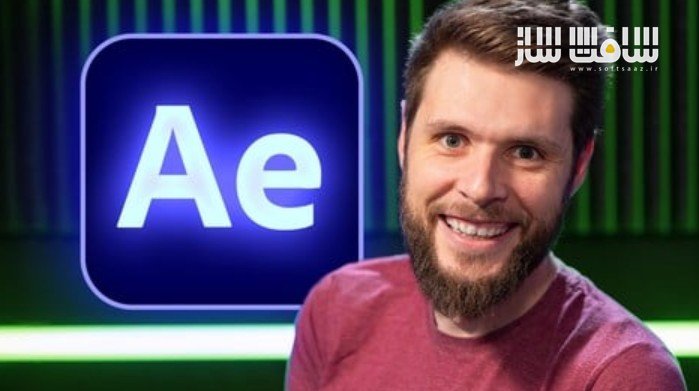
شروع کار با Adobe After Effects 2026 برای مبتدیان
شروع کار با Adobe After Effects 2026 برای مبتدیان : این دوره از Jordy Vandeput، فیلمساز حرفهای با بیش از ۱۵ سال تجربه، راهی کامل و مرحلهبهمرحله برای یادگیری After Effects 2026 و ورود به دنیای موشنگرافیک، جلوههای ویژه (VFX) و انیمیشن سهبعدی است.
این دوره برای افراد کاملاً مبتدی طراحی شده و با آموزش اصولی و روان، پیچیدگیهای After Effects را ساده میکند. شما از صفر شروع میکنید و در پایان قادر خواهید بود پروژههای حرفهای برای شبکههای اجتماعی، فیلم و کارهای تجاری بسازید.
این دوره، راهنمای جامع و سادهفهم برای یادگیری Adobe After Effects 2026 است؛ جایی که قدمبهقدم از مفاهیم پایه تا تکنیکهای حرفهای حرکت میکنید. Jordy با آموزشهایی کاملاً کاربردی نشان میدهد چطور انیمیشن بسازید، جلوههای ویژه حرفهای اجرا کنید، و عناصر گرافیکی را در ویدئوهای واقعی ادغام کنید. این دوره آموزشی توسط تیم ســافــت ســاز برای شما عزیزان تهیه شده است.
در این دوره یاد میگیرید چطور از Motion Tracking، Rotoscoping، Keying، Masking، 3D Camera Tracking، Content-Aware Fill و سایر ابزارهای ضروری AE استفاده کنید و پروژههای کامل و حرفهای بسازید.
عناوین شروع کار با Adobe After Effects 2026 برای مبتدیان :
- ساخت موشنگرافیک و انیمیشن متن از صفر
- آشنایی کامل با انیمیشن: کیفریمها، motion blur، اسلوموشن و speed ramping
- اجرای جلوههای ویژه (VFX) مثل sky replacement و حذف اشیا
- Masking، Keying و Rotoscoping برای ادغام حرفهای عناصر در ویدئو
- Motion Tracking دو بعدی برای اتصال گرافیک به آبجکتهای متحرک
- 3D Camera Tracking برای قرار دادن متن و آبجکتها در فضای سهبعدی واقعی
- ساخت متن سهبعدی و وارد کردن مدلهای 3D
- حذف افراد یا اشیای اضافی با Content-Aware Fill
- تصحیح و تنظیم رنگ حرفهای با Lumetri Color
- کار با محیط کاربری After Effects، کامپوزیشنها و لایهها
- خروجی گرفتن استاندارد برای یوتیوب، شبکههای اجتماعی و تدوین حرفهای
عنوان دوره : Udemy – Get Started with Adobe After Effects 2026 (Beginners)
سطح : مبتدی
زمان کل دوره : 3.13 ساعت
تعداد فايل ها : 22
سال آموزش : 2025
فایل تمرینی : دارد
مربی دوره : Jordy Vandeput
نرم افزار : Adobe After Effects 2026
زیرنویس انگلیسی : دارد
فشردگی اختصاصی سافت ساز : ندارد
Udemy – Get Started with Adobe After Effects 2026 (Beginners)
Master After Effects 2026 for Motion Graphics, VFX & 3D. Learn animation, tracking, and keying from a beginner level.
Unlock the Magic of Adobe After Effects 2026: The Ultimate Guide for Beginners
Have you ever wanted to create stunning visual effects, professional motion graphics, and jaw-dropping animations, but felt overwhelmed by the complexity of Adobe After Effects? You’re not alone. After Effects is an incredibly powerful tool, but without the right guidance, it can feel impossible to learn.
This is the course that changes everything.
Designed for the absolute beginner, this well-structured and engaging class, taught Jordy Vandeput from Cinecom, a professional filmmaker with over 15 years of experience, will demystify After Effects. You will go from knowing nothing to confidently creating professional-quality visual effects and animations. We’ll start with the absolute basics and build your skills step-by-step, ensuring you understand not just what you’re doing, but why you’re doing it.
By the end of this course, you will be able to:
Create stunning Motion Graphics and captivating Text Animations from scratch.
Master the fundamentals of Animation, including smooth keyframing, motion blur, and speed ramping (time remapping).
Perform advanced Visual Effects (VFX) like sky replacements and object removal.
Seamlessly integrate elements into your videos using Masking, Keying (including Luma Keying), and the powerful Rotobrush (Rotoscope) tool.
Use Motion Tracking to stabilize shaky footage or make graphics stick to moving objects.
Bring your scenes into the third dimension with 3D Camera Tracking, allowing you to place text and objects into live-action footage.
Build and animate true 3D Text and even import and light 3D models.
Magically remove unwanted people or objects from your shots using the incredible Content-Aware Fill tool.
Perform professional Color Correction and Grading with the Lumetri Color effect.
Confidently navigate the After Effects user interface, understanding compositions, layers, and effects.
Export your finished projects in the correct format for YouTube, social media, or professional editing workflows.
What you’ll learn
Master keyframes, layer properties, and smooth animations to bring static objects to life.
Learn to isolate objects with Masking, Rotoscoping, and Luma Keying.
Attach graphics to moving video using standard Motion Tracking and advanced 3D Camera Tracking.
stabilize shaky video and remove unwanted objects using Content-Aware Fill.
Step into the third dimension with 3D Text and 3D Objects.
Create professional titles with Advanced Text Animations and Track Mattes.
حجم کل : 3.5 گیگابایت
برای نمایش این مطلب و دسترسی به هزاران مطلب آموزشی، نسبت به تهیهی اکانت ویژه از لینک زیر اقدام کنید.
وضعیت فعلی شما
- لینکهای دانلود این مطلب قفل است
- بقیهی مطالب ویژه هم بسته است
- بدون دسترسی به آموزش نصب
با اشتراک ویژه
- دسترسی به همهی مطالب سافتساز
- آپدیت روزانه مطالب سایت از بهترین سایتهای سیجی
- ورود نامحدود کاربران از هر دیوایسی
- دسترسی به آموزش نصب کامل پلاگینها و نرمافزارها
For international users: online support — email info@softsaz.ir or Telegram @SoftSaaz.




از اسم و حجم دوره مشخصه که برای افراد مبتدی تهیه شده؛ اما اونایی که دنبال این هستن که تغییرات افترافکت رو نسخه 2026 مشاهده کنن هم میتونن از این دوره استفاده کنن؛ استاد دوره قابل اعتماد و ماهر هستش
در واقع حرفه اصلی مدرس دوره جلوه های ویژه هست