آموزش انیمیشن سازی در Maya از Animation Mentor با زیرنویس فارسی
Animation Mentor - Maya Animation Course

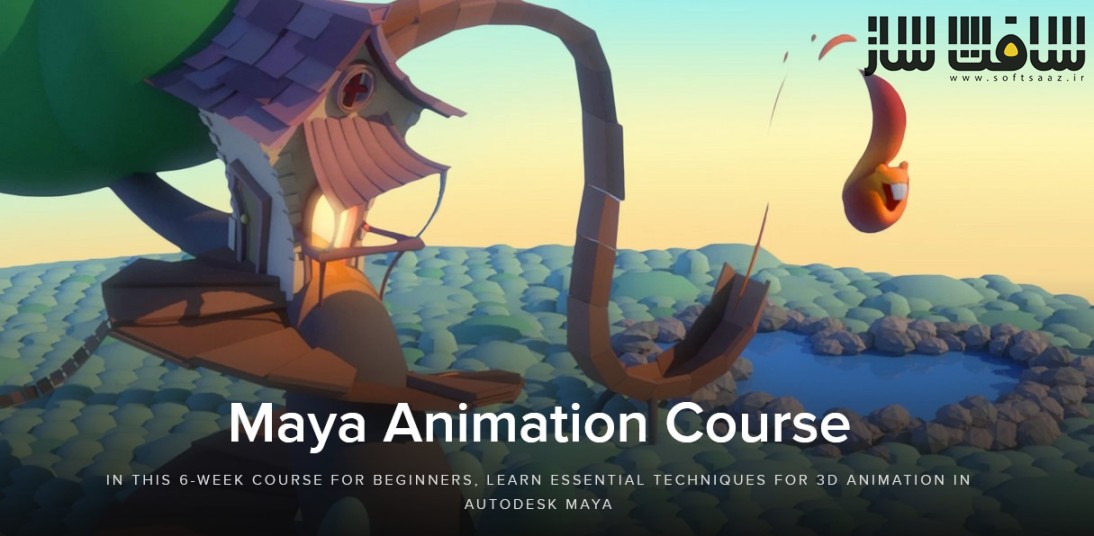
آموزش انیمیشن سازی در Maya از Animation Mentor
آموزش انیمیشن سازی در Maya از Animation Mentor : در این دوره شش هفتهای برای مبتدیان از Animation Mentor و هنرمند Justin Owens ، با تکنیکهای اساسی انیمیشن سهبعدی در Autodesk Maya آشنا خواهید شد.
این دوره انیمیشن مایا برای مبتدیانی طراحی شده است که به انیمیشن علاقه دارند، اما تجربهای در این زمینه ندارند. سفر خود را برای تبدیل شدن به یک انیماتور موفق شخصیتها آغاز کنید و تکنیکها و ابزارهایی را بیاموزید که انیماتورهای حرفهای برای خلق شخصیتهای انیمیشنی معروف از آنها استفاده میکنند. برای پیوستن به این دوره مهارت خاصی لازم نیست، اما از شما میخواهیم که با اشتیاق به انیمیشن و تمایل به یادگیری وارد این دوره شوید.
این دوره شما را با اصول استفاده از مایا ، نحوه ناویگیشن در رابط کاربری و فضای سهبعدی، ابزارهای مورد استفاده در انیمیشن سازی ،مدیریت صحنه ، ورک فلوی و کلید های میانبر ، درک اولیه از انیمیشن سازی کاراکترهای سه بعدی ، مدلینگ پالیگان و …. آشنا میکند، . پس از یادگیری مایا، شما آنقدر با این نرمافزار بنیادی آشنا خواهید شد که آماده خواهید بود تا وارد دنیای انیمیشن شخصیتها و انیمیشن بازیها شوید.این دوره آموزشی توسط تیم ســافــت ســاز برای شما عزیزان تهیه شده است.
عناوین آموزش انیمیشن سازی در Maya از Animation Mentor :
- هفته 1: آشنایی با مایا و رابط کاربری، حرکت در فضای سهبعدی و کار با اشیای پایه
- هفته 2: آشنایی با ابزارهای انیمیشن مایا و درک اولیه انیمیشنسازی
- هفته 3: استفاده از مفاهیم پایه برای انیمیشن جهش مدل “Squirrels”
- هفته 4: یادگیری تکنیکهای انیمیشن شخصیت و ایجاد جهش پیچیده برای مدل “Stewart”
- هفته 5: انیمیشن پیشرفته با استفاده از بازوی رباتیک
- هفته 6: مرور مباحث کلیدی و آشنایی با تکنیکهای پیشرفته انیمیشن شخصیت
دوستان در نظر داشته باشند در هر خرید محصولات سوپرویژه چون به صورت سخت افزار ایجاد میشه فقط یک بار میتوانند بروی یک سیستم از آموزش هابصورت دائم استفاده کنند . در صورت مشکل سخت افزاری پیش اومده و نیاز به کد مجدد دارید ، حتما باید مشکل سخت افزاریشون در اون تاریخ قابل اثبات باشه
مهم : تفاوت بین مطالب اشتراکی با سوپرویژه : لطفاً مطالعه فرماید
عنوان دوره : Animation Mentor – Maya Animation Course
سطح : مبتدی
زمان کل دوره : 7 ساعت
تعداد فايل ها : 6 فصل
سال آموزش : 2017
فایل تمرینی : ندارد
مربی دوره : Justin Owens
نرم افزار : Maya
زیرنویس فارسی: دارد
فشردگی اختصاصی سافت ساز : ندارد
سکه مورد نیاز برای خرید : 5000 سکه
Animation Mentor – Maya Animation Course
In this 6-week course for beginners, learn essential techniques for 3D animation in Autodesk Maya
Get your feet wet by learning animation basics in Autodesk Maya®, the most widely-used 3D animation software in the industry. We built our Maya Animation course for beginners who have a passion for animation, but zero experience. Start your journey to becoming a successful character animator by learning the techniques and tools that pro animators use to create iconic, animated characters.
Skills You Need Before You Start
The Maya Animation course is not graded to help you feel comfortable learning the software at your own pace. There are no required skills to join, but we ask that you bring enthusiasm for animation and a desire to learn.
What You’ll Learn
This course will familiarize you with the basics of using Maya, including how to navigate the interface and 3D space, as well as the tools used for animation. After learning Maya, you’ll be so familiar with this fundamental software that you’ll be ready to jump right into learning character animation and game animation. After this course you’ll:
- Be comfortable with the Maya interface, allowing you to focus on animation without getting lost in the software
- Navigate the 3D viewport and move fluidly around your scene
- Understand workflows and keyboard shortcuts to allow you to work faster and more efficiently
- Have a basic understanding of how to animate 3D characters in Maya
- Be able to model basic polygons, so that you can can create and populate your scenes with set pieces and props
Will I learn how to render an animation in Maya?
Yes, you’ll learn how to render your animation assignments so you can submit them for review. You’ll also master the basics of the Maya interface by creating simple prop models and you’ll learn how to use the graph editor to animate characters.
Will I learn how to export animation in Maya?
Yes, you learn how to export a quick “playblast,” a video file of your animation for review.
Does the course cover how to bake an animation in Maya?
No. This course covers how the graph editor works and how to use rig controls to create basic animation.
Why is Maya the most commonly used software by professionals?
Maya is considered the industry standard for professional animation because it’s powerful and high-quality. Most small and mid-sized studios use Maya. Some large studios use Maya, however, some major studios create their own proprietary animation software systems and production pipeline. If you have mastered Maya, you will easily be able to master these proprietary software, as most of them work in a similar way.
What You’ll Learn in the Maya Animation Course
Week 1
Maya Overview
In this session we cover all the basics of Maya, getting you comfortable with the main aspects of the interface, navigating in 3D space, and working with basic objects.
Week 2
Introduction to Animation in Maya
In this session we dive into Maya’s animation toolset and interface. By the end of this session you will have a basic understanding of how to animate within Maya.
Week 3
Fundamental Concepts of Animation
Using the concepts, tools, and techniques from the previous two sessions, you’ll animate our Squirrels rig performing a bouncy jump.
Week 4
Character Animation in Maya I
This week we’ll look at the basic tools, techniques, and workflows for character animation within Maya. You’ll learn how to make Stewart, our biped rig, perform a complex jump.
Week 5
Character Animation in Maya II
Now we’re ready to cover more intermediate character animation topics within Maya. You’ll create an advanced animation shot using a mechanical robot arm. This will prepare you for the more complex animations later on.
Week 6
Character Animation in Maya III
In this session we review the key topics covered within this course, as well as more advanced character animation topics.
حجم کل : 3.8 گیگابایت
برای خرید این آموزش و دیدن لینک دانلود به 5000 سکه نیاز دارید
بخش « سوپر ویژه » : خرید با سکه
لینک دانلود این صفحه، فقط برای کاربرانی که سکه لازم برای مشاهده این مطلب رو دارند و خرج نموده اند ، برای همیشه قابل مشاهده هست . لطفا به حساب خود در سایت وارد شوید یا ثبت نام کنید و سکه مورد نیاز را از این لینک برای خرید این دوره پرداخت بفرمایید
برای کسب اطلاعات بیشتر در مورد بخش سوپر ویژه و آموزش خرید « سکه » به این صفحه مراجعه فرمایید . لینک صفحه راهنما
این بخش شامل مطالب کاملاً اختصاصی و نایابی است که در سطح اینترنت یافت نمیشوند و توسط تیم سافتساز تهیه و منتشر خواهند شد. برای دسترسی به لینکهای این مطالب، لازم است «سکه» تهیه کرده باشید.
هر مطلب سوپر ویژه، بسته به ارزش و محتوای آن، تعداد مشخصی سکه نیاز دارد. برای مشاهده و استفاده از این مطالب، باید موجودی سکه شما کافی باشد.
توجه : این قسمت کاملا جدا از قسمت اشتراک ویژه است.



سلام
چرا وقتی این دوره رو دانلود کردم اصلا کار نمیکنه و هیچ ویدیویی نداره؟
میشه راهنمایی کنید چطوری باید از فایل ها استفاده کنم؟
سلام دوره به صورت کد شده هست ، باید ماشین ایدی رو در چت آنلاین بفرستید تا براتون پسورد ارسال بشه