آموزش ساخت بازی دوبعدی نمای بالا (Top-Down) در Godot 4.5
Udemy - LittleAdventurerAndie :Make a 2D TOP-DOWN Game with Godot 4.5

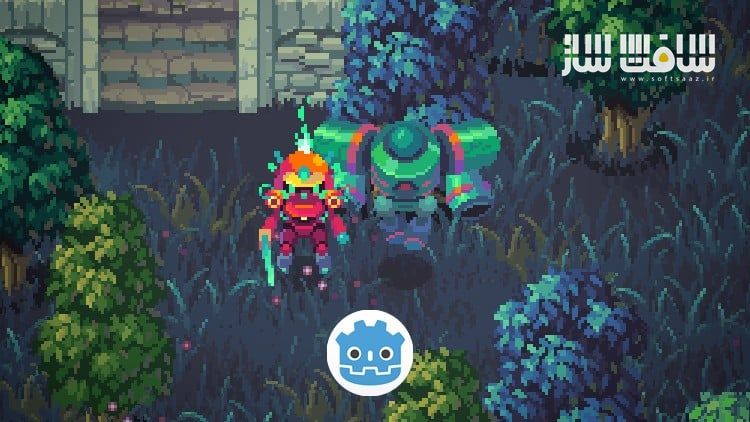
آموزش ساخت بازی دوبعدی نمای بالا (Top-Down) در Godot 4.5
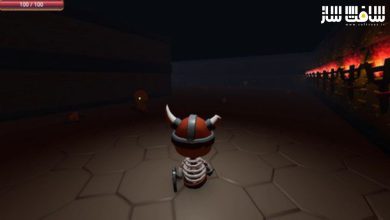
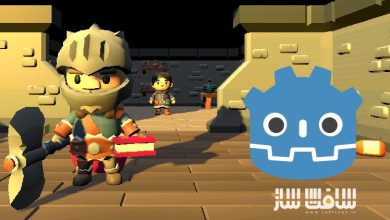
آموزش ساخت بازی دوبعدی نمای بالا (Top-Down) در Godot 4.5 : در این دورهی جذاب و پروژهمحور از Single-minded Ryan، توسعهدهندهی بازی و هنرمند دیجیتال، یاد میگیرید چگونه یک بازی اکشن دوبعدی از بالا (2D Top-Down Action Game) با داراییهای (Assets) باکیفیت و ظاهری حرفهای در Godot Engine بسازید.
مدرس با دقت فراوان تمام عناصر بصری و گرافیکی بازی را بهصورت دستساز طراحی کرده تا از همان ابتدا احساس ساخت یک بازی واقعی را تجربه کنید. در طول دوره، بهصورت گامبهگام مراحل ساخت بازی را یاد میگیرید؛ از طراحی محیط با TileMapLayer گرفته تا برنامهنویسی حرکات، کنترل انیمیشنها، و ساخت سیستم دشمنان با هوش مصنوعی.
در ابتدا با ایجاد محیط بازی توسط TileMapLayer Node شروع میکنید، جایی که نحوهی چیدمان سطوح و مدیریت آن بدون نیاز به طراحی تایلهای جداگانه آموزش داده میشود. سپس حرکات و انیمیشنهای بازیکن را با استفاده از GDScript پیادهسازی میکنید.
در ادامه با مفهوم قدرتمند State Machine آشنا میشوید تا رفتارهای پیچیدهی کاراکترها را بهصورت منظم مدیریت کنید. همچنین با سیستم Navigation، مسیریابی هوش مصنوعی (AI Pathfinding) برای دشمنان را میسازید. . این دوره آموزشی توسط تیم ســافــت ســاز برای شما عزیزان تهیه شده است.
عناوین آموزش ساخت بازی دوبعدی نمای بالا (Top-Down) در Godot 4.5 :
- آموزش گامبهگام ساخت بازی 2D Top-Down با Godot 4.5
- برنامهنویسی کامل بازی با زبان GDScript
- کنترل حرکت و انیمیشن بازیکن با AnimatedSprite2D
- طراحی مراحل با TileMapLayer و سیستم AutoTile
- ایجاد Collision Shapes برای برخوردهای دقیق
- مدیریت رفتار کاراکترها با State Machine
- پیادهسازی سیستم حمله و سلامت (Attack & Health)
- طراحی Enemy AI با سیستم Navigation
- ایجاد Interactive Grass که در اثر عبور بازیکن حرکت کرده و قابل برش است
- استفاده از Shaders برای افکتهای چشمکزدن و حالت شکستناپذیری
- کنترل جلوههای ویژه (VFX) و فیزیک دوبعدی بازی
- ساخت رابط کاربری (UI) شامل نوار سلامت و دکمهی Restart
- استفاده از Autoload برای ایجاد Game Manager
- یادگیری سیستم Signal و Annotations در GDScript
- ساخت ابزارهای خودکار برای تولید سریعتر محیط بازی
- دیباگ بازی با عناصر بصری برای یافتن خطاها
- خروجی گرفتن از پروژه بهصورت فایل اجرایی

عنوان دوره : Udemy – LittleAdventurerAndie:Make a 2D TOP-DOWN Game with Godot 4.5
سطح : متوسط
زمان کل دوره : 7.48 ساعت
تعداد فايل ها : 55
سال آموزش : 2025
فایل تمرینی : دارد
مربی دوره : Single-Minded Ryan
نرم افزار : Godot
زیرنویس انگلیسی : ندارد
فشردگی اختصاصی سافت ساز : ندارد
Udemy – LittleAdventurerAndie:Make a 2D TOP-DOWN Game with Godot 4.5
Hello, I’m Single-minded Ryan, a game developer and digital artist.
In this course, we are going to create a classic 2D Top-Down action game with high-quality game assets.
First, I want to make the learning process really fun and encouraging, and that’s why I spent a lot of time hand-crafting the assets for this course. And I’m sure that these high-quality assets will make you feel like you are making a real game from the very beginning.
Then let’s talk about the course. We are going to make a classic 2D top-down action game, where the player must defeat all of the enemies in the game world with a sword. We are going to start by creating the platform with the TileMapLayer node. The TileMapLayer node helps us concentrate on the overall level layout, without thinking about what each individual tile should be. But there is a lot of setup work that needs to be done beforehand, and I’m going to guide you through with detailed explanations.
Then we will cover the movement and animation control of the player with GDScript.
After you’ve got a grasp of how GDScript works, we’ll dive into a very powerful concept called the State Machine. It helps us manage the behaviors of the characters as the code grows more and more complicated, and you can’t really make a complicated game without it.
AI Pathfinding is also an essential idea for top-down games, and I walk you through the Navigation system to create the AI of the enemy.
The amount of work required to make a game is overwhelming, so it is important to build your own tools to speed up the process. I’m going to show you how to auto-generate using the grid data of the TileMapLayer node and how to randomize the look of the trees for the boundary of the world.
You really need to pay attention to the details of the game if you want it to shine. I’m going to demonstrate this idea with the interactive grass. Not only will the grass react when the player is passing through, but you can even cut the grass with the sword.
Many times you’ll need to customize your own material shaders for some visual effect. For this part, I’ll show you how to create the blink and invincible effects using the shader graph.
Bugs are inevitable when you are making games. After showing you how to solve some common bugs, I’m going to focus on helping you understand how to debug the game with visuals.
If you are eager to improve your programming skills, this course also has a lot to offer.
I’ll talk about many core ideas of GDScript .
like how to use annotations and how to communicate between scripts using signals
There are many more things you’ll learn in this course, like the VFX, the UI system, the collision layers, and more. The point is, I’ll keep working on this course to add more content, and I really hope I can help you start your game development journey.
At the end of this course, you will be able to do things like:
Learn to make a good-looking 2D Top-Down action game with Godot
Learn how to code a 2D Top-Down game in GDScript
Learn how to control the player’s 2D Top-Down movement
Learn how to use the AutoTile system with the TileMapLayer node
Learn how to create Collison Shapes with the TileMapLayer node
Learn how to design a 2D Top-Down game level by painting the tiles
Learn how to control 2D animations with the AnimatedSprite2D node
Learn how to use the Y-Sort feature for the 2D Top-Down game
Learn how to use the State Machine to manage the behavior of the characters
Learn how to create the attack & health system
Learn how to use @Tool to run code in the editor to randomize the look of the trees
Learn how to use the TileMapLayer to generate grass nodes
Learn how to create Interactive Grass (can by cut be the player, and sways when the player passes)
Learn how to use the Navigation System for the Enemy AI
Learn how to control 2D VFX
Learn how to handle the 2D physics layers and physics detection
Learn how create shaders for the blink effect and invincible effect
Learn how to use Godot’s input system
Learn how to create game UI in Godot to create the health bar UI & the restart button
Learn how to use some GDScript unique features like the annotations, the setter and the signal system
Learn how to use the Autoload system to create the game manager
Learn how to export the game project into executable files
Learn how to use the Godot 2D physics engine
Learn how to debug the game with visual elements
Learn how to instantiate new nodes in the game scene
*This course does not contain any sound and music assets at the moment.
*All of the assets (the tile map, animation files, VFX files, background files, etc.) provided in this course are only for educational purposes, please do not use them in any commercial projects.
حجم کل : 3.3 گیگابایت

برای دسترسی به کل محتویات سایت عضو ویژه سایت شوید
برای نمایش این مطلب و دسترسی به هزاران مطالب آموزشی نسبت به تهیه اکانت ویژه از لینک زیر اقدام کنید .
دریافت اشتراک ویژه
مزیت های عضویت ویژه :
- دسترسی به همه مطالب سافت ساز
- آپدیت روزانه مطالب سایت از بهترین سایت های سی جی
- ورود نامحدود کاربران از هر دیوایسی
- دسترسی به آموزش نصب کامل پلاگین ها و نرم افزار ها
اگر در تهیه اشتراک ویژه مشکل دارید میتونید از این لینک راهنمایی تهیه اشتراک ویژه رو مطالعه کنید . لینک راهنما
For International user, You can also stay connected with online support. email : info@softsaaz.ir telegram : @SoftSaaz