آموزش تسلط بر لایه ، صحنه و کامپوزیشن در Blender
Udemy - Mastering Layers, Scenes & Compositing in Blender

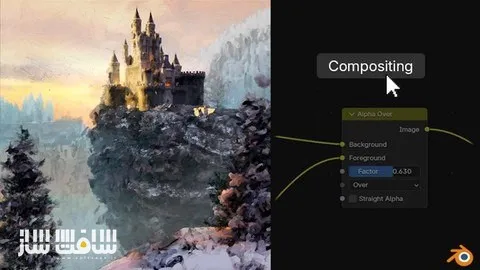
آموزش تسلط بر لایه ، صحنه و کامپوزیشن در Blender
آموزش تسلط بر لایه ، صحنه و کامپوزیشن در Blender : این دوره از Sime Bugarija یک مسترکلاس جامع برای بهبود گردش کار کامپوزیشن در Blender است که با تمرکز بر Layers و Scenes به شما کمک میکند پروژههای پیچیده را بهصورت حرفهای سازماندهی و مدیریت کنید. در حالی که بسیاری از آموزشهای بلندر روی مدلسازی، تکسچرینگ، نورپردازی و ساخت صحنه تمرکز دارند، این دوره به یکی از مهمترین بخشهای کمتر آموزش دادهشده یعنی مدیریت و ساختاردهی صحنهها میپردازد.
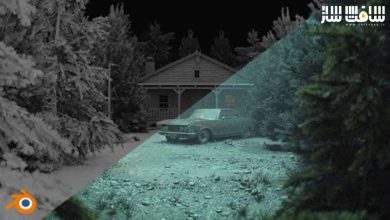
در این آموزش یاد میگیرید چگونه با استفاده از لایهها، صحنهها، Render Passها، OpenEXR، مدیریت رنگ، Light Linking، Light Groups و سایر ابزارهای پیشرفته، کنترل بیشتری روی رندرهای خود داشته باشید. همچنین خواهید آموخت چگونه بدون نیاز به رندر مجدد، ظاهر نهایی صحنه را از یک رندر واقعگرایانه به یک خروجی استایلایز یا حتی شبیه نقاشی تبدیل کنید و تنها با چند تنظیم در Compositor تغییرات گستردهای ایجاد نمایید.
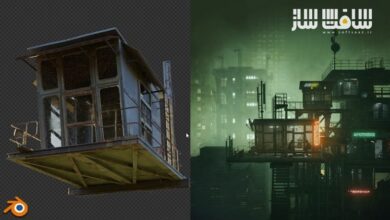
با افزایش پیچیدگی پروژهها، مدیریت صحیح فایلهای Blender اهمیت بیشتری پیدا میکند. این دوره به شما نشان میدهد چگونه صحنههای بزرگ را به لایههای مختلف تقسیم کنید تا علاوه بر حفظ نظم پروژه، سرعت Viewport و رندر افزایش پیدا کند و امکان رندرگیری مجدد تنها از بخشهای تغییر یافته فراهم شود. همچنین با انتقال رندرها به نرمافزارهایی مانند After Effects و DaVinci Resolve و تنظیم صحیح Color Management نیز آشنا خواهید شد. این دوره آموزشی توسط تیم ســافــت ســاز برای شما عزیزان تهیه شده است.
عناوین آموزش تسلط بر لایه ، صحنه و کامپوزیشن در Blender :
- آموزش کامل گردش کار Compositing در Blender با استفاده از Layers و Scenes
- یادگیری سازماندهی حرفهای پروژههای پیچیده در بلندر
- کار با Layers، Scenes و Toggles
- آشنایی با Render Passها و نحوه استفاده از آنها
- آموزش فرمت OpenEXR در پروژههای حرفهای
- یادگیری Color Management و تنظیم صحیح رنگها
- آموزش Light Linking و Light Groups
- آشنایی با روشهای مختلف Import و تفاوت آنها
- آموزش Library Overrides برای مدیریت بهتر پروژهها
- تبدیل ظاهر رندر از واقعگرایانه به استایلایز بدون نیاز به رندر مجدد
- افزایش کنترل روی خروجی نهایی از طریق Compositor
- بهینهسازی سرعت Viewport و فرآیند رندر
- یادگیری رندرگیری مجدد تنها از لایههای تغییر یافته برای صرفهجویی در زمان
- انتقال پروژهها به After Effects و DaVinci Resolve
- مدیریت صحنههای سنگین و پیچیده بهصورت حرفهای
- آشنایی با Scatter on Surface و نسخه توسعهیافته Super Scatter on Surface
- استفاده از داراییهای Photoscan باکیفیت در بیش از 20 دستهبندی مختلف
عنوان دوره : Udemy – Mastering Layers, Scenes & Compositing in Blender
سطح : مبتدی
زمان کل دوره : 3.39 ساعت
تعداد فايل ها : 15
سال آموزش : 2026
فایل تمرینی : دارد
مربی دوره : Sime Bugarija
نرم افزار : Blender
زیرنویس انگلیسی : ندارد
فشردگی اختصاصی سافت ساز : ندارد
Udemy – Mastering Layers, Scenes & Compositing in Blender
Your all-in-one masterclass for enhancing your Blender compositor workflow using Layers and Scenes
There are a large number of blender courses that cover the basic things like modeling, texturing, lighting, or, in general, scene creation…and I’ve made a few of them myself.
But not many tutorials go deep into scene organization
In this course, we’ll cover topics such as working with layers, scenes, toggles, render passes, OpenEX, color management, light linking, light groups, import methods, library overrides… and more.
For example, with a proper setup, you can completely transform the look of your render — without re-rendering from realistic to stylized, even paint-style looks — all done directly in the compositor with just a few sliders
When working on small or simple scenes, this might not seem very important. But as more details are added to the scene, it becomes large and complex
Without a proper organization, your Blender file can quickly become heavier, slower, and harder to manage. That’s where understanding how to break a scene into layers becomes important.
Not just to keep things organized, but to keep your viewport and render fast, stay flexible, and gain much more control later in the compositor.
For example, we can re-render only the layer that we changed — saving massive amounts of time
So this is a course about Layers, Scenes, Passes, Toggles, OpenEX and how they all work together in a Blender compositor
Along the way, we’ll also cover topics such as light linking, light groups, the difference between import methods, library overrides, and more.
We’ll also talk about how to move your renders into other compositing software like After Effects or DaVinci Resolve and how to set up color management correctly. (This part is optional because we are using Blender Compositor as the main tool).
ASSETS INCLUDED
Since we added more details to the scene with my Geo nodes modifier Super Scatter on Surface, I decided to offer you the option to purchase the modifier at half price.
Scatter on Surface is a new modifier that has become Blender’s primary scattering tool since Blender 5, However, it comes with one drawback — it’s empty by default. But Super Scatter on Surface, my version of the modifier, fixes that; you get the same modifier but fully populated with high-quality photoscan assets covering over 20 categories.
What you’ll learn
Learn how to use Blender’s compositor workflow with Layers and Scenes.
I will introduce you to tools such as layers, scenes, toggles, render passes, OpenEX, color management, light linking, light groups, import methods, library ov.
For example, with a proper setup, you can completely transform the look of your render — without re-rendering from realistic to stylized
For example, we can re-render only the layer that we changed — saving massive amounts of time
حجم کل : 3 گیگابایت
برای نمایش این مطلب و دسترسی به هزاران مطلب آموزشی، نسبت به تهیهی اکانت ویژه از لینک زیر اقدام کنید.
وضعیت فعلی شما
- لینکهای دانلود این مطلب قفل است
- بقیهی مطالب ویژه هم بسته است
- بدون دسترسی به آموزش نصب
با اشتراک ویژه
- دسترسی به همهی مطالب سافتساز
- آپدیت روزانه مطالب سایت از بهترین سایتهای سیجی
- ورود نامحدود کاربران از هر دیوایسی
- دسترسی به آموزش نصب کامل پلاگینها و نرمافزارها
For international users: online support — email info@softsaz.ir or Telegram @SoftSaaz.
امتیاز دهی به این مطلب :
لطفا به این مطلب امتیاز دهید