نورپردازی عملی برای پروداکشن
The Gnomon Workshop - Practical Lighting for Production

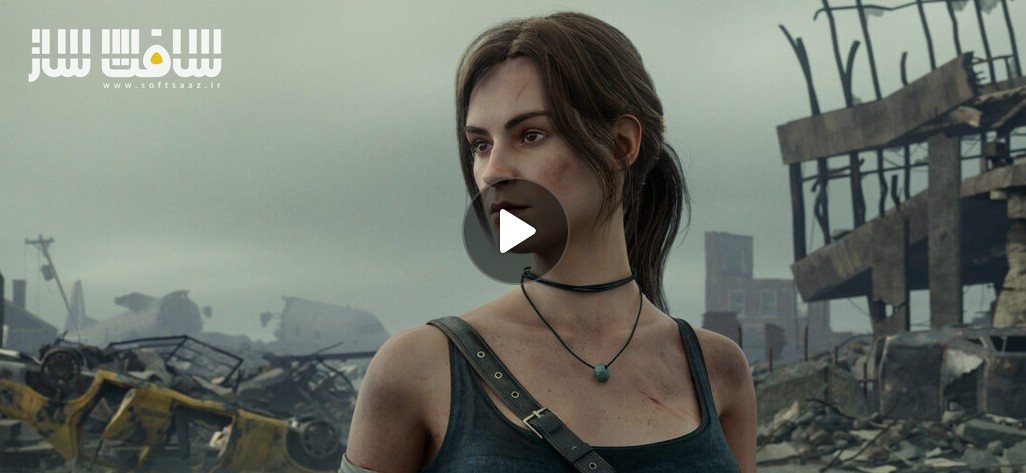
نورپردازی عملی برای پروداکشن
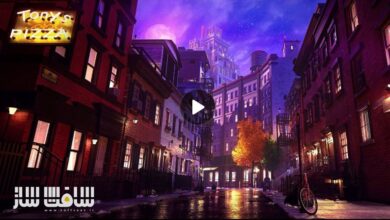
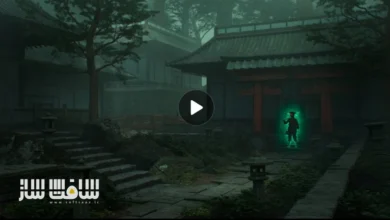
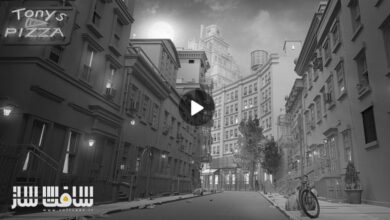
نورپردازی عملی برای پروداکشن : در این ورکشاپ سطح متوسط، با فرآیند کامل نورپردازی و کامپوزیت یک شات سینمایی بر اساس یک رفرنس فیلم آشنا میشوید؛ فرآیندی که با استفاده از نرمافزارهای استاندارد صنعت یعنی Maya، Arnold و Nuke انجام میشود. این آموزش با تدریس Graham Cunningham ارائه شده و برای هنرمندانی طراحی شده است که به گردشکارهای نورپردازی Full-CG در محیطهای تولید حرفهای علاقهمند هستند.
در این دوره، ابتدا نحوه راهاندازی یک Look Development Light Rig پایه در Maya آموزش داده میشود. سپس یک کاراکتر از 3D Scan Store وارد صحنه شده، متریالدهی میشود و اجزای مختلف شیدینگ بررسی شده و یک Turntable حرفهای ساخته میشود. در ادامه، ساخت دوربین شات و Set Dressing محیط با استفاده از داراییهای KitBash3D آموزش داده میشود.
Graham استراتژیهای نورپردازی کاراکتر را بهصورت عملی توضیح میدهد؛ از جمله استفاده از Dome Light و Area Light برای نورهای Key، Fill، Rim و سایر نورهای مکمل. همچنین از HDRI استفاده میشود و نحوه اصلاح و کنترل آنها در Nuke نیز توضیح داده میشود. این دوره آموزشی توسط تیم ســافــت ســاز برای شما عزیزان تهیه شده است.
در بخش رندرینگ، تنظیمات Arnold، عمق میدان (Depth of Field) و ساخت Render Passها بررسی میشود. سپس در Nuke، پاسهای رندر مونتاژ شده، Light AOVها جدا میشوند و کنترل رنگ و شدت نورها انجام میگیرد. همچنین افزودن اتمسفر، استفاده از Cryptomatte برای اصلاح دقیق جزئیات، اعمال افکتهای نهایی و در پایان Color Grading برای تطبیق کامل با رفرنس سینمایی آموزش داده میشود.
عنوان دوره : The Gnomon Workshop – Practical Lighting for Production
سطح : متوسط
زمان کل دوره : 4 ساعت
تعداد فايل ها : 17
سال آموزش : 2025
فایل تمرینی : دارد
مربی دوره : Graham Cunningham
نرم افزار : Nuke Arnold Maya
زیرنویس انگلیسی : ندارد
فشردگی اختصاصی سافت ساز : ندارد
The Gnomon Workshop – Practical Lighting for Production
Explore the complete process of lighting and compositing a shot to match a movie reference, using industry-standard software, Maya, Arnold, and Nuke. This intermediate-level workshop, led by Graham Cunningham, is designed for anyone interested in full-CG lighting workflows.
Artists will learn how to set up a basic look development light rig in Maya, import a character from 3D Scan Store, assign materials, discuss shading components, and create a turntable setup. From there, Graham instructs how to make a shot camera and set dress the environment with assets from KitBash3D. Strategies for lighting a character are also covered, including how to use dome lights and area lights for Key, Fill, Rim, and so on. HDRI maps are also utilized, and Graham explains how to modify them using Nuke.
From there, the workshop dives into the rendering using Arnold, discussing render settings, depth of field, and how to create render passes. Then jumping into Nuke, Graham assembles the render passes, splits out the light AOVs, and shows how to adjust light colors and intensities. He also details how to add atmosphere, how to use cryptomattes to fine-tune the results, how to add post effects, and lastly, how to apply a final color grade to match his chosen movie reference.
Throughout the workshop, Graham shares practical insights and industry workflow strategies to help you get your shots approved in a production environment. His Test Objects Maya file is provided as a project file with this workshop.
حجم کل : 1.7 گیگابایت
برای نمایش این مطلب و دسترسی به هزاران مطلب آموزشی، نسبت به تهیهی اکانت ویژه از لینک زیر اقدام کنید.
وضعیت فعلی شما
- لینکهای دانلود این مطلب قفل است
- بقیهی مطالب ویژه هم بسته است
- بدون دسترسی به آموزش نصب
با اشتراک ویژه
- دسترسی به همهی مطالب سافتساز
- آپدیت روزانه مطالب سایت از بهترین سایتهای سیجی
- ورود نامحدود کاربران از هر دیوایسی
- دسترسی به آموزش نصب کامل پلاگینها و نرمافزارها
For international users: online support — email info@softsaz.ir or Telegram @SoftSaaz.
امتیاز دهی به این مطلب :
لطفا به این مطلب امتیاز دهید