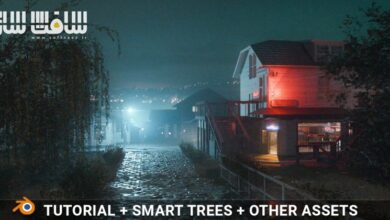
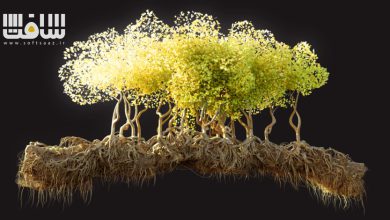
شهر رویهای با Geometry Nodes + صحنه حماسی بتمن در Blender
Udemy - Procedural City with Geo Nodes + Epic Batman Scene in Blende

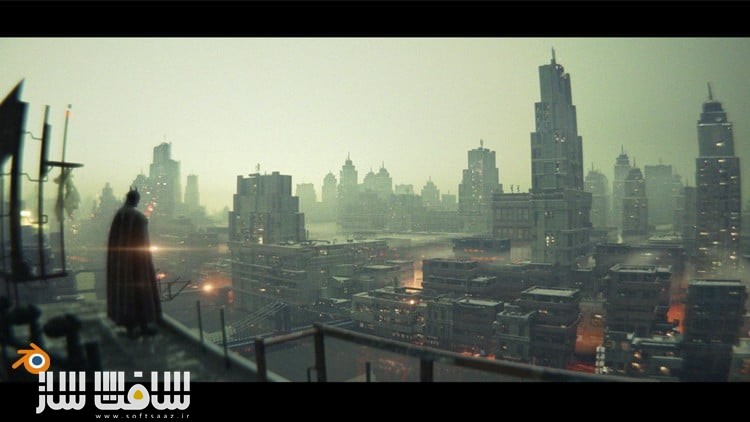
شهر رویهای با Geometry Nodes + صحنه حماسی بتمن در Blender
شهر رویهای با Geometry Nodes + صحنه حماسی بتمن در Blender : این دوره از Sime Bugarija راهی کاربردی و پروژهمحور برای یادگیری ساخت صحنههای سینمایی در Blender است. در این آموزش، شما همزمان یک City Generator کامل با Geometry Nodes طراحی میکنید و یک صحنه سینمایی الهامگرفته از بتمن را میسازید.
این دوره کاملاً مناسب مبتدیان است و قدمبهقدم شما را با مبانی Geometry Nodes، مدلسازی، تکسچرینگ، نورپردازی و ترکیببندی آشنا میکند تا بتوانید صحنههایی حرفهای و پرجزئیات خلق کنید.این دوره آموزشی توسط تیم ســافــت ســاز برای شما عزیزان تهیه شده است.
عناوین شهر رویهای با Geometry Nodes + صحنه حماسی بتمن در Blender :
- بخش اول: ساخت City Generator با Geometry Nodes
آشنایی با مبانی Geometry Nodes در Blender
ایجاد یک ستاپ ساده اما کاربردی برای ساخت شهر تنها با چند کلیک
کنترل ظاهر شهر با اسلایدرها و تغییر Seed
مدلسازی و تکسچرینگ ساختمانها با استفاده از کلیدهای میانبر برای افزایش سرعت و بهینهسازی
ساخت شیدرهای پیشرفته و کنترل نورپردازی کل شهر در Shader Editor - بخش دوم: ایجاد صحنه سینمایی در Blender
استفاده از City Generator برای خلق صحنهی بتمن
اصول دوربین، نورپردازی و ترکیببندی در صحنههای سینمایی
تکنیکهای پسپردازش و آمادهسازی خروجی حرفهای
طراحی یک کامپوزیشن کامل برای آثار هنری و پروژههای آینده - معرفی نرمافزار Blender بهعنوان یک ابزار رایگان و قدرتمند
- ایجاد صحنه سینمایی بتمن با جزئیات کامل
- یادگیری مبانی Geometry Nodes و طراحی یک City Generator کاربردی
- آموزش مدلسازی و تکسچرینگ سریع و بهینه در Blender
- ساخت شیدرهای پیشرفته و نورپردازی صحنههای شهری
عنوان دوره : Udemy – Procedural City with Geo Nodes + Epic Batman Scene in Blende
سطح : مبتدی
زمان کل دوره : 3.39 ساعت
تعداد فايل ها : 17
سال آموزش : 2025
فایل تمرینی : دارد
مربی دوره : Sime Bugarija
نرم افزار : Blender
زیرنویس انگلیسی : ندارد
فشردگی اختصاصی سافت ساز : ندارد
Udemy – Procedural City with Geo Nodes + Epic Batman Scene in Blende
We will create the entire cinematic scene as well as a functional Gometry nodes city generator. Beginners friendly also
Welcome to the new Blender tutorial in which we will create the Batman scene from the introductory video and along the way create a functional modifier that creates an entire city with a lot of details with a few clicks.
The tutorial is divided into two main parts.
– In the first part, we create a City generator using the Geometry nodes modifier
in this part we get to know the basics of the Geometry nodes modifier and through a practical example we create a simple but functional Geometry nodes setup with which we can control the appearance of the city by simply moving the slider or changing the seed.
If you are not yet familiar with geometry nodes in blender, this is an ideal exercise for you. Through a simple and beginner-friendly process, we’ll create an interesting and useful modifier that generates an entire city in the background — perfect for our Batman scene, as well as future projects.
In this part we also talk about the modeling and texturing that we need to create buildings.
I will show you how to quickly and efficiently model with the help of shortcut keys and how to achieve that the models are optimized and at the same time look as detailed and realistic as possible. We will also create more advanced shaders and I will show you how we can control the lighting of an entire city within the shader editor.
– In the second part, we mainly deal with creating a scene in blender!
Now that we have a city that makes up a large part of our scene, it’s time to create a cinematic composition where we can use the City generator created earlier.
In this part, we talk a lot about the camera, lighting, composition, post-processing and more…everything that is normally needed to create artwork.
What you’ll learn
I will introduce you to Blender (free software)
We will create a cinematic scene of Batman from the introduction
I will show you the basics of Geometry nodes
We will create a simple but functional “City generator” in geo nodes
I will teach you how to model and texturize in Blender.
حجم کل : 3.5 گیگابایت
برای نمایش این مطلب و دسترسی به هزاران مطلب آموزشی، نسبت به تهیهی اکانت ویژه از لینک زیر اقدام کنید.
وضعیت فعلی شما
- لینکهای دانلود این مطلب قفل است
- بقیهی مطالب ویژه هم بسته است
- بدون دسترسی به آموزش نصب
با اشتراک ویژه
- دسترسی به همهی مطالب سافتساز
- آپدیت روزانه مطالب سایت از بهترین سایتهای سیجی
- ورود نامحدود کاربران از هر دیوایسی
- دسترسی به آموزش نصب کامل پلاگینها و نرمافزارها
For international users: online support — email info@softsaz.ir or Telegram @SoftSaaz.
امتیاز دهی به این مطلب :
لطفا به این مطلب امتیاز دهید