موشن در After Effects با Element 3D
UnhideSchool – The Motion in After Effects with Element 3D Course

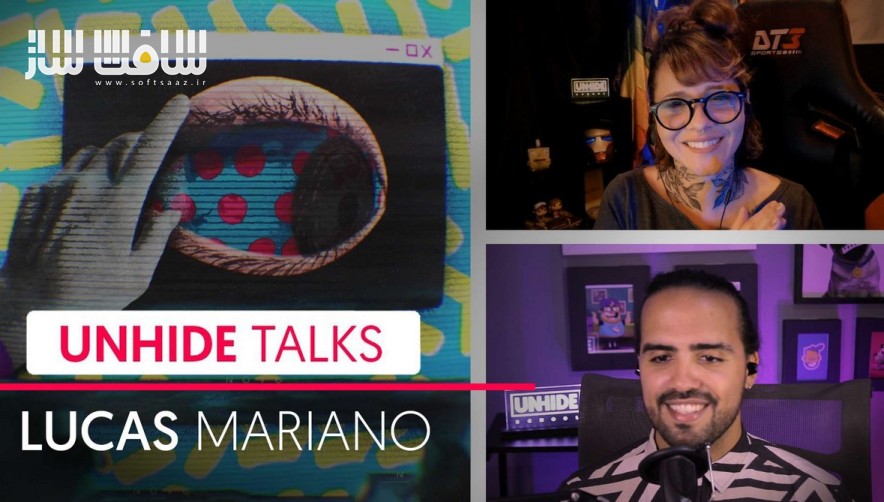
موشن در After Effects با Element 3D
موشن در After Effects با Element 3D : این دوره از UnhideSchool راهی برای یادگیری اجرای یک پروژه موشن از مرحله ایدهپردازی تا تولید نهایی انیمیشن با استفاده از ابزار قدرتمند Element 3D در نرمافزار After Effects است. در این آموزش یاد میگیرید که چگونه یک بریف موشن را با هویت بصری منحصربهفرد و عناصر سهبعدی به اجرا درآورید و پروژههای حرفهای طراحی کنید.
دوره Motion in After Effects with Element 3D به شما نشان میدهد چگونه یک پروژه اینترو یا اوورتور را از تحقیقات اولیه و جمعآوری رفرنسها تا طراحی مفهومی و اسمبل نهایی در After Effects پیش ببرید. در طول مسیر، نکات مهمی از ورکفلو در After Effects و یک ماژول اختصاصی برای پلاگین Element 3D آموزش داده میشود.
در این دوره یاد میگیرید کیفیت و دامنه کاری خود را در پروژههای تبلیغاتی، تلویزیونی یا شخصی افزایش دهید و بدون نیاز به دانش عمیق نرمافزارهای سهبعدی سنتی، انیمیشنهای خود را با المانهای سهبعدی غنی کنید. همچنین نکات ارزشمندی درباره انیمیشن متون، مدیریت تکسچرها و اصلاح نهایی انیمیشنها در After Effects خواهید آموخت. این دوره آموزشی توسط تیم ســافــت ســاز برای شما عزیزان تهیه شده است.
عناوین موشن در After Effects با Element 3D :
- تکنیکهای جستجوی رفرنس
- ساخت مودبورد با Milanote
- اصول طراحی متمرکز بر پروژه دوره
- جستجوی داراییهای رایگان (ویدئو، مدلهای سهبعدی، تصاویر، فونتها، ترکها و افکتهای صوتی)
- ورکفلو در After Effects
- موشن گرافیک با Element 3D
- اصول انیمیشن متمرکز بر پروژه دوره
- انیمیشن در After Effects
- انیمیشن متن و Shape Layerها
- اعمال تکسچر در After Effects
- انیمیشن دوربین
- ترکیب داراییهای خارجی
- رندر در After Effects
- صداگذاری پایه و رندر نهایی در Adobe Premiere
عنوان دوره : UnhideSchool – The Motion in After Effects with Element 3D Course
سطح : متوسط
زمان کل دوره : 16 ساعت
تعداد فايل ها : 6 فصل
سال آموزش : 2025
فایل تمرینی : دارد
مربی دوره : Lucas Mariano
نرم افزار : After Effects – Element 3D
زیرنویس انگلیسی : دارد
فشردگی اختصاصی سافت ساز : ندارد
UnhideSchool – The Motion in After Effects with Element 3D Course
To know how to develop a piece from a briefing from its conception to the execution of the animation using powerful tools, knowledge is necessary. If you want to learn how to run a Motion briefing with original identity and 3D elements in your project, you’ve come to the right course!
The Motion Designer is responsible for bringing graphic elements to life and movement, and is both a designer and an animation professional. The Motion Graphics market has its share of specialists, but this area still needs professionals who can both solve design challenges and make video animations.
The Motion in After Effects with Element 3D course will show you how to start an Intro/Overture project starting with research techniques for references and project conceptualization. The entire video design and animation assembly process will be shown, interspersed with important workflow tips in After Effects, as well as a module dedicated to Element 3D.
This course is aimed at students, art directors, designers, motion designers and other communication professionals who use After Effects who want to enrich their animations with 3D objects and take their motion skills a step further.
The basic requirements for this course are basic knowledge of After Effects and a computer with basic settings to run the Element 3D plugin (listed below).
In addition, it is necessary to have the following software: Adobe After Effects, Adobe Photoshop, Adobe Premiere, Blender and Element 3D (After Effects plugin). No prior knowledge of 3D Software is required.
In the course “Motion in After Effects with Element 3D”, you will learn to add quality and repertoire to solve challenges, whether in Advertising, Television or even personal projects. You’ll also be able to enrich your animations with 3D elements within After Effects, without necessarily having a complete background of traditional software like C4D and Maya. In addition, the course brings valuable tips on text animations, texture manipulation and final treatment of animations in After Effects.
During the course, you will learn the following techniques:
Reference Search Techniques
Assembling a Moodboard with Milanote
Design Fundamentals Focused on Course Project
Search for free assets (videos, 3D models, images, fonts, tracks and sound effects)
Workflow in After Effects
Motion Graphics with Element 3D
Animation Principles Focused on Course Project
Animation in After Effects
Text Animation and Shape Layers
Applying Textures in After Effects
Camera Animation
Composition of External Assets
Render in After Effects
Basic Sound and Rendering in Adobe Premiere
Take advantage of this and more than 60 other courses that make your career in digital art take off! Choose between our Monthly, Semiannual, or Annual Plan to access all courses on the site, a certificate for completed courses, and personalized mentorin
حجم کل : 10.5 گیگابایت
برای نمایش این مطلب و دسترسی به هزاران مطلب آموزشی، نسبت به تهیهی اکانت ویژه از لینک زیر اقدام کنید.
وضعیت فعلی شما
- لینکهای دانلود این مطلب قفل است
- بقیهی مطالب ویژه هم بسته است
- بدون دسترسی به آموزش نصب
با اشتراک ویژه
- دسترسی به همهی مطالب سافتساز
- آپدیت روزانه مطالب سایت از بهترین سایتهای سیجی
- ورود نامحدود کاربران از هر دیوایسی
- دسترسی به آموزش نصب کامل پلاگینها و نرمافزارها
For international users: online support — email info@softsaz.ir or Telegram @SoftSaaz.
امتیاز دهی به این مطلب :
لطفا به این مطلب امتیاز دهید