ورک شاپ نرمافزار Katana از Academy of Animated Art
Academy of Animated Art - Katana Workshop

ورک شاپ نرمافزار Katana از Academy of Animated Art
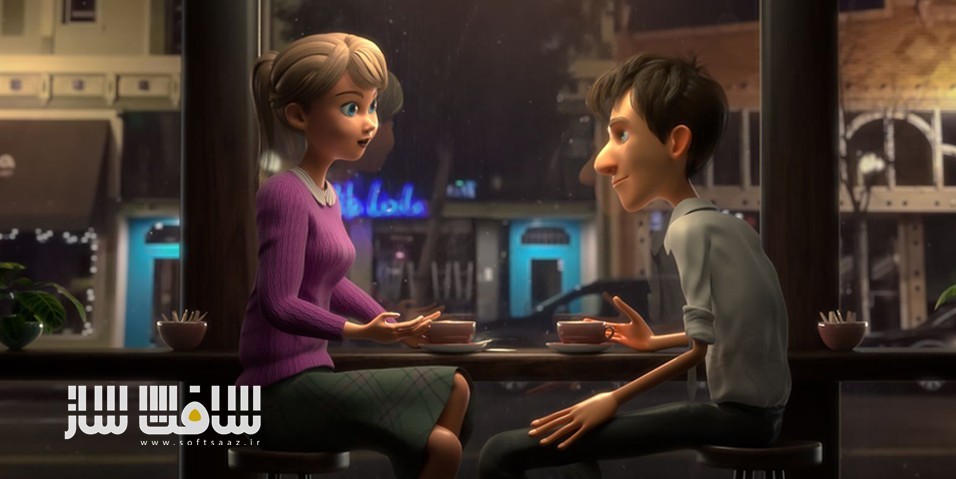
ورک شاپ نرمافزار Katana از Academy of Animated Art : این دوره از هنرمند حرفهای نورپردازی و پیشگام نرمافزار Katana، یعنی Abel Vargas، راهی برای تسلط بر ابزار نورپردازی و توسعه ظاهر (Look Development) است؛ ابزاری که بهسرعت در حال دگرگون کردن دنیای سهبعدی است.
Katana، محصولی از شرکت The Foundry (سازندگان نرمافزارهای معروفی چون Nuke و Mari)، یک ابزار تخصصی برای نورپردازی و LookDev است که با استفاده از یک گردشکار مبتنی بر نود (Node-based)، مدیریت داراییها، متریالها، شیدرها و خروجیهایی مانند AOV را به طرز چشمگیری ساده میکند. این نرمافزار برای سهولت کار هنرمندان طراحی شده و میتواند فایلهای حجیم را بدون مشکل پردازش کند،
همچنین امکان کار همزمان روی چندین شات، فریم یا دارایی مختلف را تنها در یک فایل پروژه فراهم میسازد. با یادگیری این نرمافزار تحولآفرین، در صف اول متخصصان نورپردازی قرار بگیرید و از مهارتهایی بهرهمند شوید که در دنیای واقعی صنعت انیمیشن و VFX مورد استفاده هستند. این دوره آموزشی توسط تیم ســافــت ســاز برای شما عزیزان تهیه شده است.
عناوین ورک شاپ نرمافزار Katana از Academy of Animated Art :
- Katana برای هنرمندان نورپردازی و LookDev طراحی شده است
نرمافزارهایی مانند Maya، Houdini و 3D Studio Max معمولاً پر از ابزارها و قابلیتهایی هستند که محیط کار را شلوغ کرده و کارایی را کاهش میدهند، در حالی که Katana با حذف موارد اضافی، یک محیط کار متمرکز و بهینه برای مدیریت پیچیدهترین فایلها فراهم میکند. - نورپردازی چند شات بهصورت همزمان
در دیگر نرمافزارها باید برای هر شات بهصورت جداگانه فایل را بارگذاری و تغییرات را اعمال کنید، اما در Katana تنها یک بار نور را تنظیم میکنید و تغییرات در تمام شاتها اعمال میشود. - استفاده از قدرت گردشکار نودبیس (Node-Based Workflow)
همانطور که در نرمافزارهایی مانند Nuke و Houdini مشاهده میشود، این سبک از گردشکار، غیرمخرب و منعطف است و اشکالات را میتوان در هر مرحله بهسادگی برطرف کرد بدون اینکه فایل کلی آسیب ببیند.
دوستان در نظر داشته باشند این دوره ها رمزنگاری شده و در هر خرید محصولات سوپرویژه چون به صورت سخت افزار کد ایجاد میشه فقط یک بار میتوانند بروی یک سیستم بصورت دائم از دوره ها استفاده کنند . برای دریافت کد مجدد ، نیاز به خرید مجدد می باشد
مهم : تفاوت بین مطالب اشتراکی با سوپرویژه : لطفاً مطالعه فرماید
عنوان دوره : Academy of Animated Art – Katana Workshop
سطح : تمامی سطوح
زمان کل دوره : – ساعت
تعداد فايل ها : 25
سال آموزش : 2024
فایل تمرینی : ندارد
مربی دوره : Abel Vargas
نرم افزار : Katana
زیرنویس انگلیسی : ندارد
فشردگی اختصاصی سافت ساز : ندارد
سکه مورد نیاز برای خرید : 10000 سکه
Academy of Animated Art – Katana Workshop
Unleash the power of the Lighting and Look Development tool that is taking the 3D world by storm. Taught Lighting Artist and Katana Software Pioneer Abel Vargas
Katana is a Lighting and LookDev tool from The Foundry (makers of Nuke, Mari, and more) that drastically simplifies the management of assets, materials, shaders, and output files like AOVs using a node-based workflow. Katana is designed to make an artist’s life easier. It processes large files easily and even allows you to simultaneously work with multiple shots, frames, assets, other variations from within one Katana project file.
But you are probably wondering…”I already know Maya. Why would I learn lighting in different software?”
So glad you asked!
Katana is specifically designed for Lighting and Look Dev artists.
Maya, Houdini, 3D Studio Max, and other software packages are bogged down with tools and a multitude of functionality that clog the interface and decrease efficiency. Katana strips away all that access and provides a streamlined environment that allows you to easily work with even the most complex files. Never wait hours for a Maya file to load again.
Katana makes lighting a sequence of shots easy.
Have you ever tried to light a sequence of shots in another software package? What do you do? You load the scene. Create your light rig. Export the file. Load the next scene. Import that light rig. Open the next scene…etc. Then, alas, you get a note from the director. What do you have to do? Wait to load one shot, tweak the light, save and close. Wait to load the next shot, make the same tweak, save and close. Wait to load….AAHHH!! There has to be a better way. Katana makes it so you only have to make that change once and it populates throughout all your shots.
Katana harnesses the power of the node-based workflow
Anyone that has worked in Nuke or Houdini can attest to the ease and flexibility of a node-based interface. I have two words for you Non-Destructive Workflow! Plus it is so easy to duplicate and share between multiple project files.
Other 3D software packages can’t even compare. Have you ever run into a render error in Maya? How hard is it to diagnose? The node-based workflow allows for easy access to every step in your process and a mistake with one component can easily be fixed without corrupting the entire file.
More and more studios are switching to Katana
Don’t take my word for it. Check out what artists at the studios themselves are saying:
“I use Katana because it’s one of the best tools to do my job…It makes work a lot more pleasurable because you spend less time fighting with the software and more time doing your actual job.”
Method Studios
“Because we had a bunch of lighting templates created for bb8 in Katana, we were able to put him in there throw some lights in there and make him look amazingly real in a matter of hours.”
Industrial Light and Magic
“Some scenes were literally dealing with several million unique shapes. Katana allowed us to handle these monumental scenes with grace.”
Sony Pictures Animation
“Katana has streamlined our pipeline, freeing up our artists to focus more on their craft.”
Weta Digital
“From on scene file, you can light 10, 20, 100 shots.”
Spin VFX
“Comparing our previous approach to our current, Katana reduces our man-hours up to 80%”
Animagrad Animation Studio
“We did some unique things in Katana that allowed a team of 3 people to bust through 40 some odd characters in a short amount of time.”
Laika
Don’t let this opportunity pass you by to learn to be at the forefront of learning this groundbreaking software
حجم کل : 1.12 گیگابایت
برای دسترسی به لینکها ابتدا وارد حساب خود شوید.
- دسترسی دائمی
- محتوای اختصاصی سافتساز
- جدا از اشتراک ویژه
امتیاز دهی به این مطلب :
لطفا به این مطلب امتیاز دهید